How to cancel your Embershot subscription
Pro, Project, and Enterprise Account holders can cancel their subscriptions by following the steps below.
Free Lite Account holders can contact support@embershot.com, if they would like to request a complete deactivation and deletion of their account.
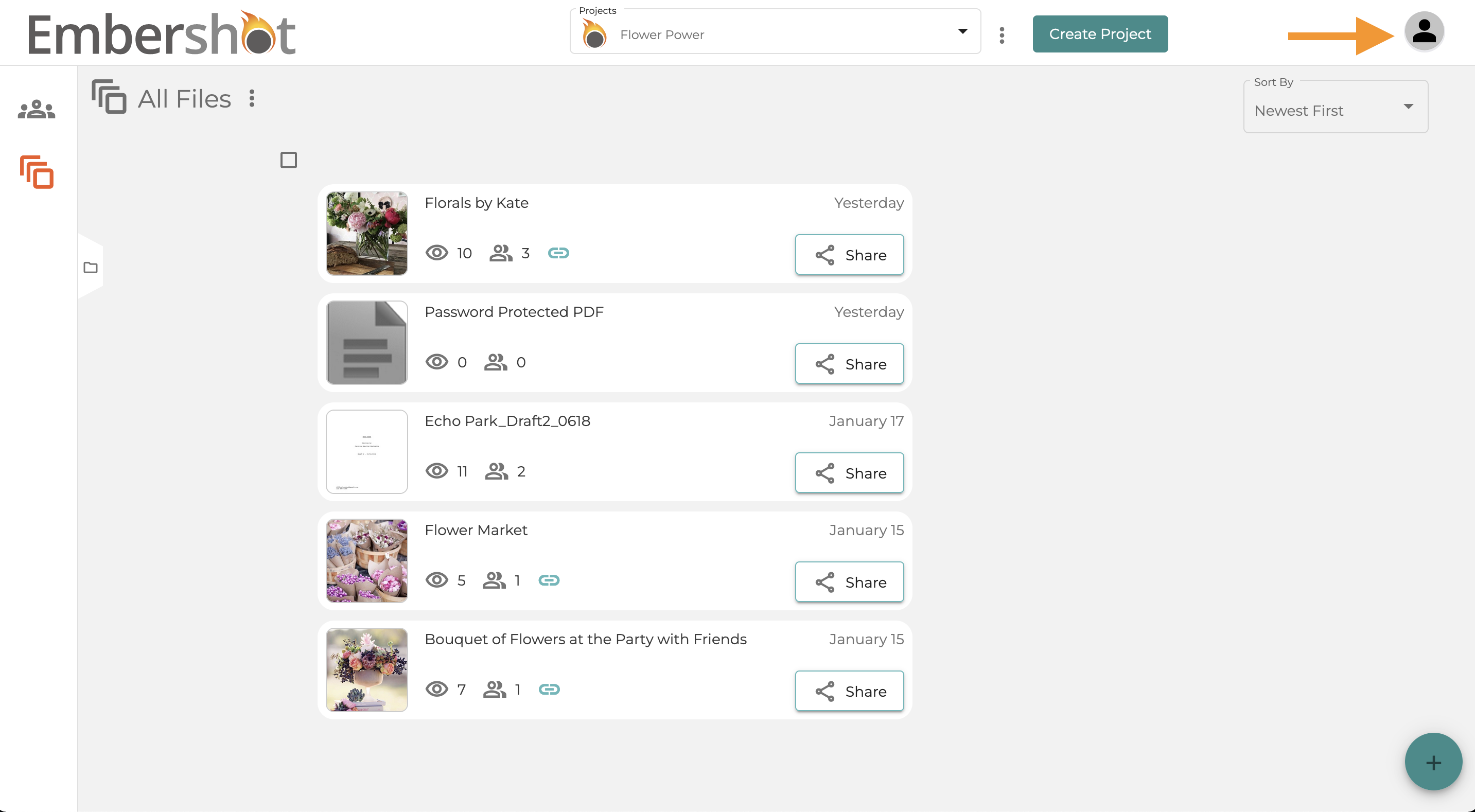
Step 1: Select the account icon in the top right corner
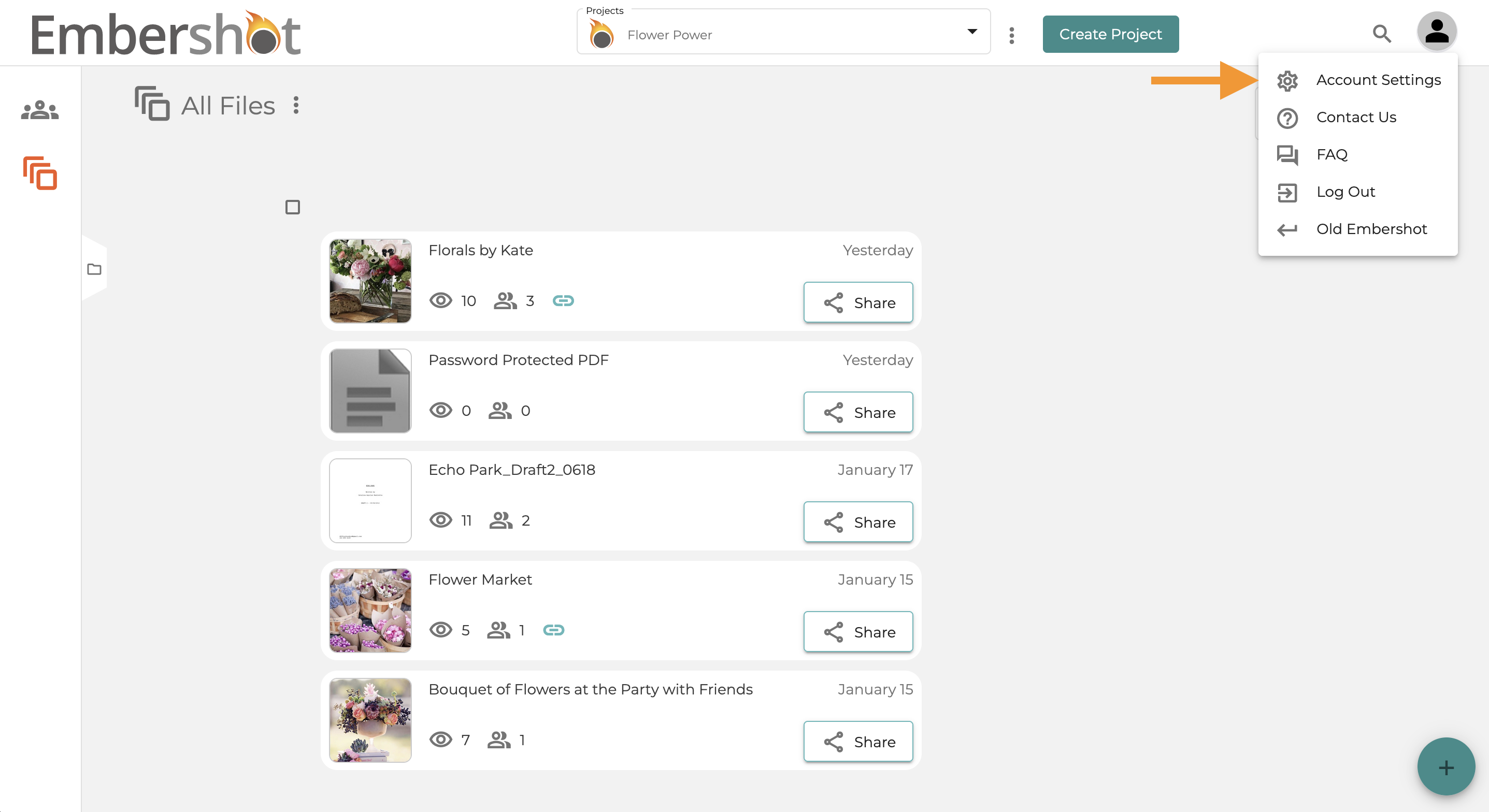
Step 2: Select 'Account Settings'
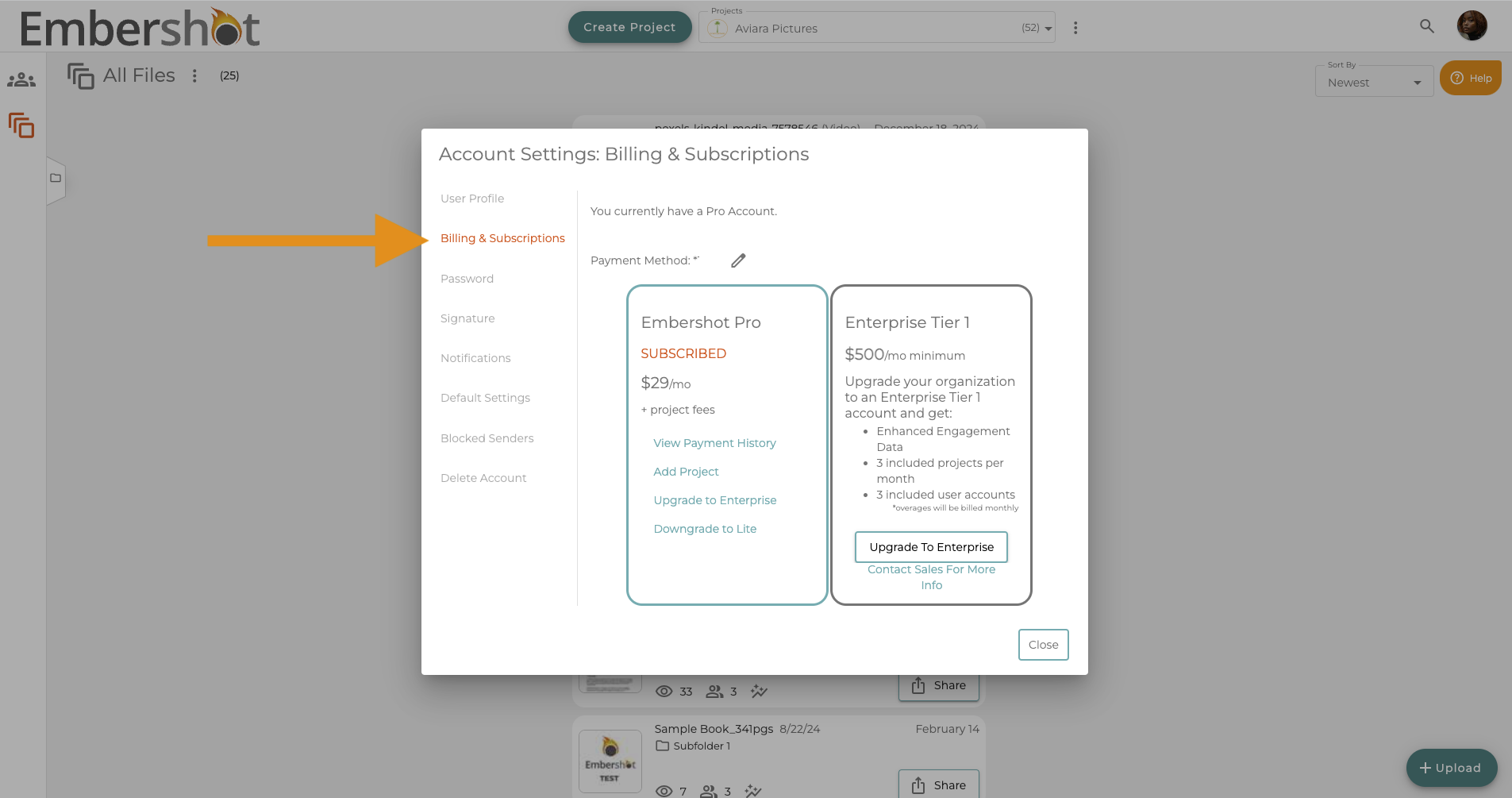
Step 3: Select the 'Billing & Subscription' tab
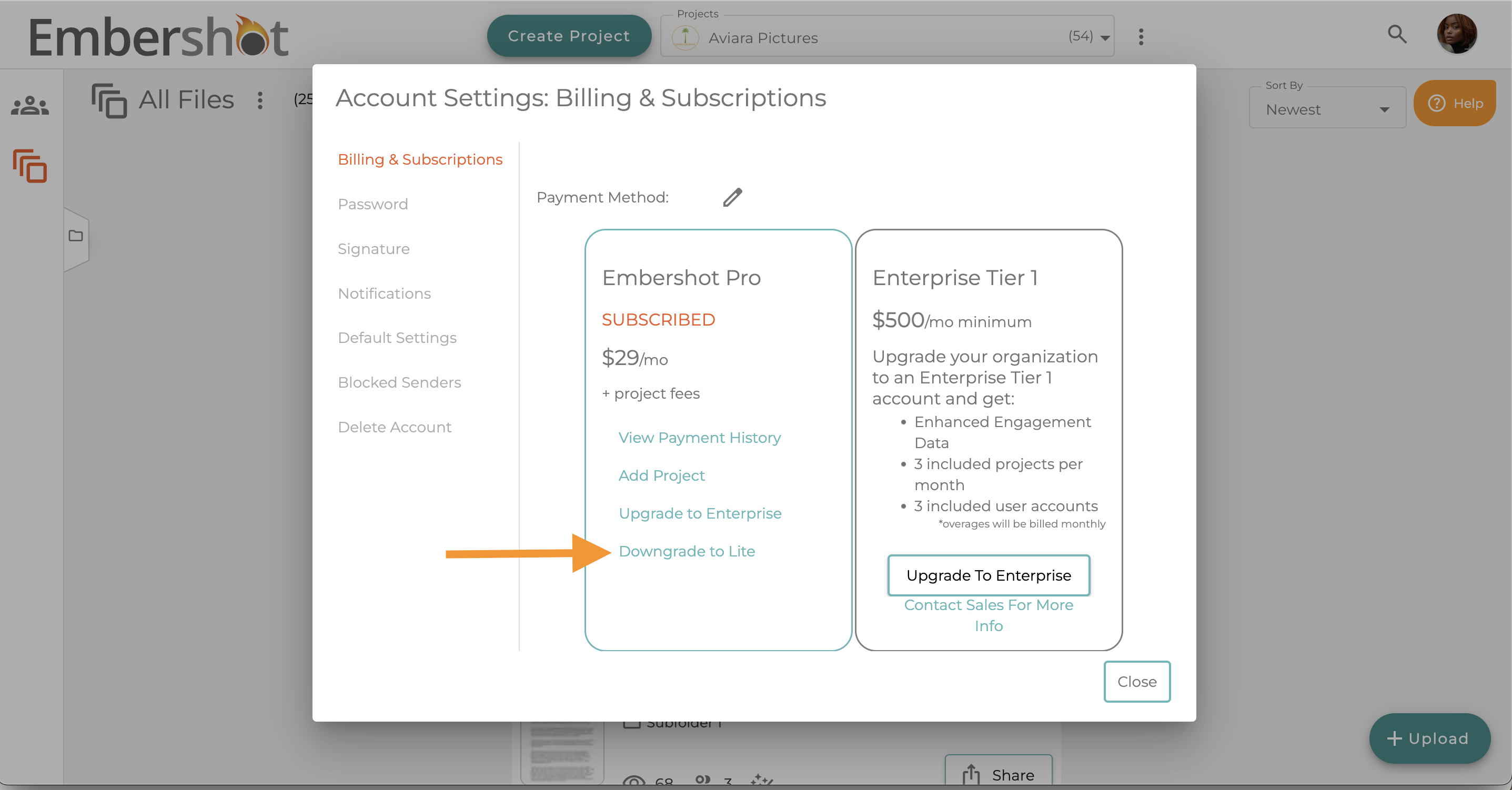
Step 4: Click the 'Downgrade to Lite' button
Step 5: Click the 'Downgrade' button to submit
