How to add a phone number to your account
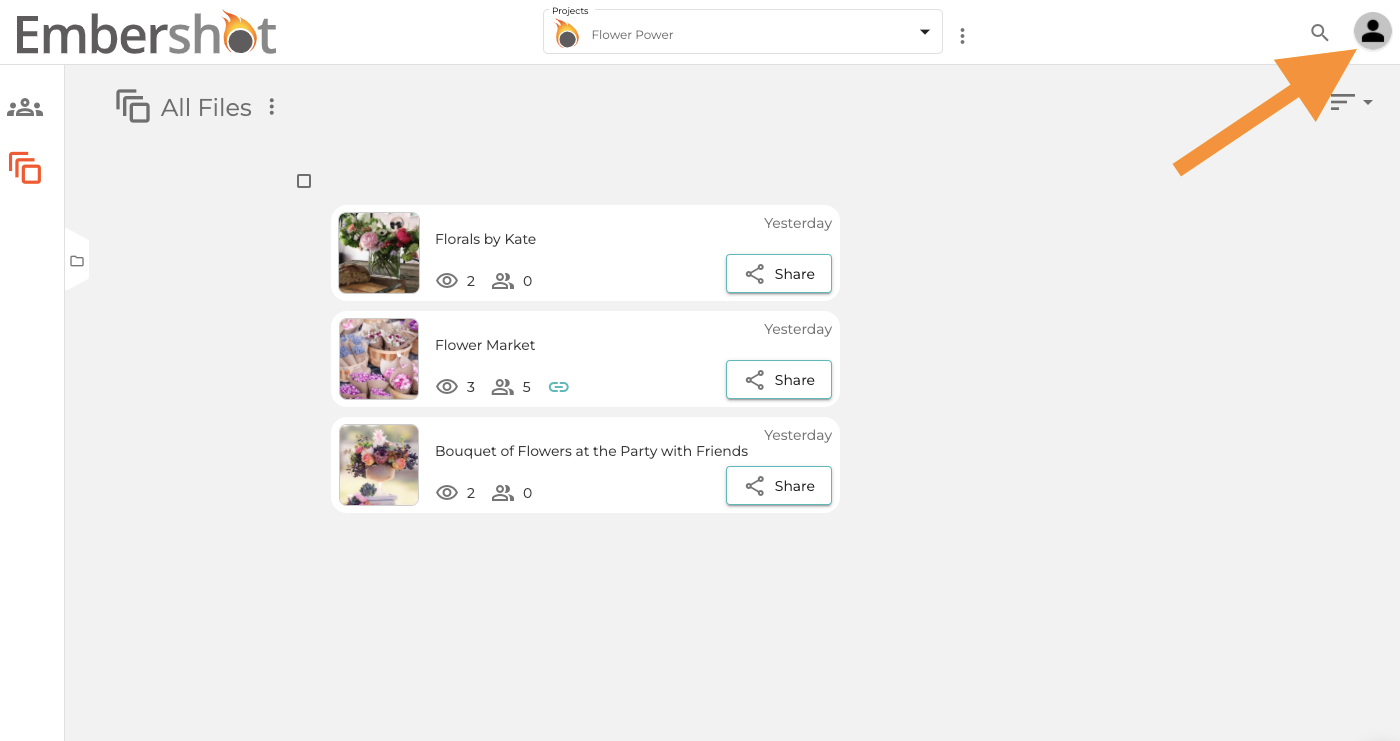
Step 1: Click on the Account icon in the top right.
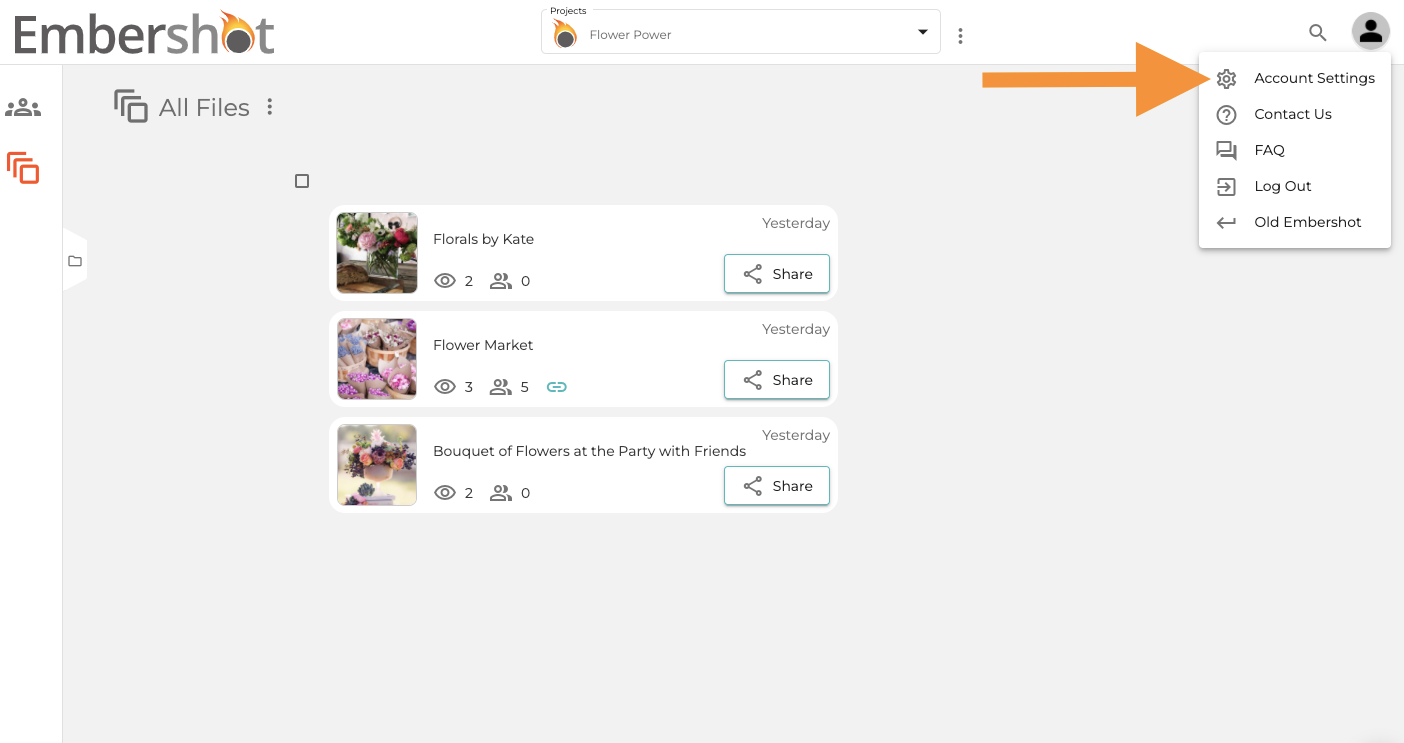
Step 2: From the dropdown, select 'Account Settings.'
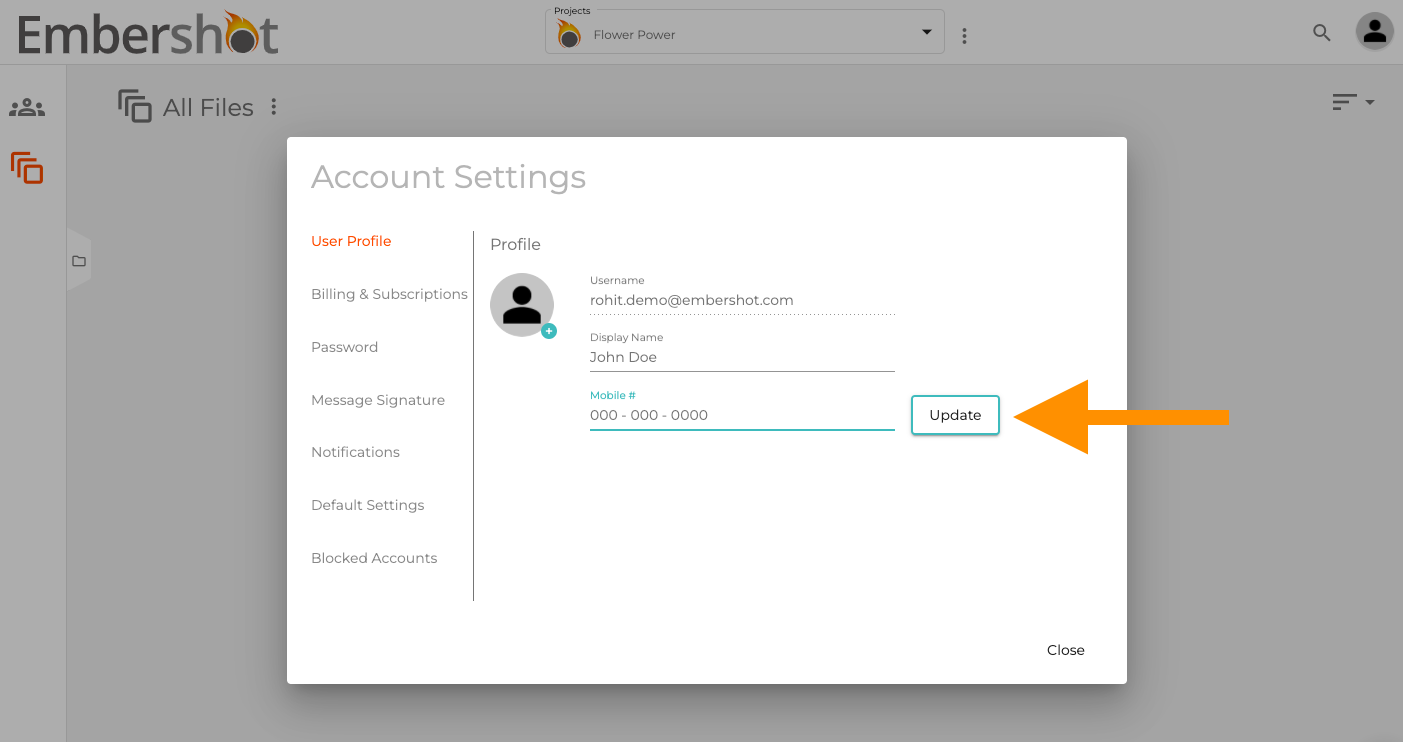
Step 3: Select 'User Profile' from the left and input your 'Mobile #.' Click 'Update' and save any changes.