How to turn off the Daily Digest feature
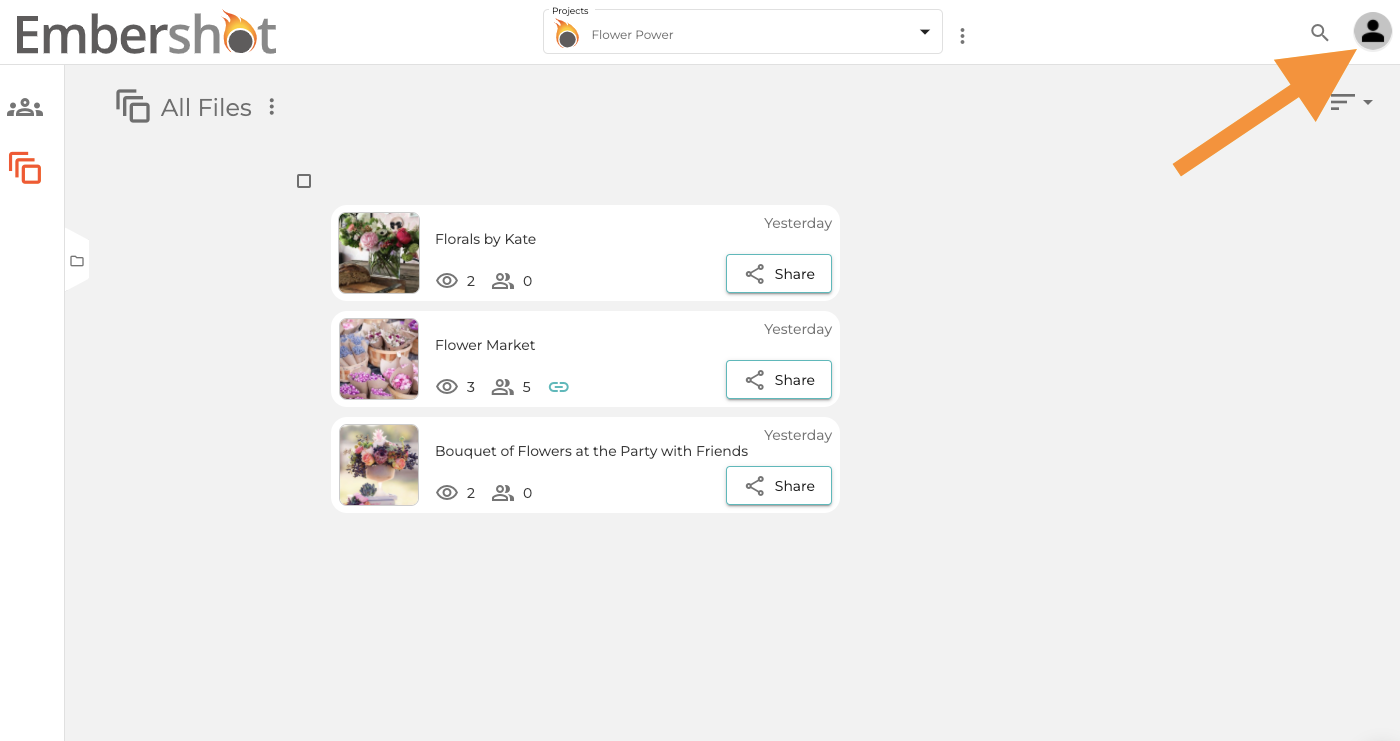
Step 1: Click on the Account icon in the top right.
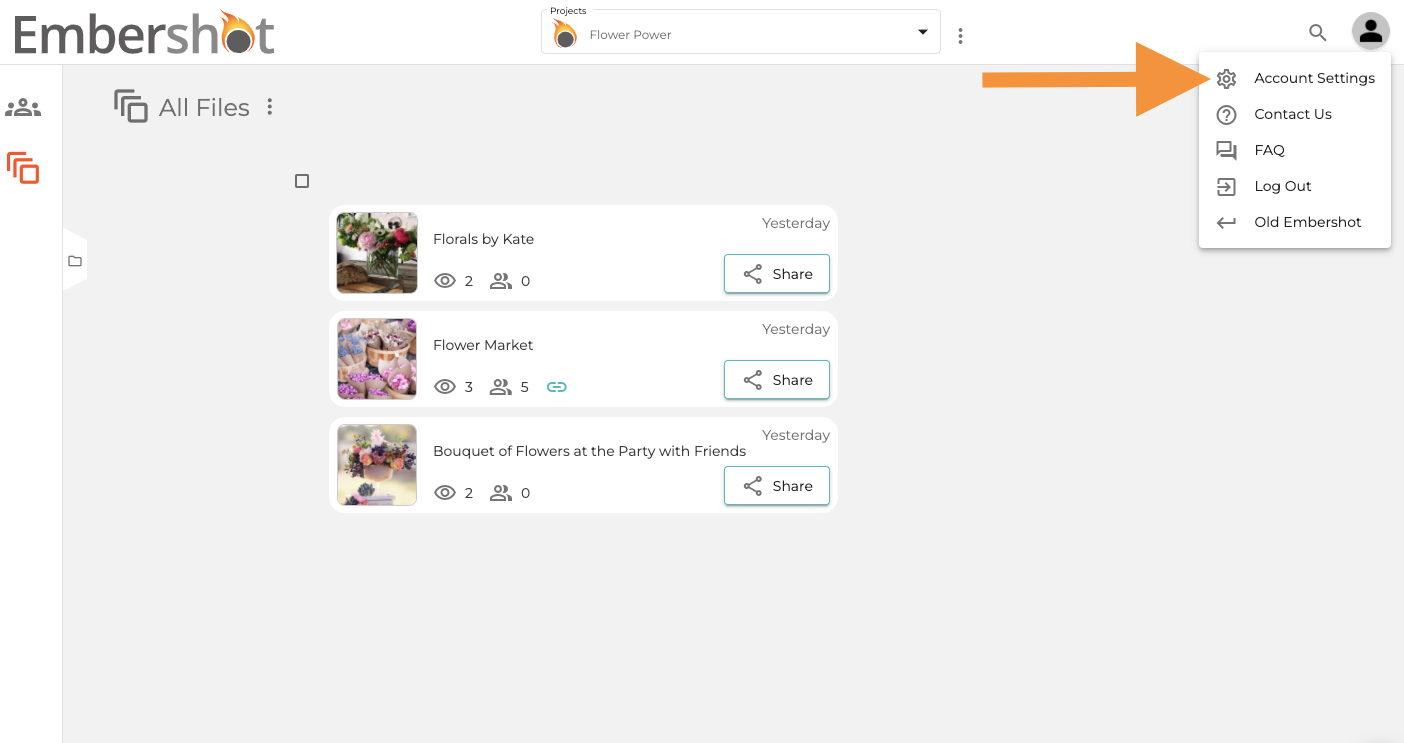
Step 2: From the dropdown, select 'Account Settings.'
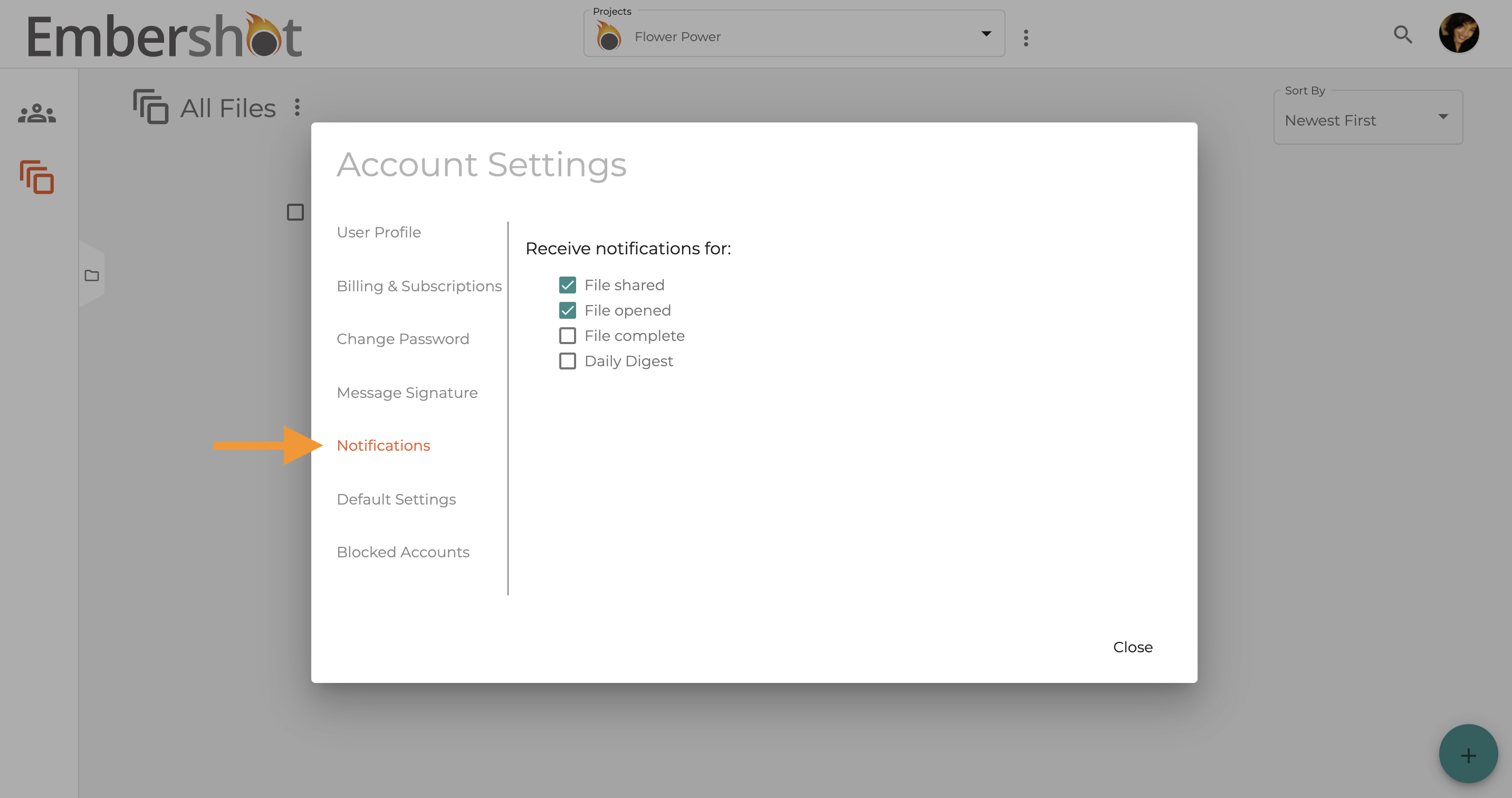
Step 3: Select 'Notifications.'
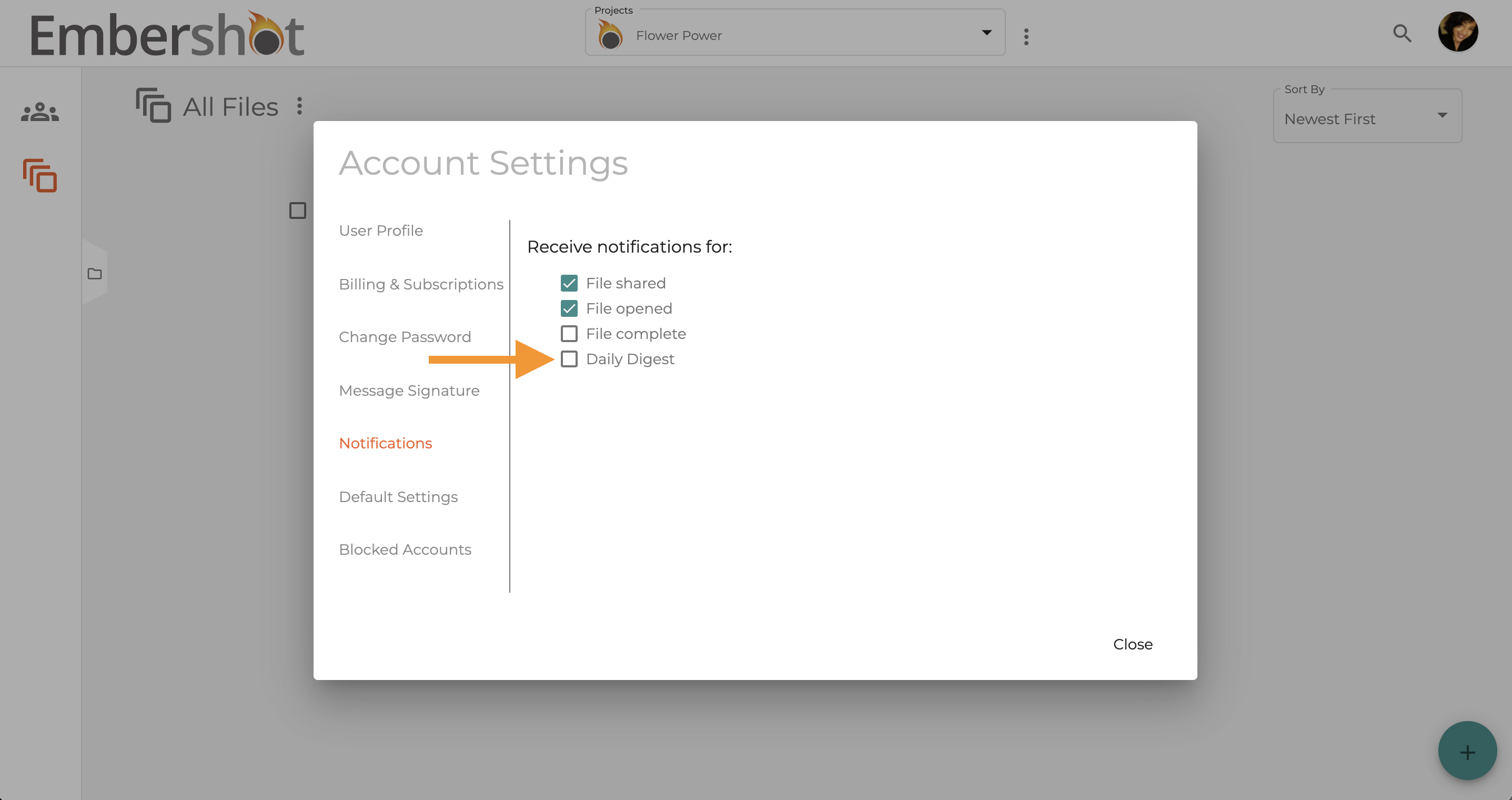
Step 4: Unselect the checkbox next to 'Daily Digest.'
Step 1: Click on the Account icon in the top right.
Step 2: From the dropdown, select 'Account Settings.'
Step 3: Select 'Notifications.'
Step 4: Unselect the checkbox next to 'Daily Digest.'