How to view the history of a user
Step 1: Click on the 'Groups' icon.
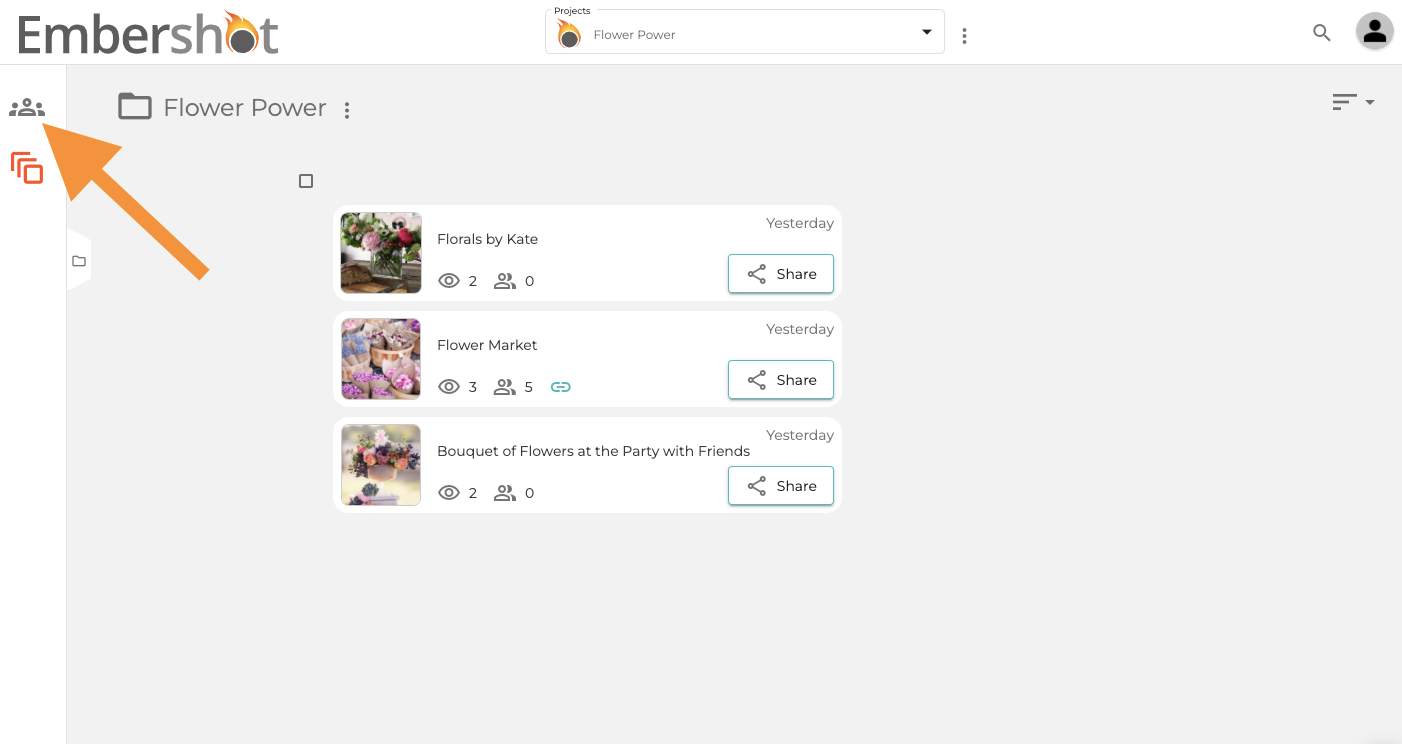
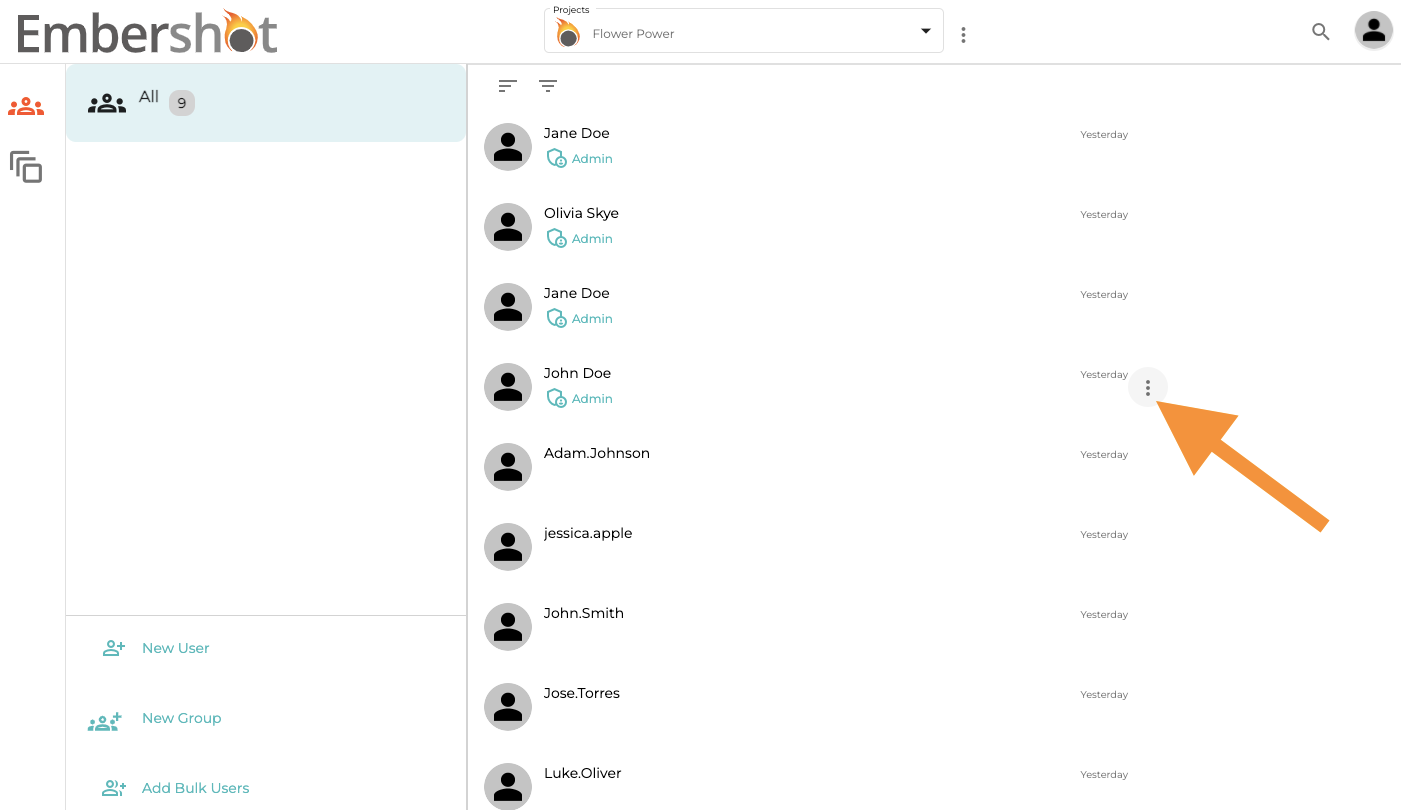
Step 2: Hover your cursor to the right of the desired user and click on the three dots.
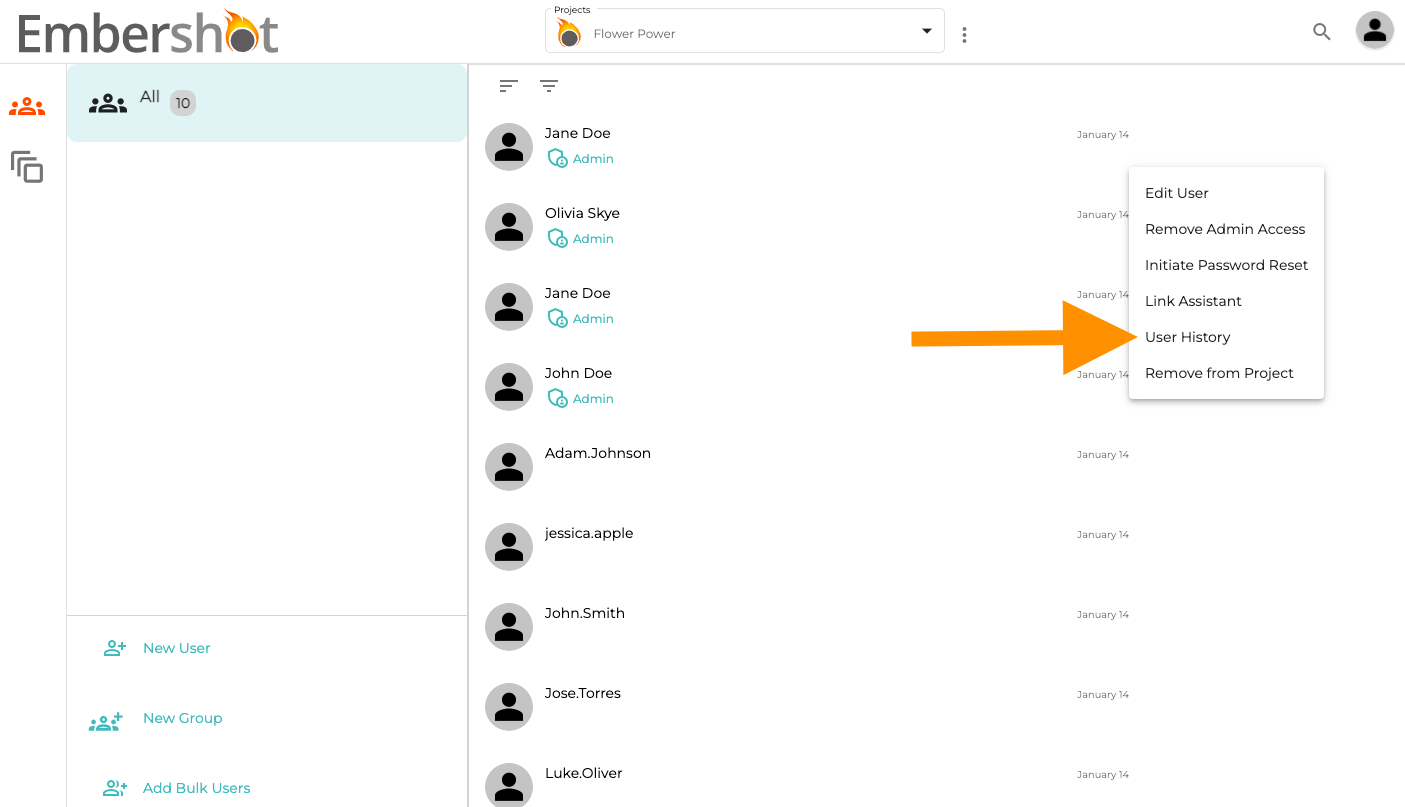
Step 3: From the dropdown, click 'User History.'
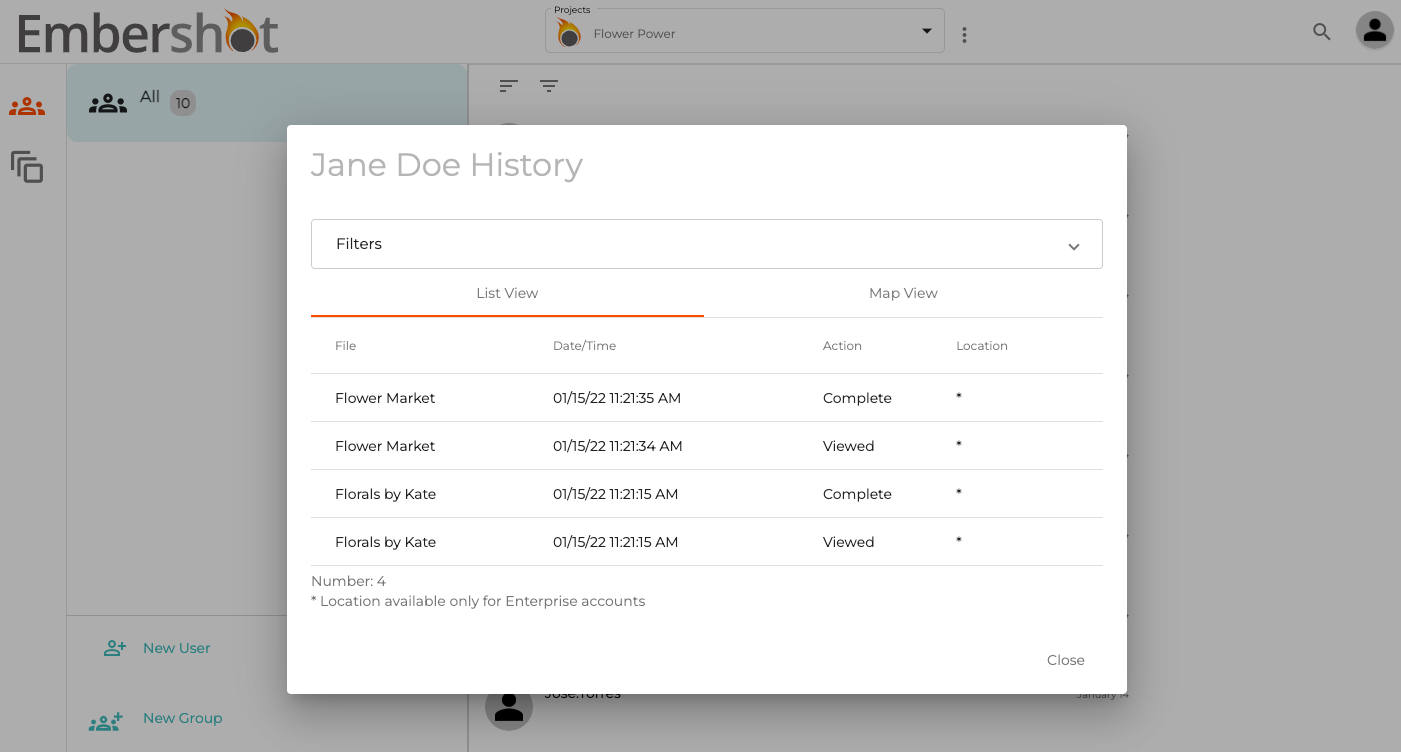
Step 4: View history in pop-up.
Step 1: Click on the 'Groups' icon.
Step 2: Hover your cursor to the right of the desired user and click on the three dots.
Step 3: From the dropdown, click 'User History.'
Step 4: View history in pop-up.