How to add a link to a document
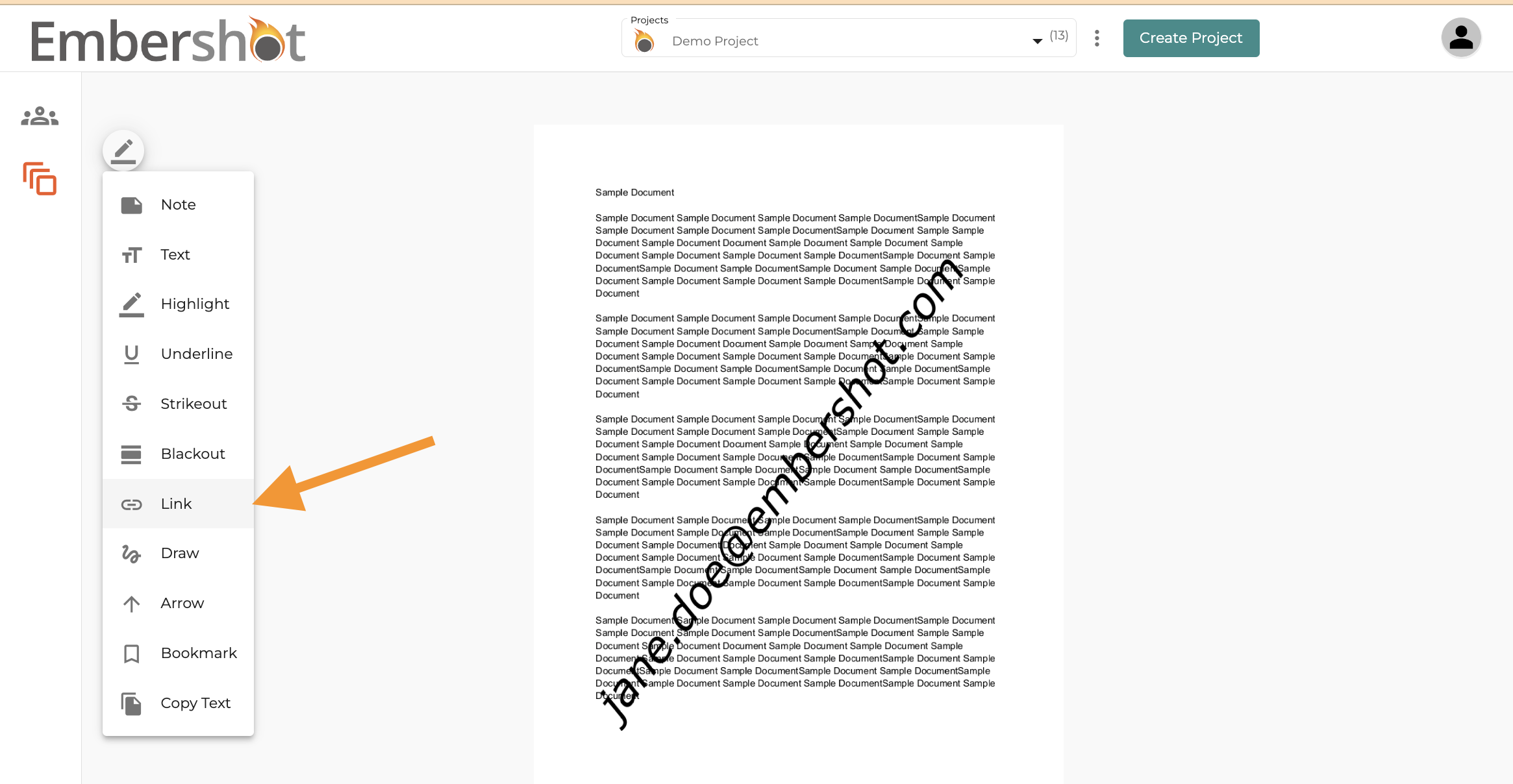
Step 1: Click on the link icon in the toolbar
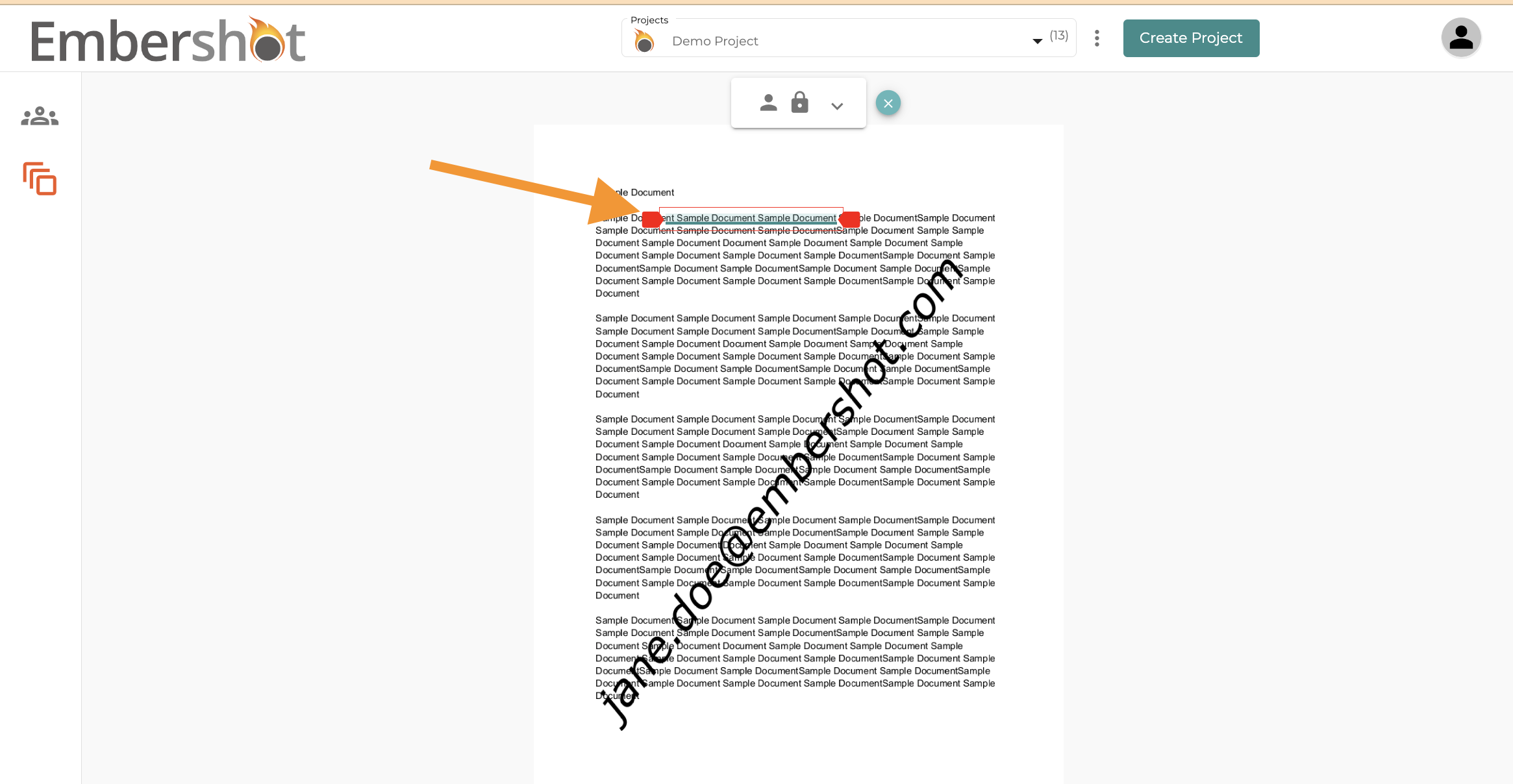
Step 2: Highlight the desired text that you wish to turn into a link
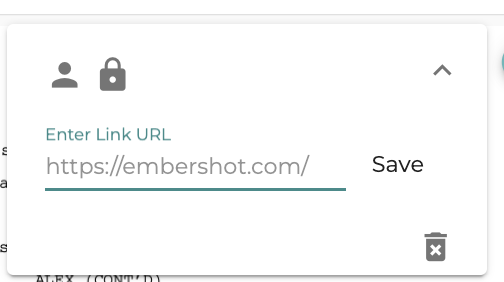
Step 3: Enter the URL in the text field and hit "Save"
Step 1: Click on the link icon in the toolbar
Step 2: Highlight the desired text that you wish to turn into a link
Step 3: Enter the URL in the text field and hit "Save"