How to delete an annotation
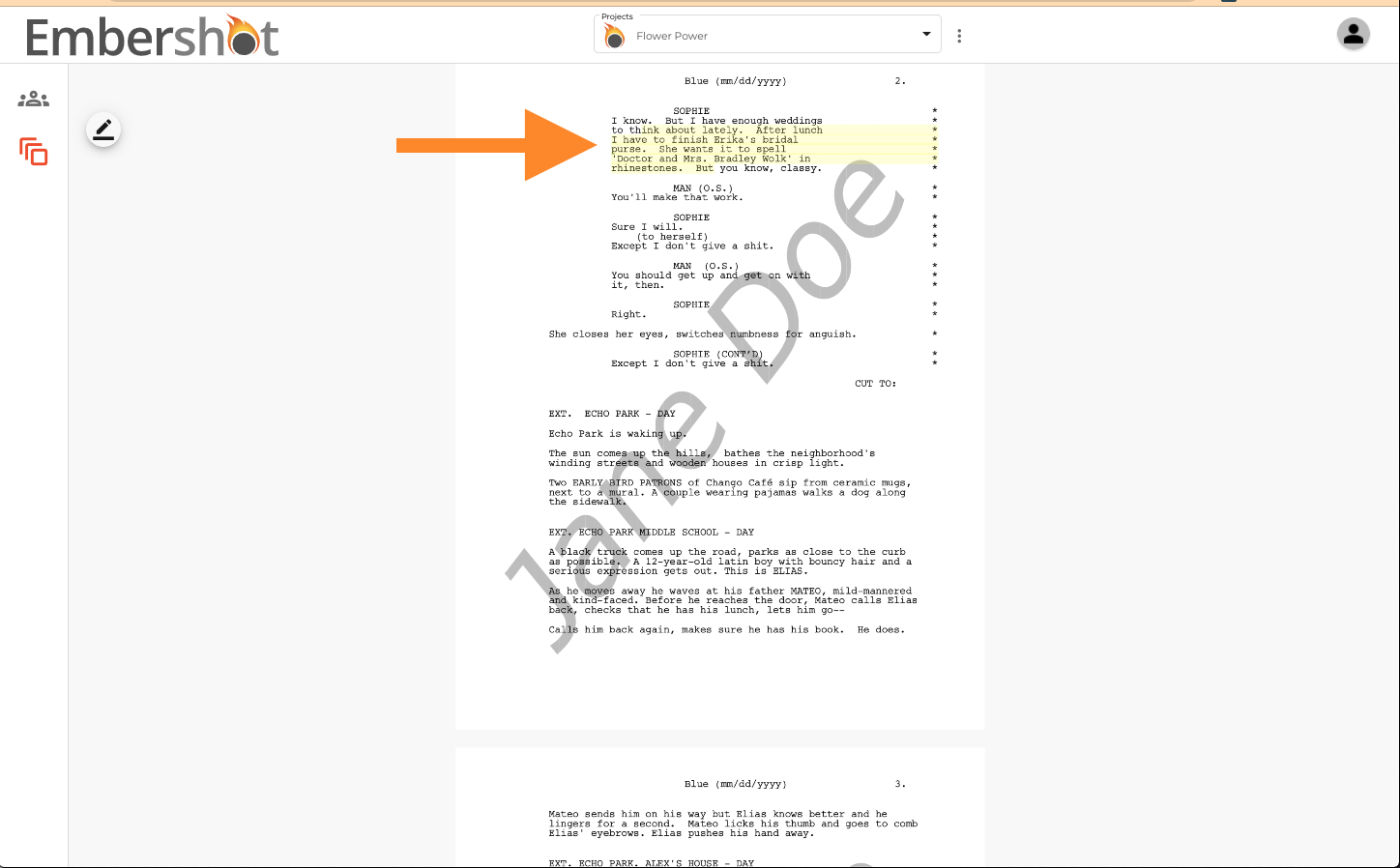
Step 1: Click the annotation you wish to delete. When the annotation is selected, an outline appears around it.
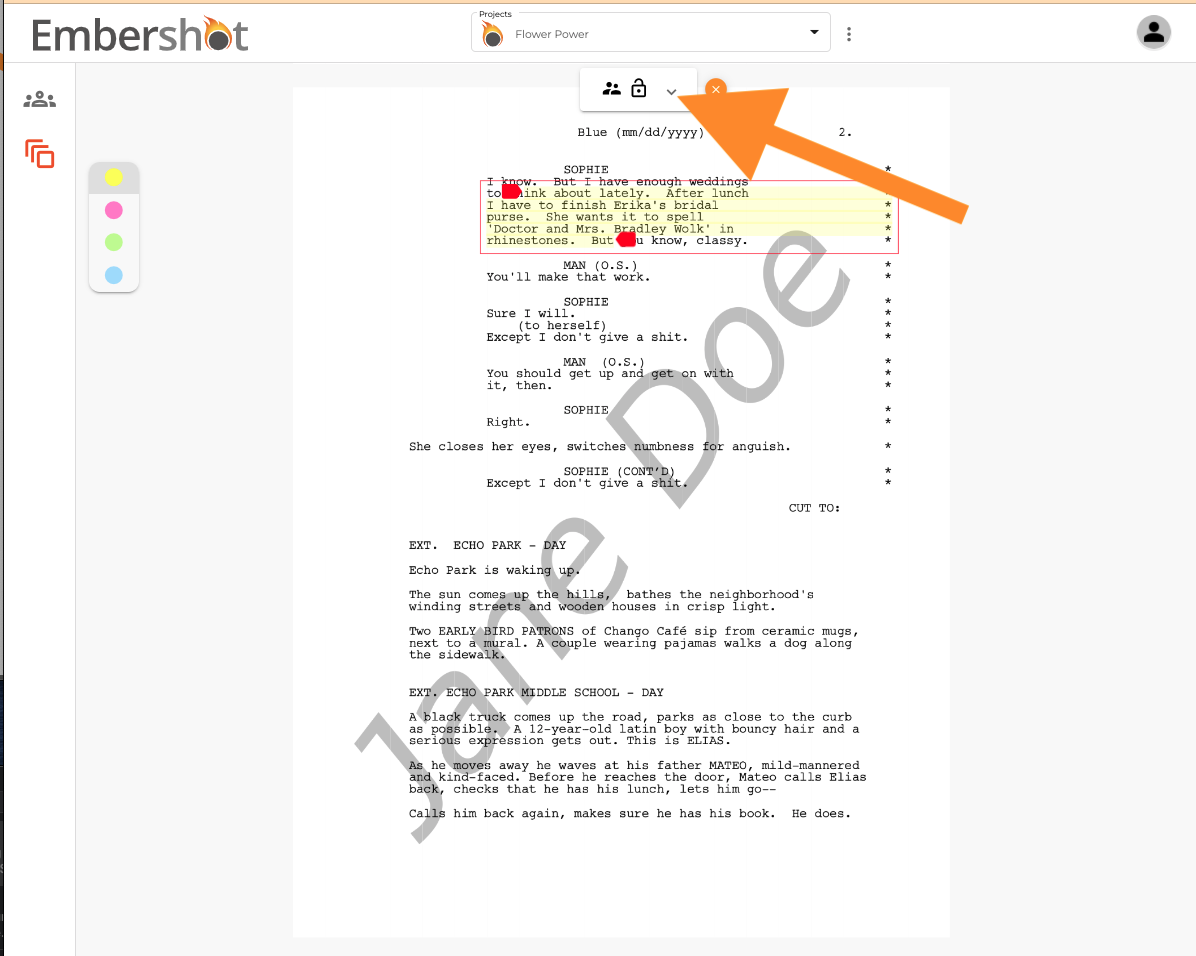
Step 2: Click on the annotation dropdown.
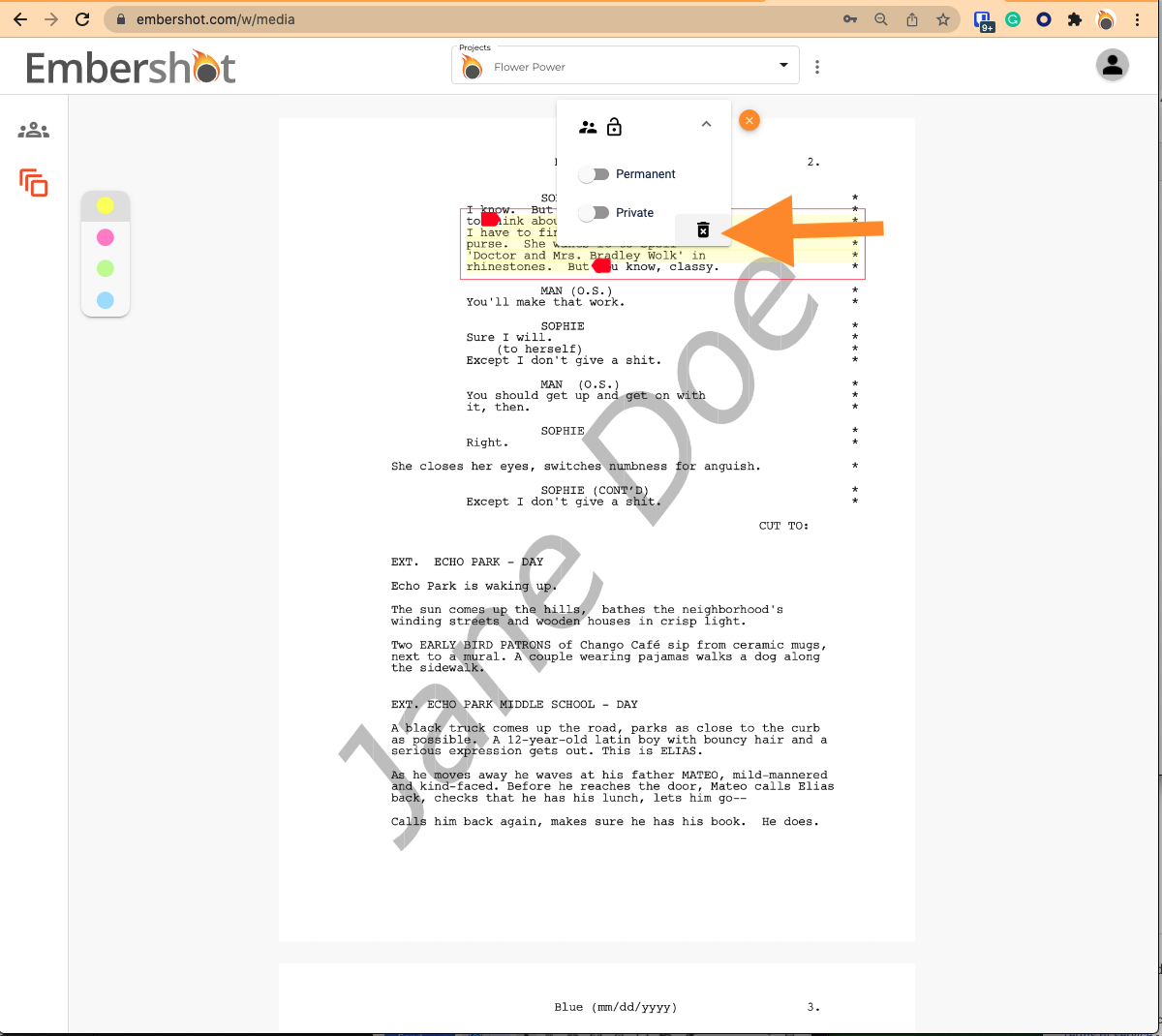
Step 3: Click on the trash icon.
Tip: With the annotation selected, you can also press Delete on your keyboard. Press Esc to let go of the annotation without deleting it.
You can only delete your own annotations. A permanent annotation can only be deleted by the file admin, and deleting it removes it for every reader.