How to hide an annotation from other users
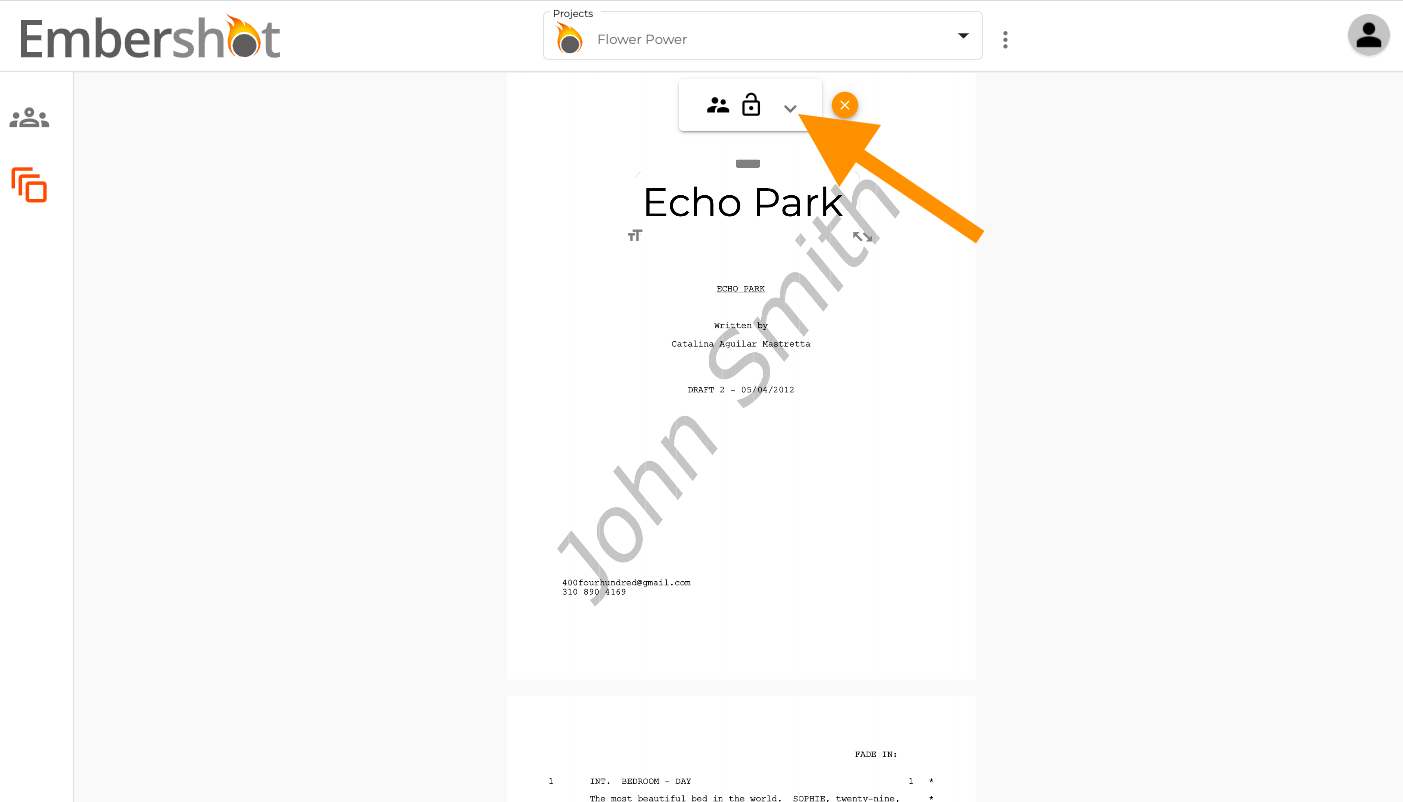
Step 1: From the annotation toolbar, click the down-facing arrow.
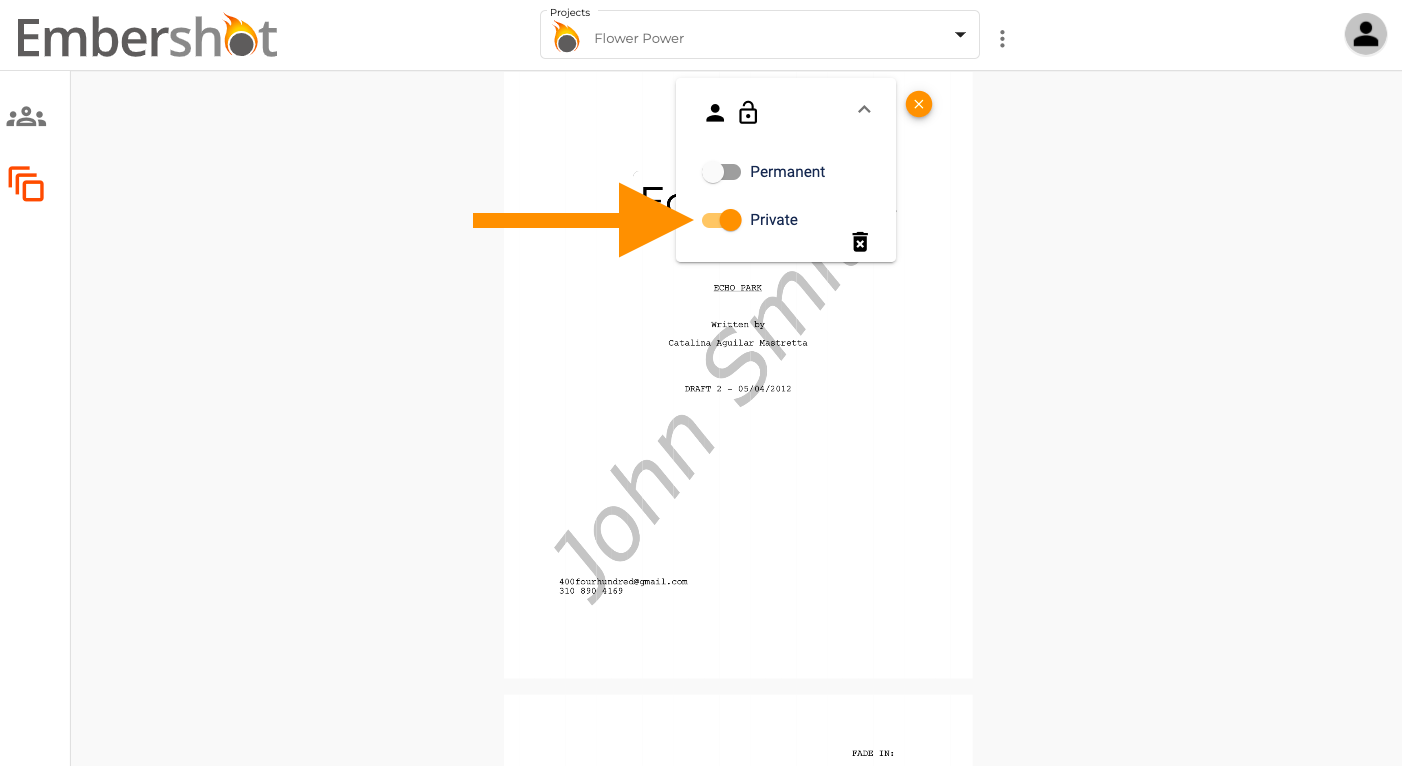
Step 2: From the dropdown, make sure the 'Private' toggle is on (orange).
Note: The 'Private' toggle only appears where the file's project allows annotation sharing. Everywhere else your annotations are already private, so there is nothing to switch. See 'How to turn annotation sharing on or off for a project'.