How to print a file with your annotations
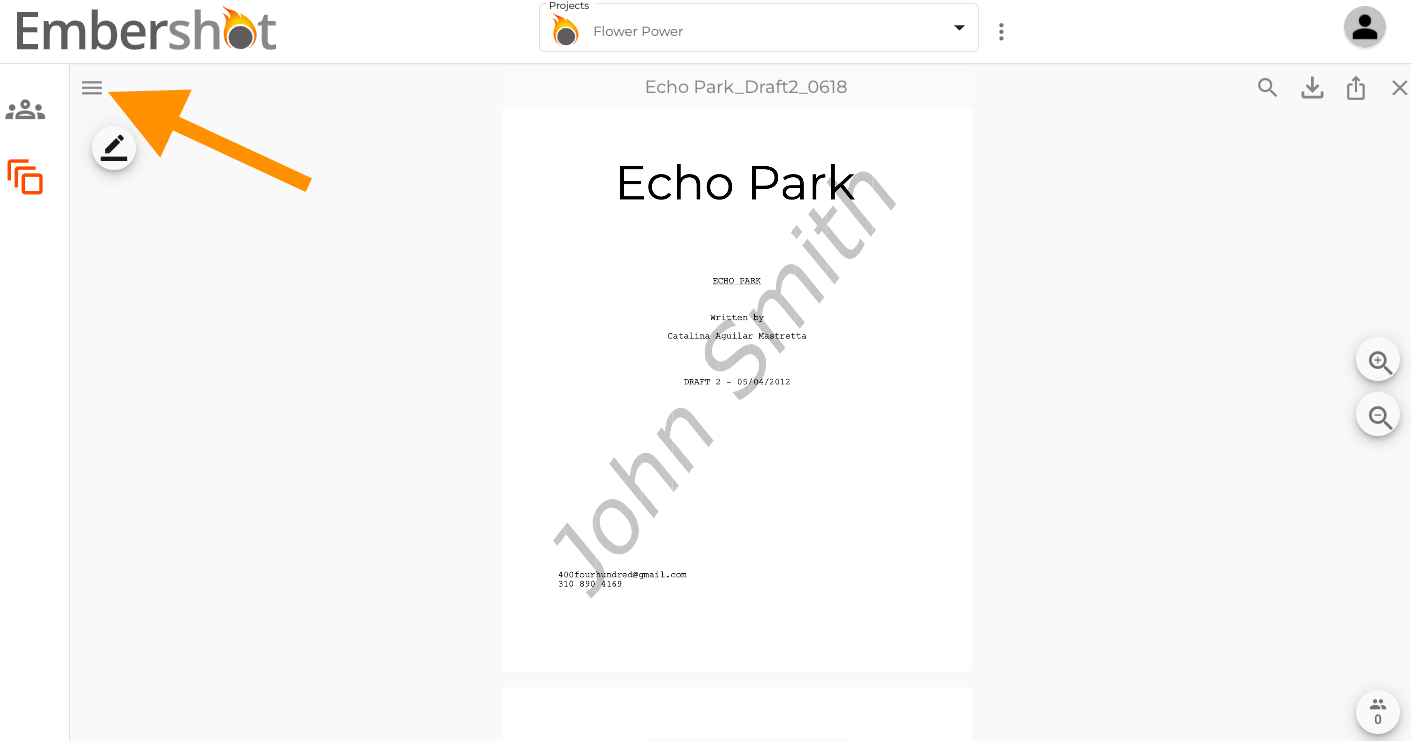
Step 1: Click on the menu in the top left corner.
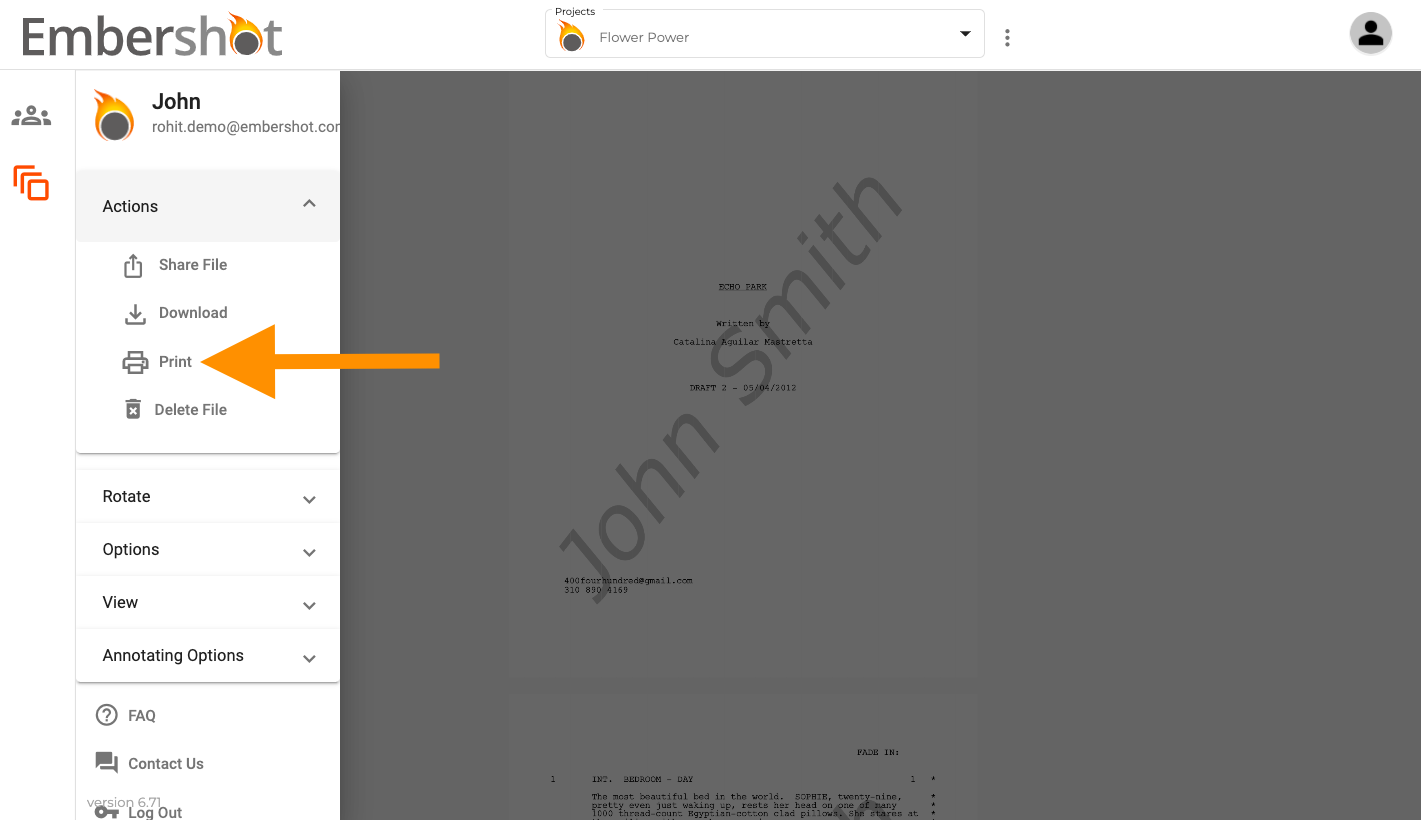
Step 2: From the dropdown, select 'Print.'
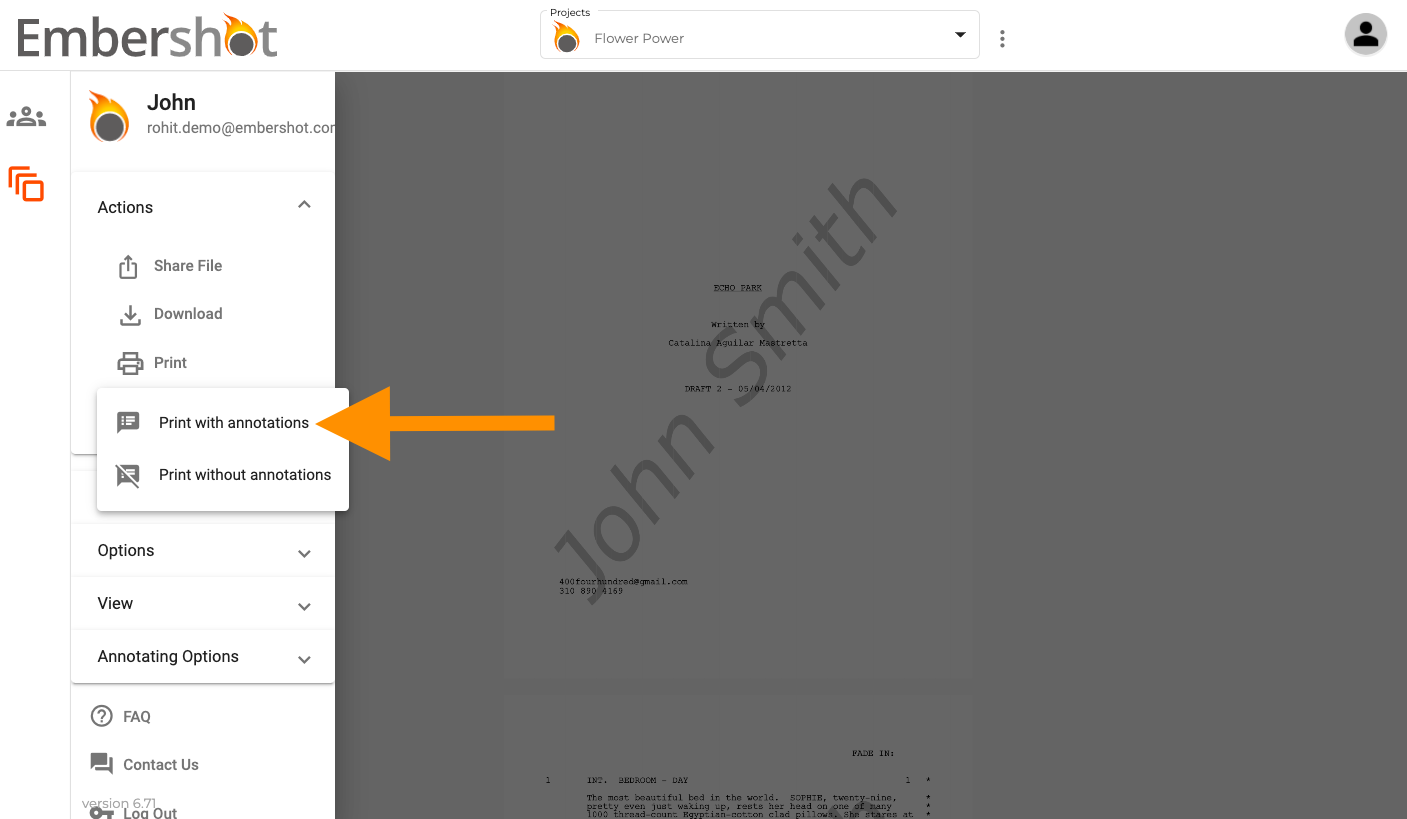
Step 3: Specify 'Print with annotations.'
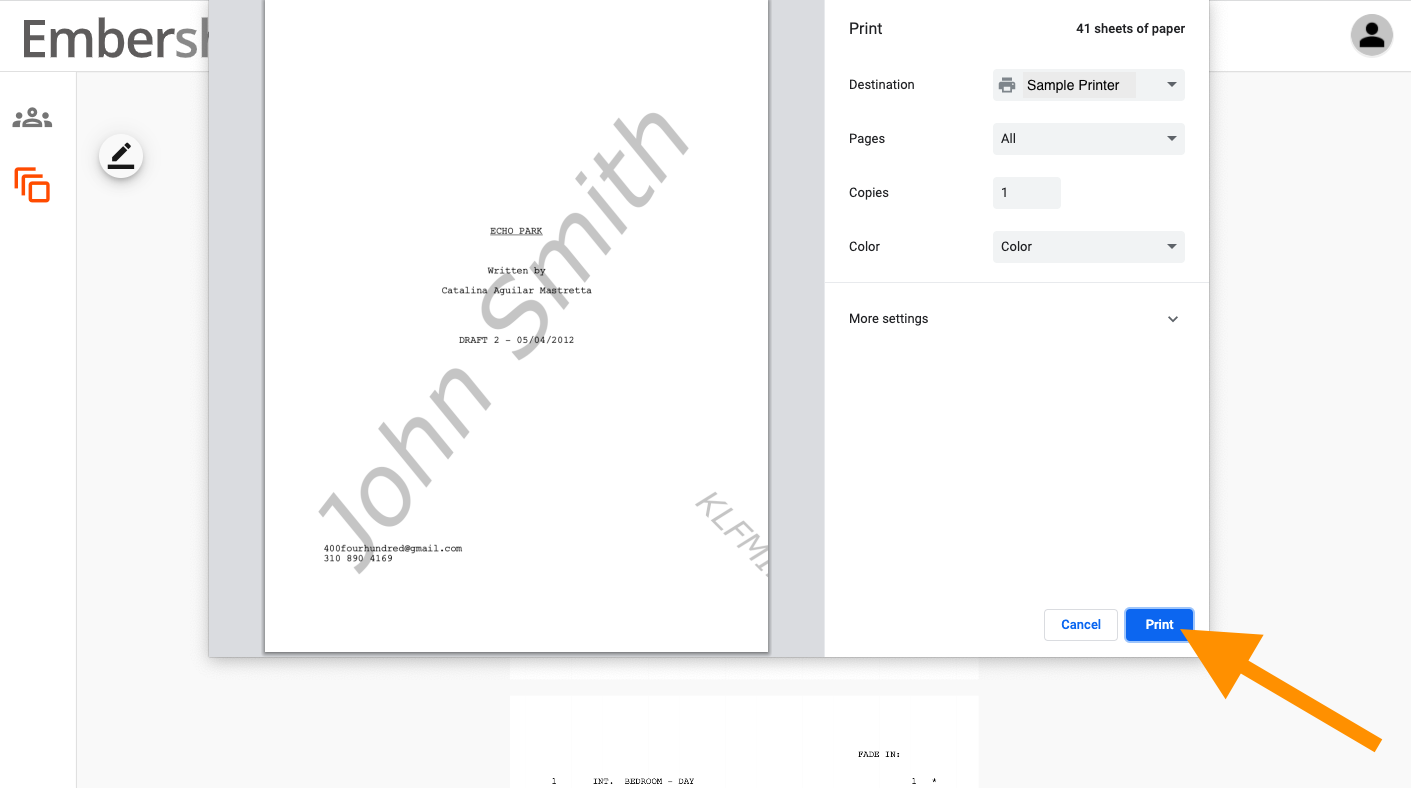
Step 4: Specify desired printing conditions. Click 'Print.'
Step 1: Click on the menu in the top left corner.
Step 2: From the dropdown, select 'Print.'
Step 3: Specify 'Print with annotations.'
Step 4: Specify desired printing conditions. Click 'Print.'