How to set your annotations to default to Public, Private or Permanent
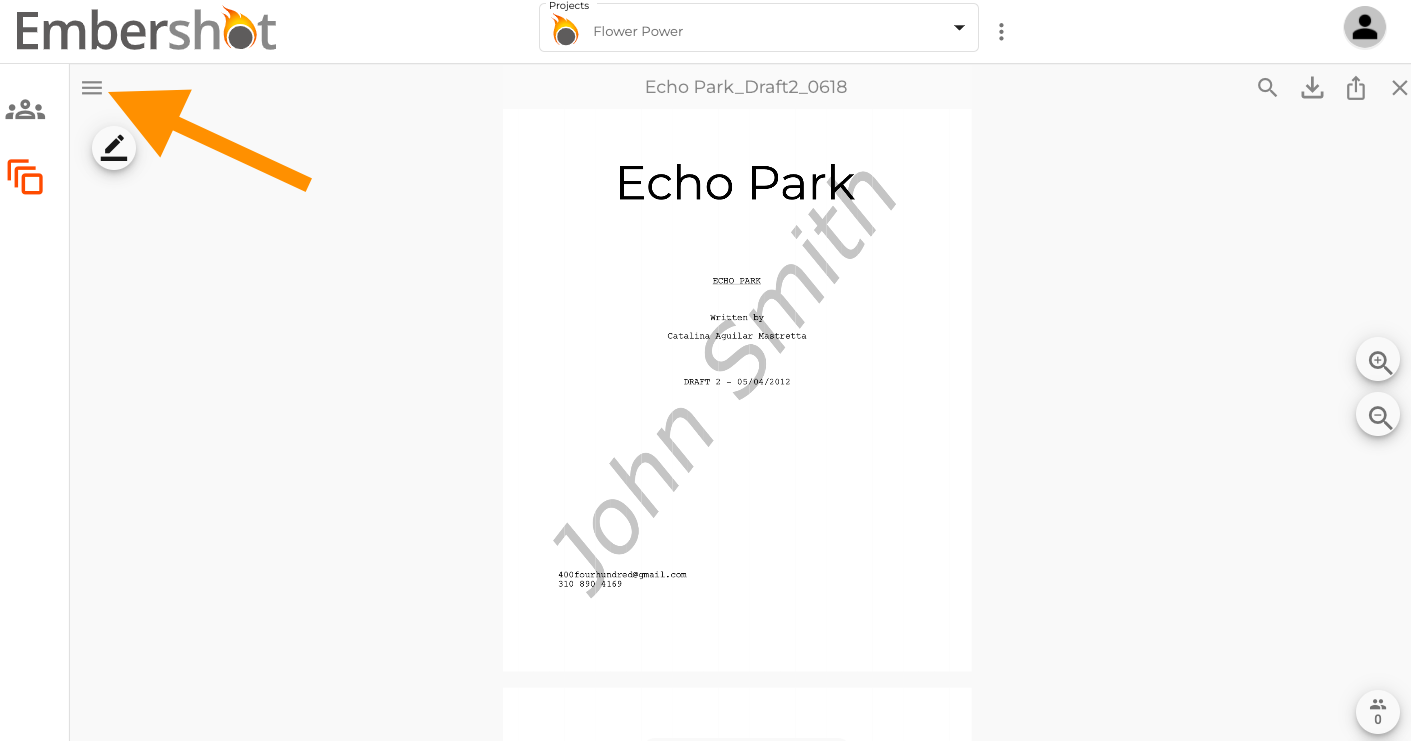
Step 1: When viewing a document, click on the menu in the top left corner.
Step 2: From the dropdown, select 'Annotating Options' and change the toggle to the desired setting
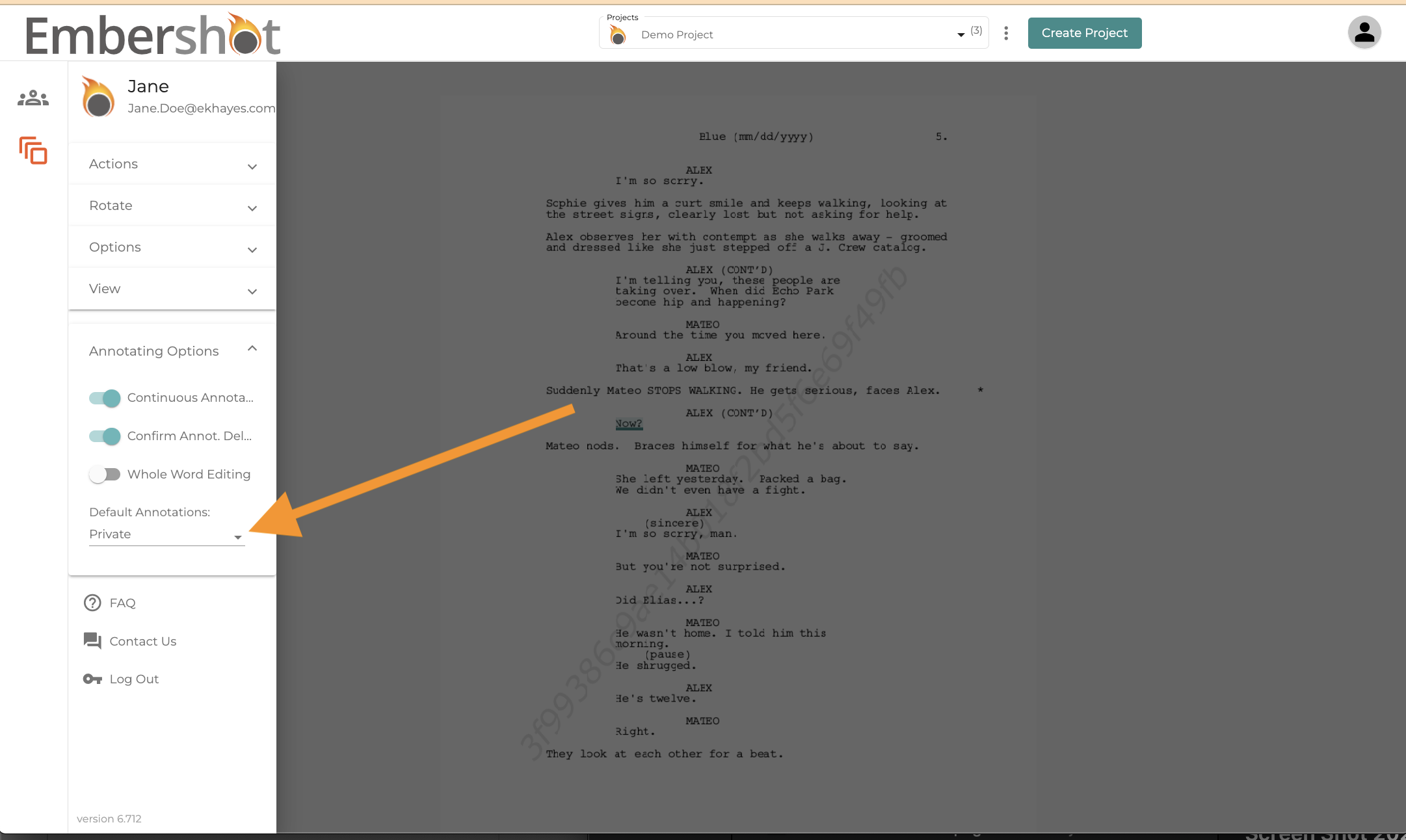
Note: This setting adjusts the "Default" only. To modify settings on an existing annotation, click on the annotation and adjust the setting directly.