How to view other users' annotations
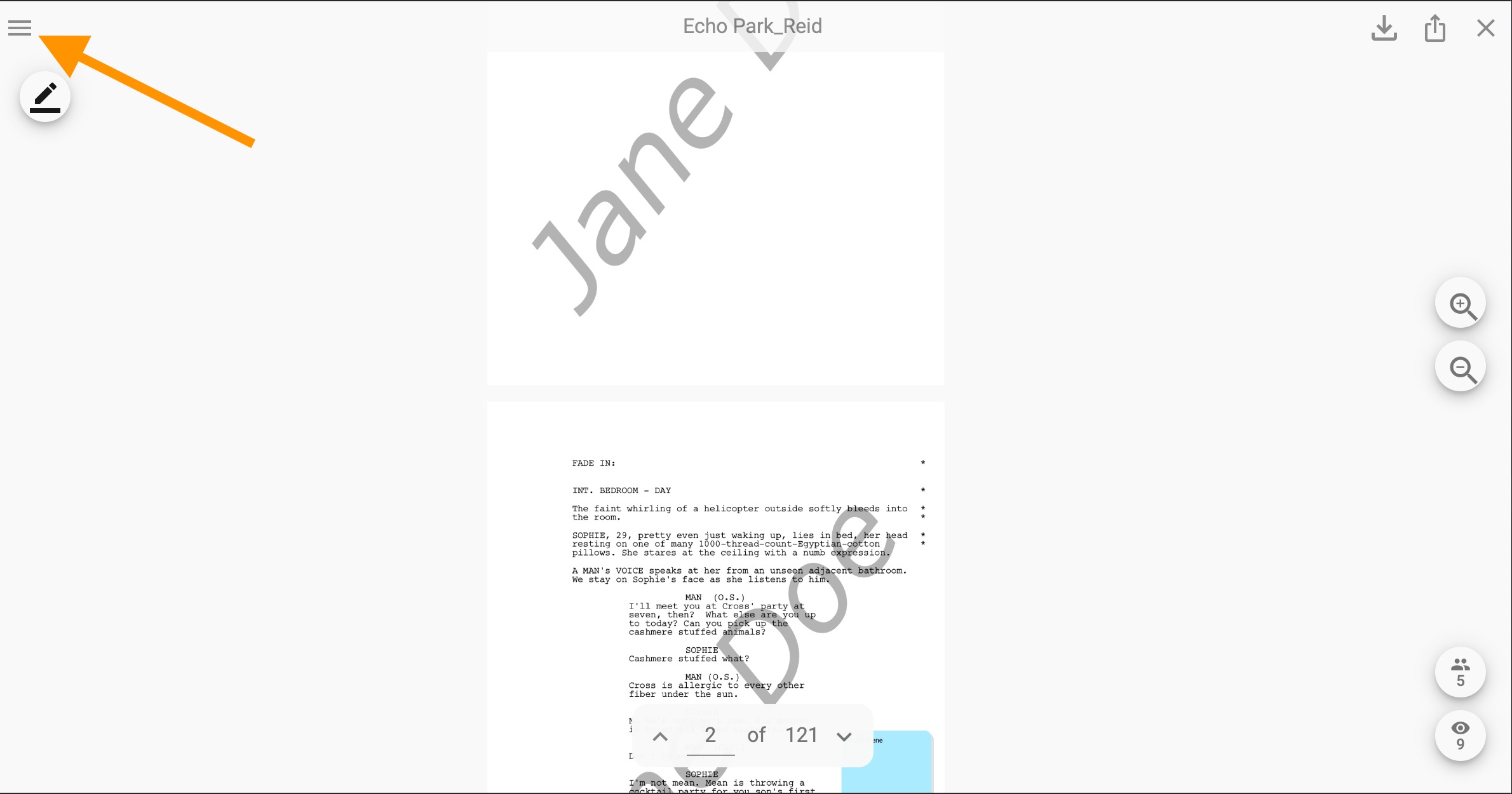
Step 1: Click on the 'Menu' icon in the top left corner.
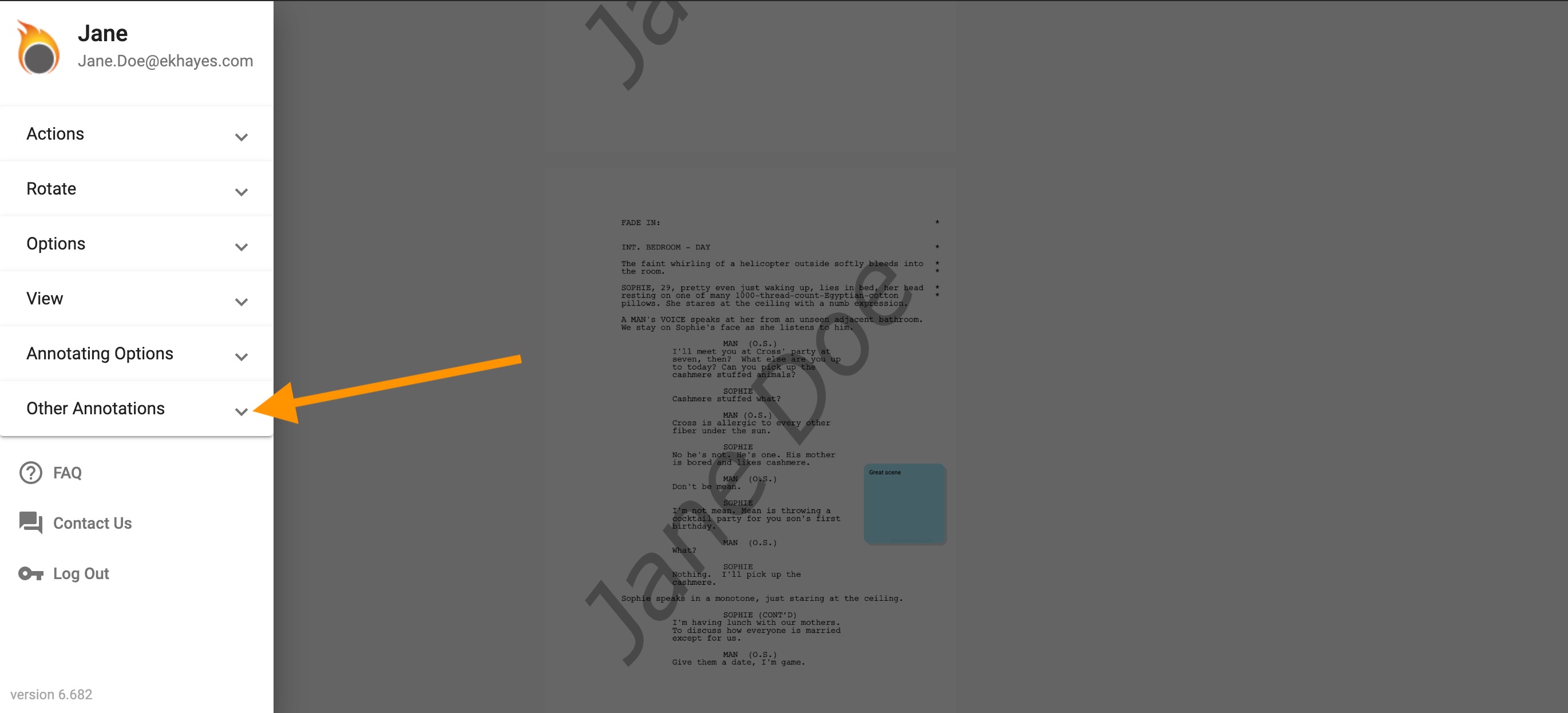
Step 2: Click on the 'Other Annotations' section.
Step 3: "Check the box next to the user's name whose annotations you would like to see in the 'Other Annotations' section."
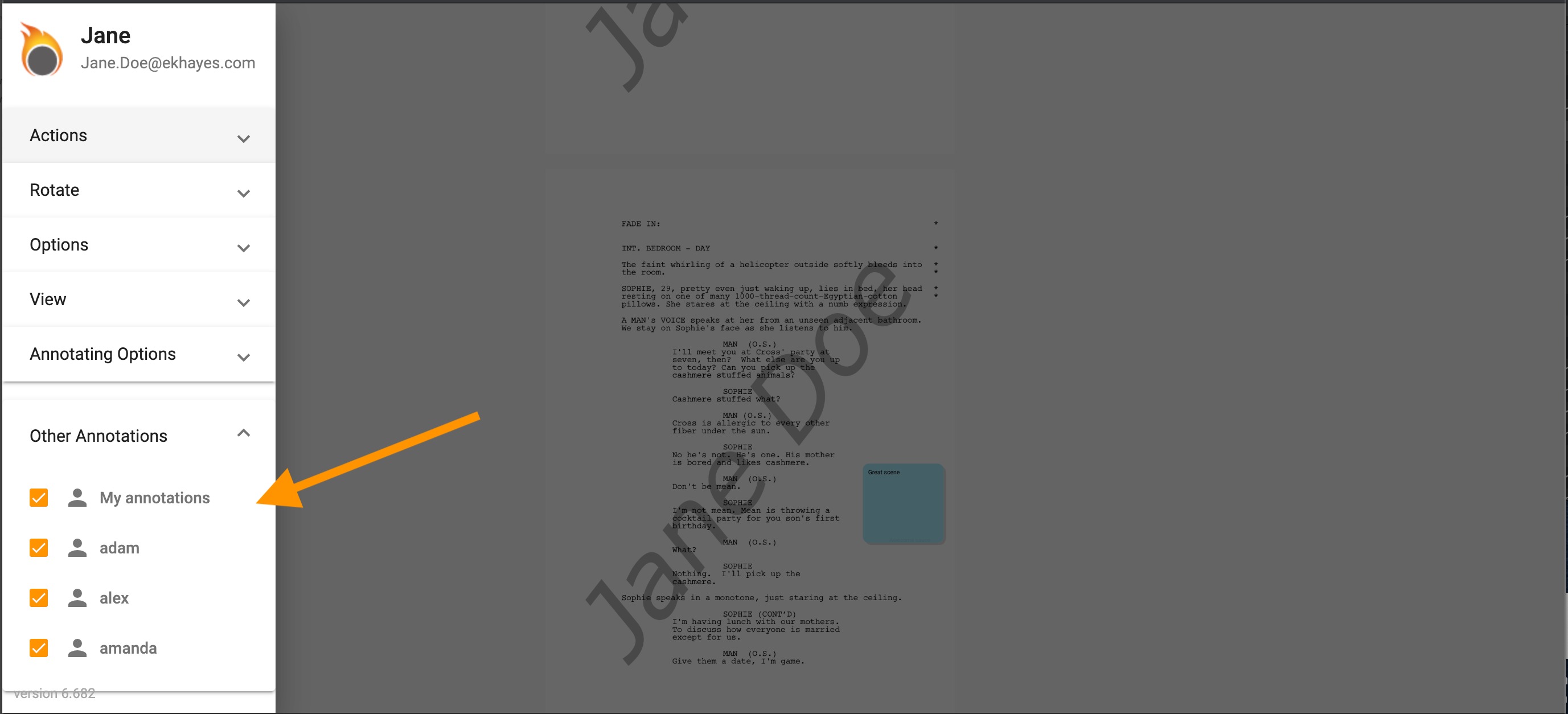
Note: "You can only view other user's 'shared' annotations when the file is set to 'Notes: Shared'"