How to create and lock default watermark settings for Enterprise users
Only Enterprise Site Admins have the ability to create and lock default watermark settings for all users on an Enterprise site.
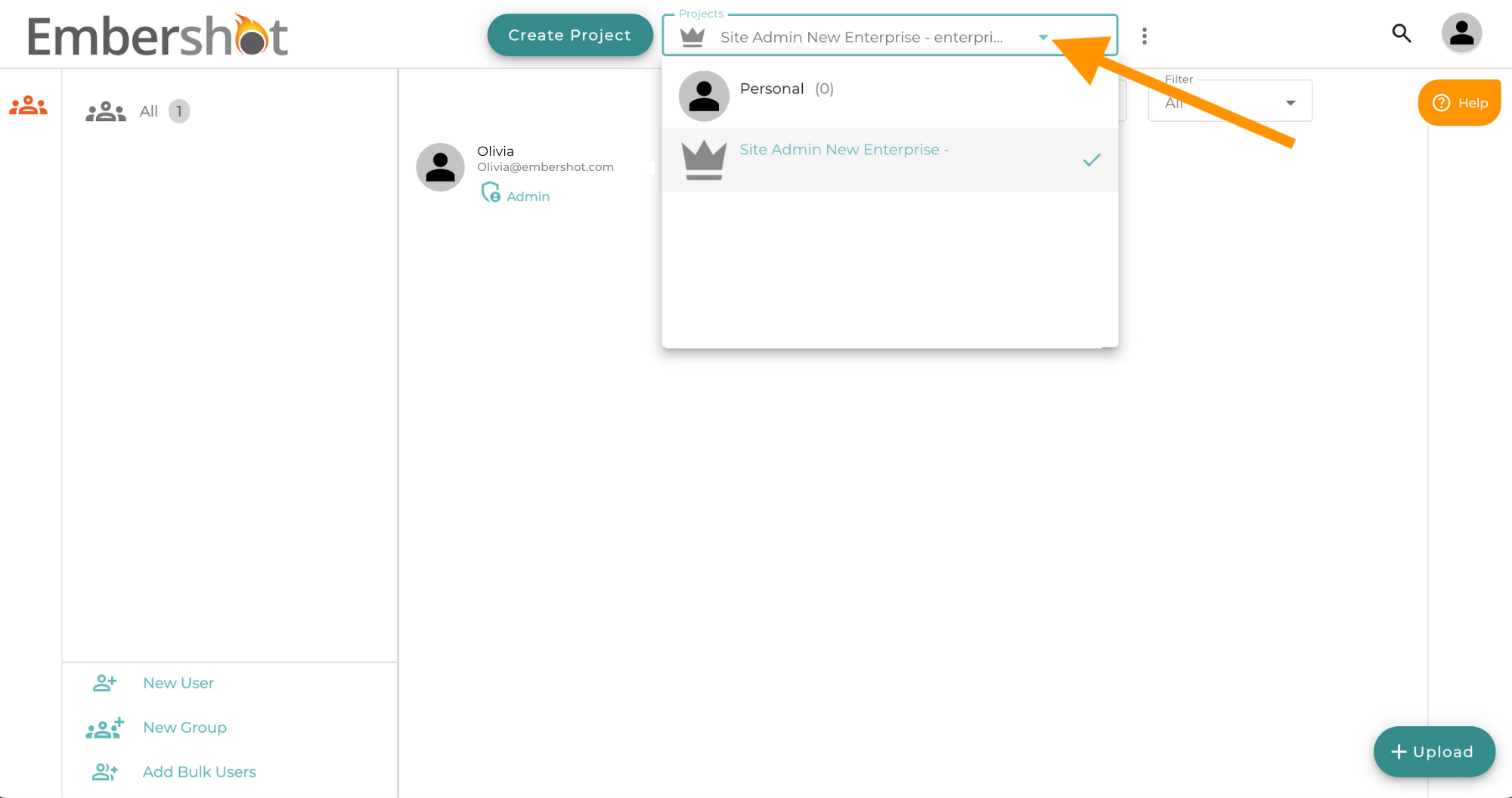
Step 1: Log into your Enterprise Site Admin account and select the Site Admin Project from the Project dropdown menu.
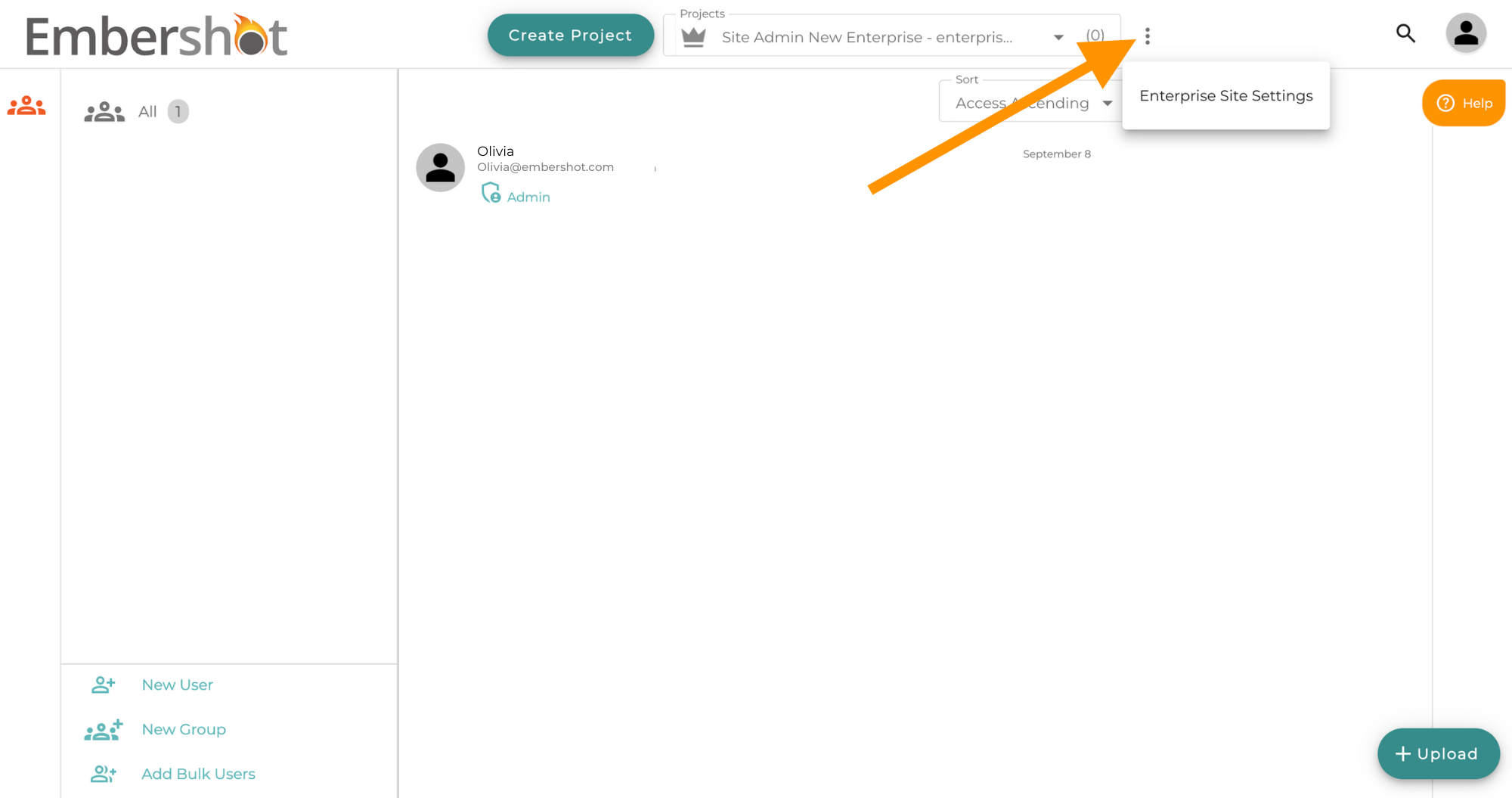
Step 2: Click the 'More' menu and select 'Enterprise Site Settings'
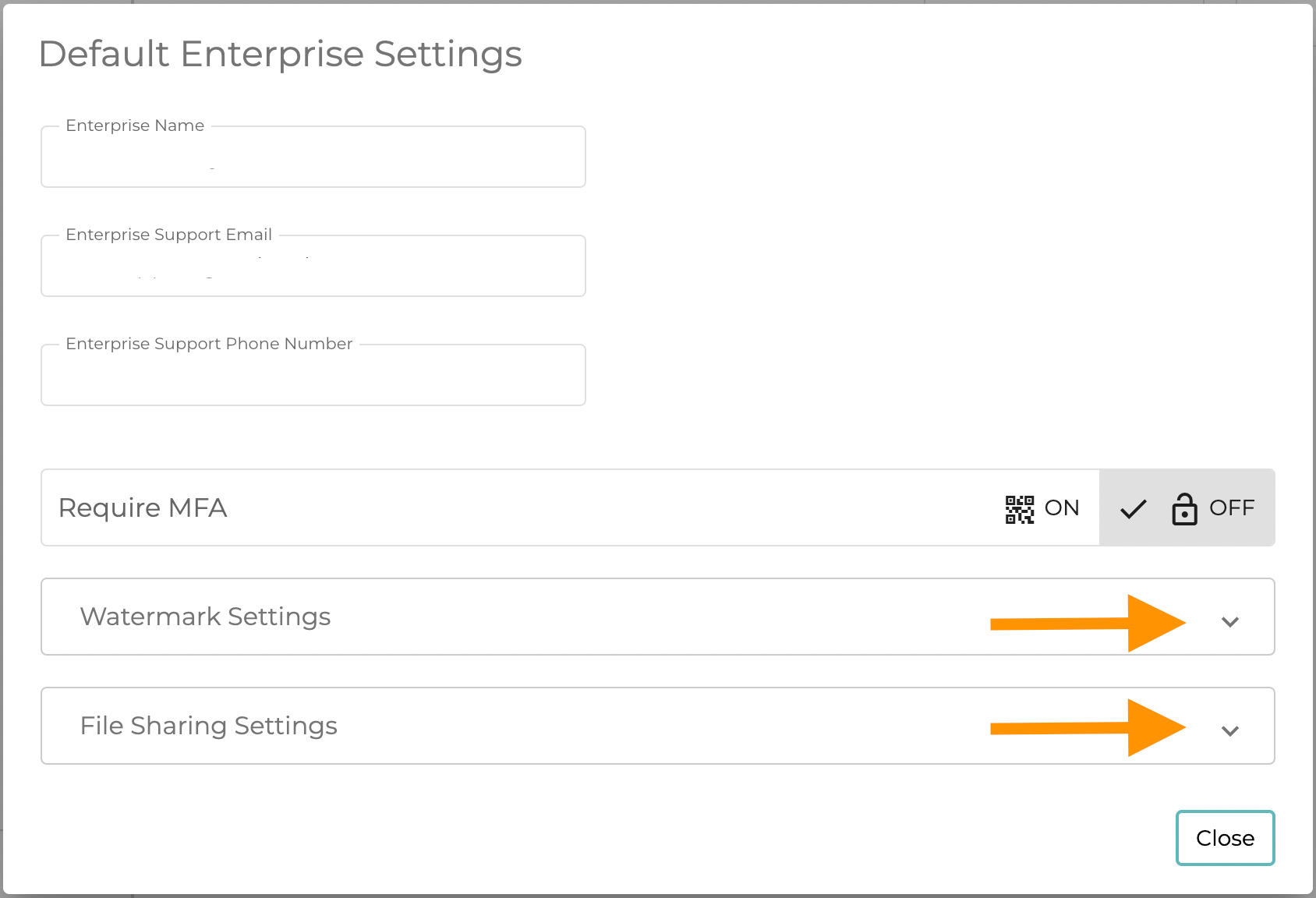
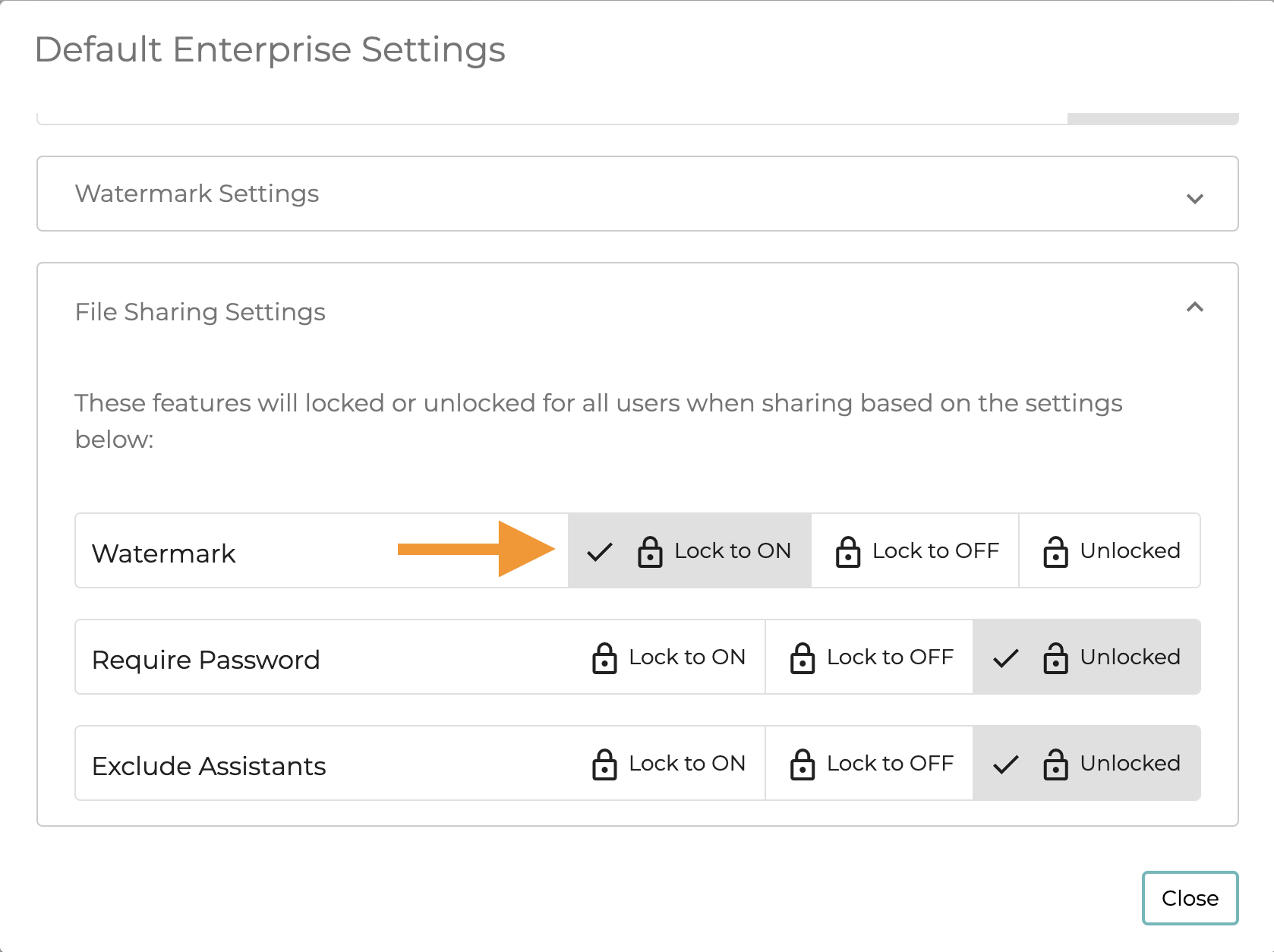
Step 3: Set your preferred Watermark for the site and then set the File Sharing Setting for the site