How to adjust the name of a user
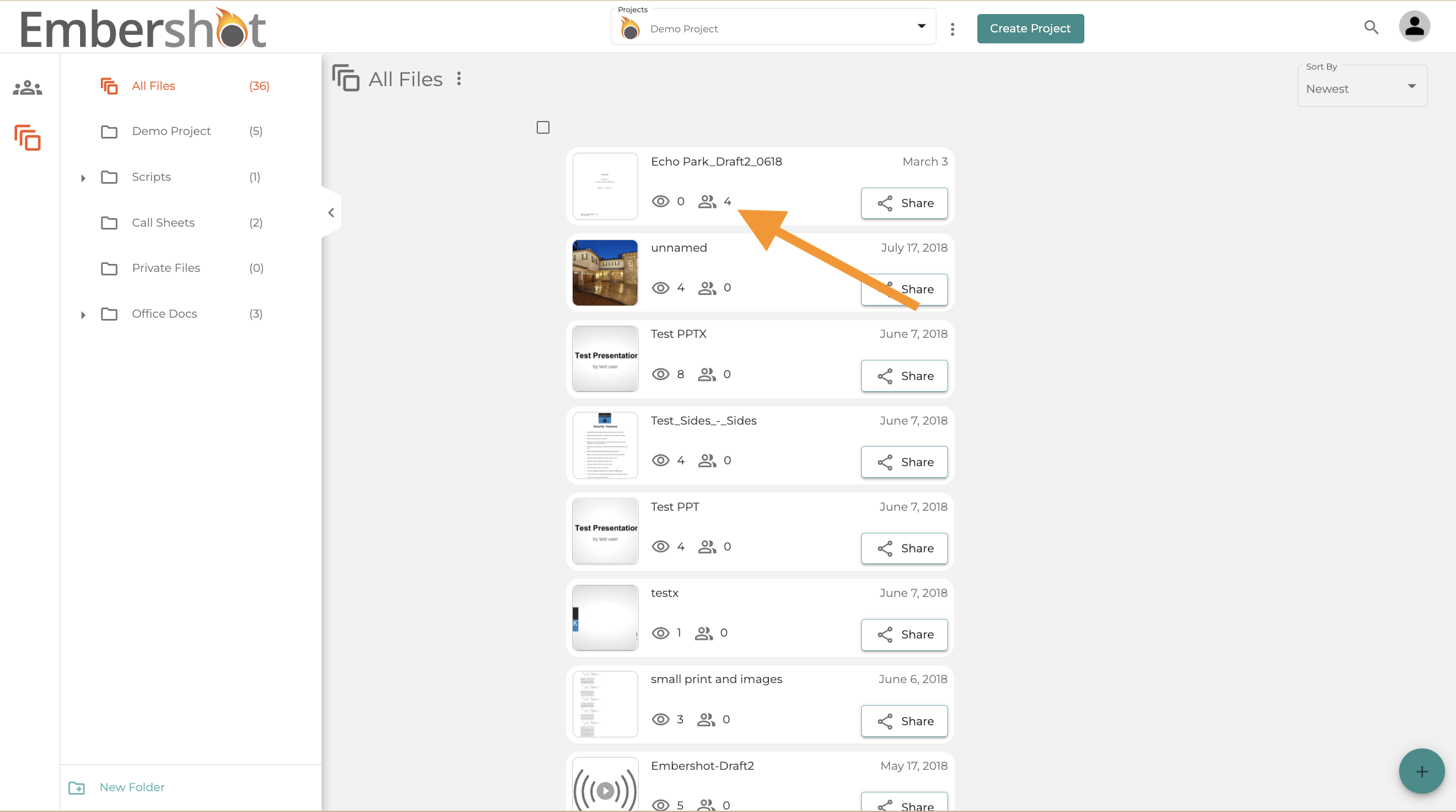
Step 1: Click on the 'Viewers' icon under the file name
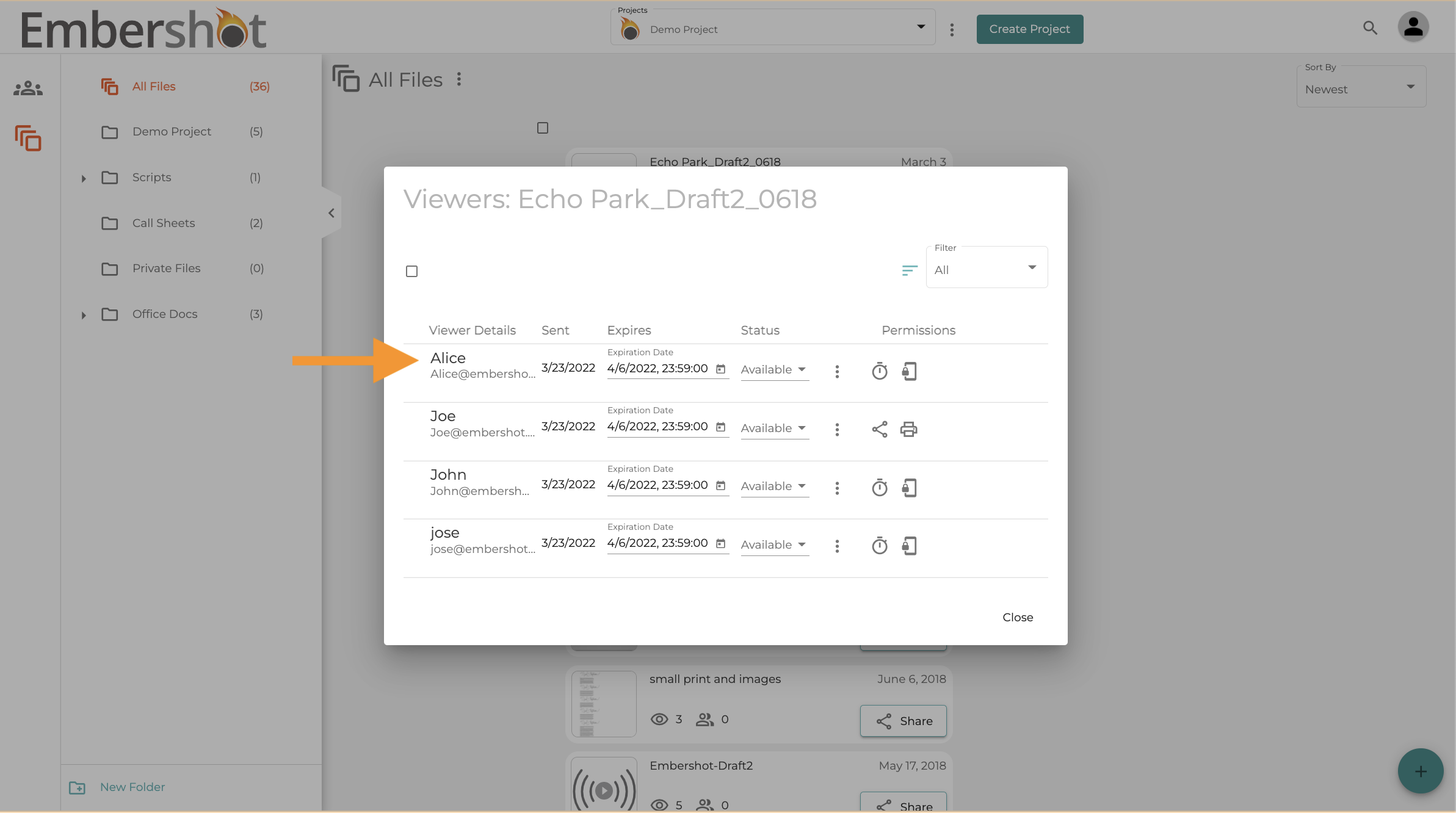
Step 2: Click on the name of the user you wish to edit.
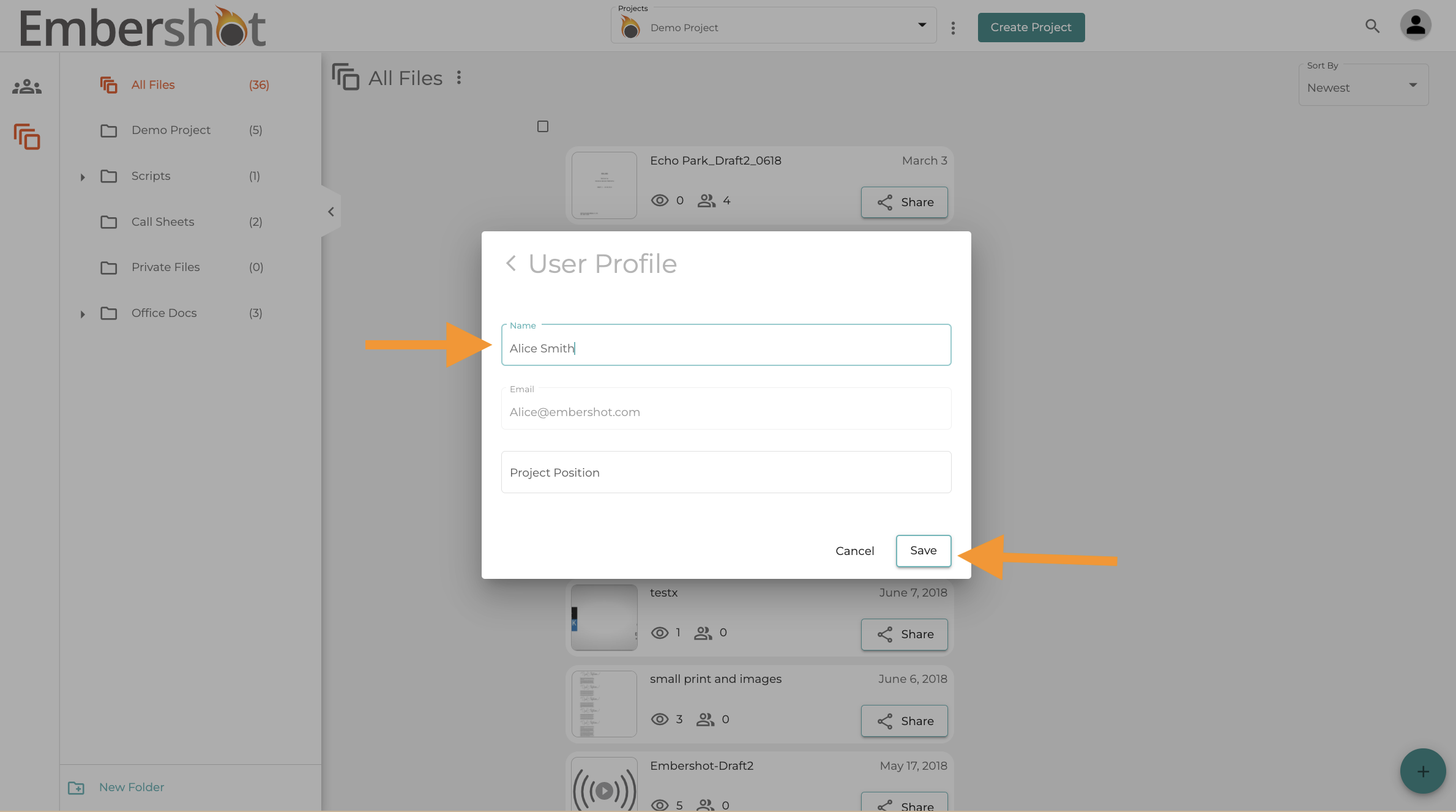
Step 4: Edit User's Name in the text field and select 'Save.'
Step 1: Click on the 'Viewers' icon under the file name
Step 2: Click on the name of the user you wish to edit.
Step 4: Edit User's Name in the text field and select 'Save.'