How to delete a Group
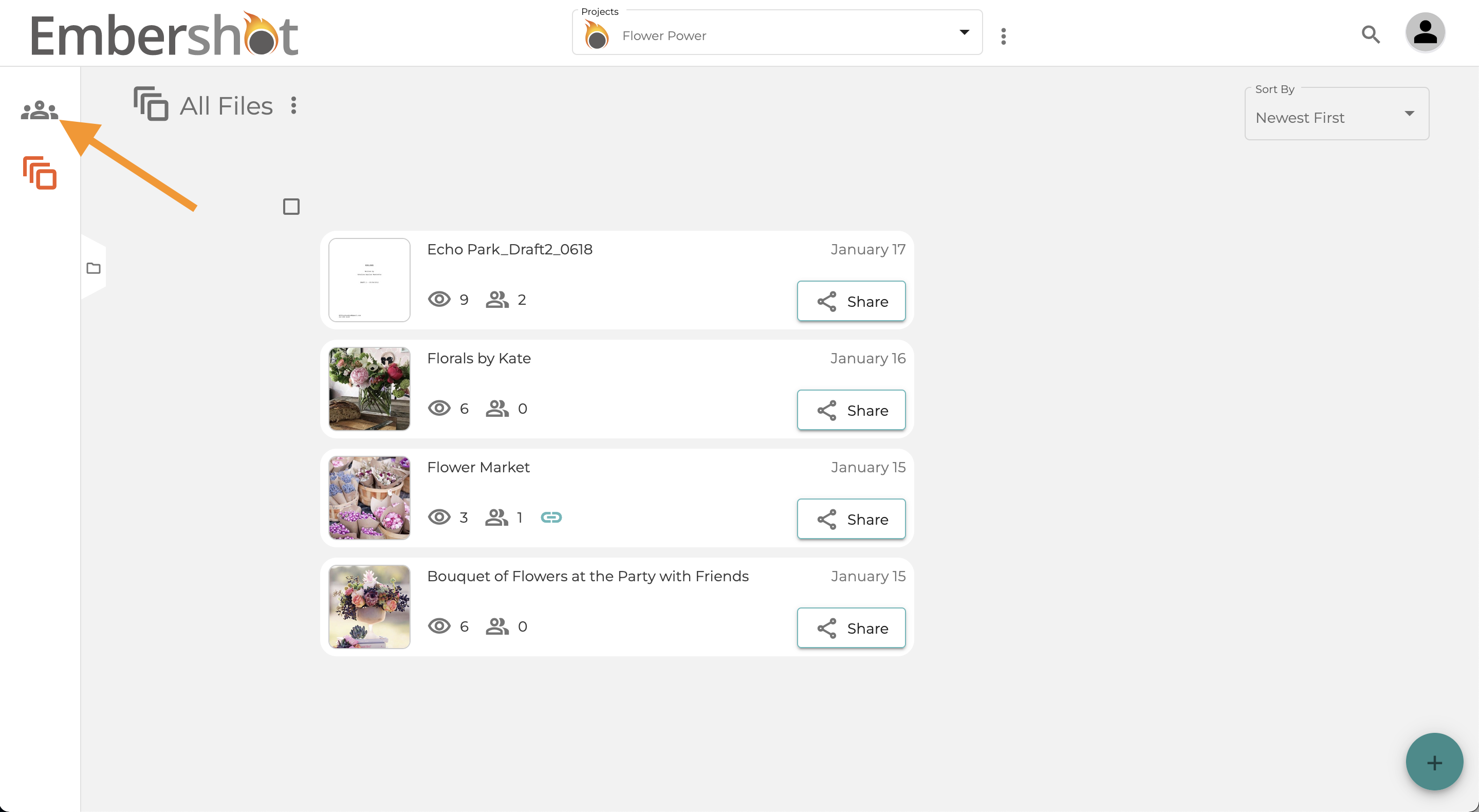
Step 1: Click on 'Groups'
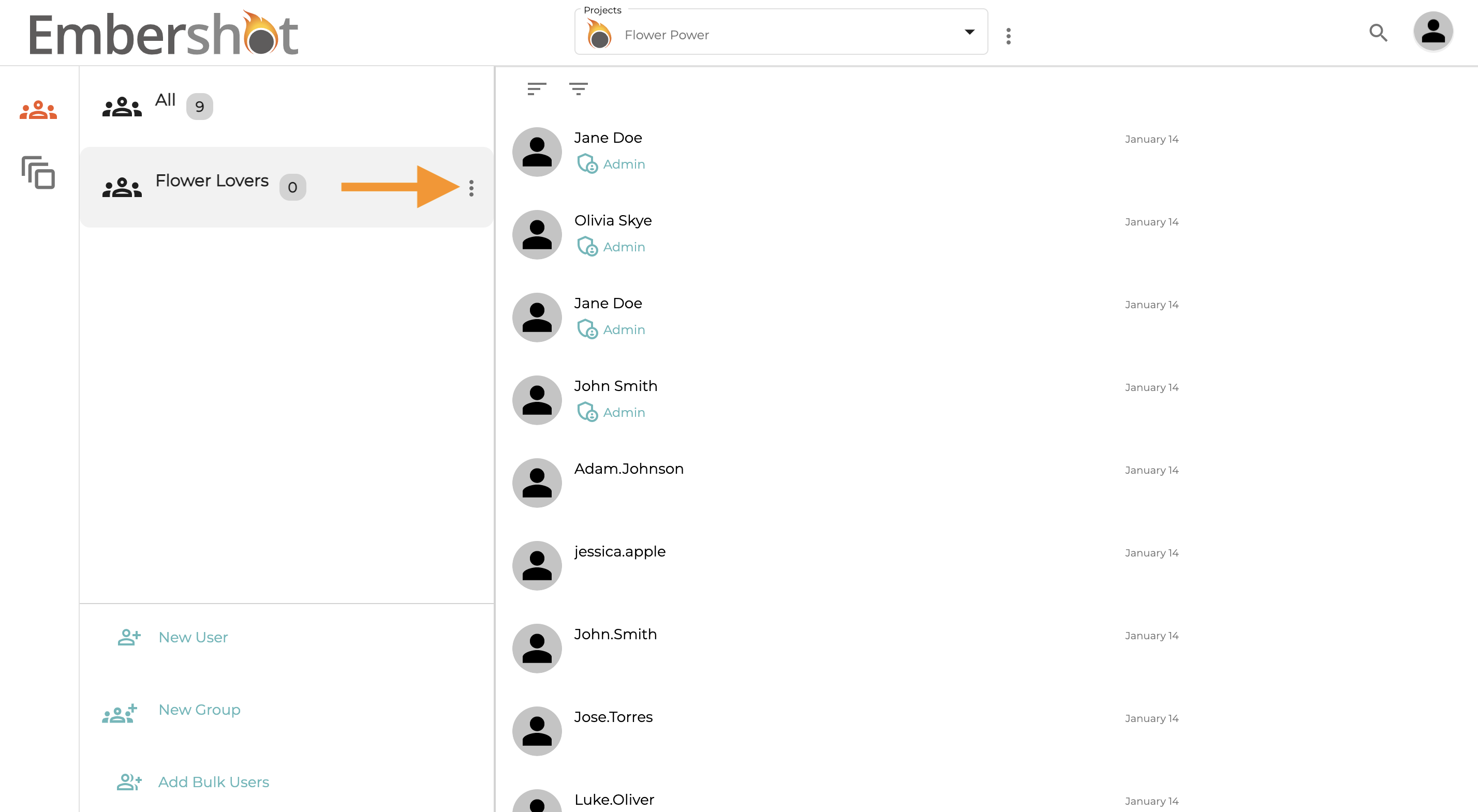
Step 2: Select the 'More' icon on desired group
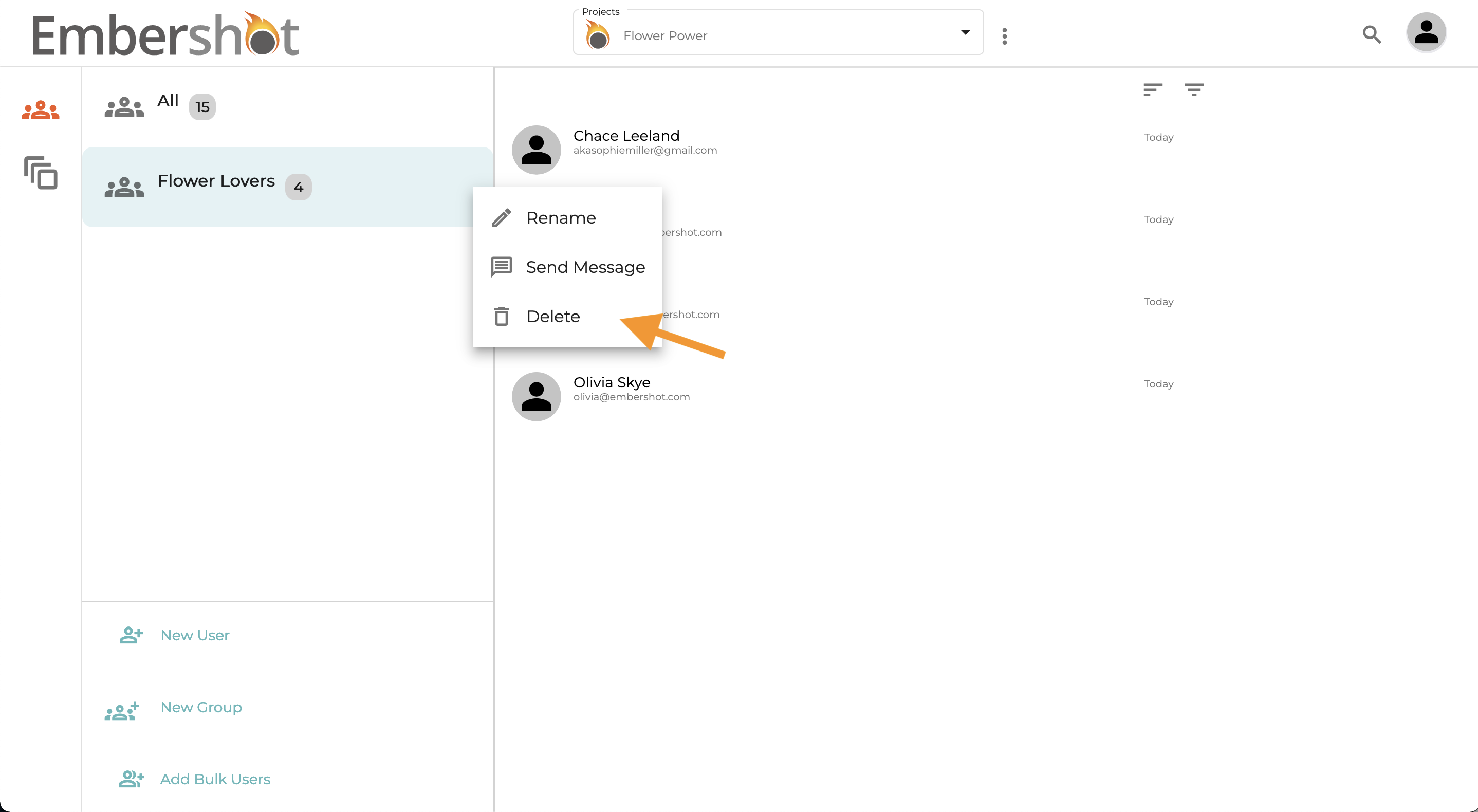
Step 3: Select 'Delete'
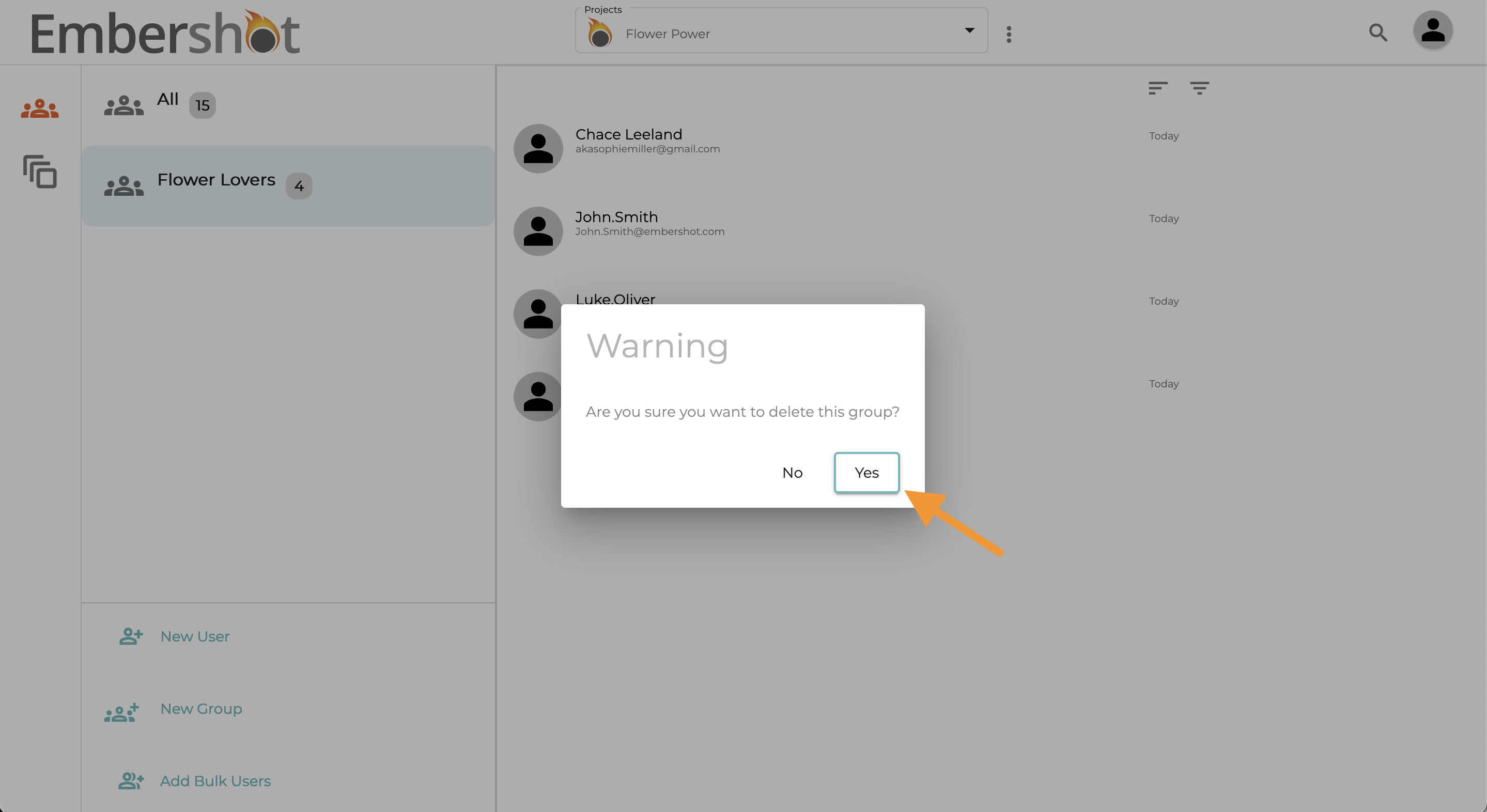
Step 4: Confirm you want to delete that group by selecting 'Yes'
Step 1: Click on 'Groups'
Step 2: Select the 'More' icon on desired group
Step 3: Select 'Delete'
Step 4: Confirm you want to delete that group by selecting 'Yes'