How to Filter Viewers and Add Them to a Group
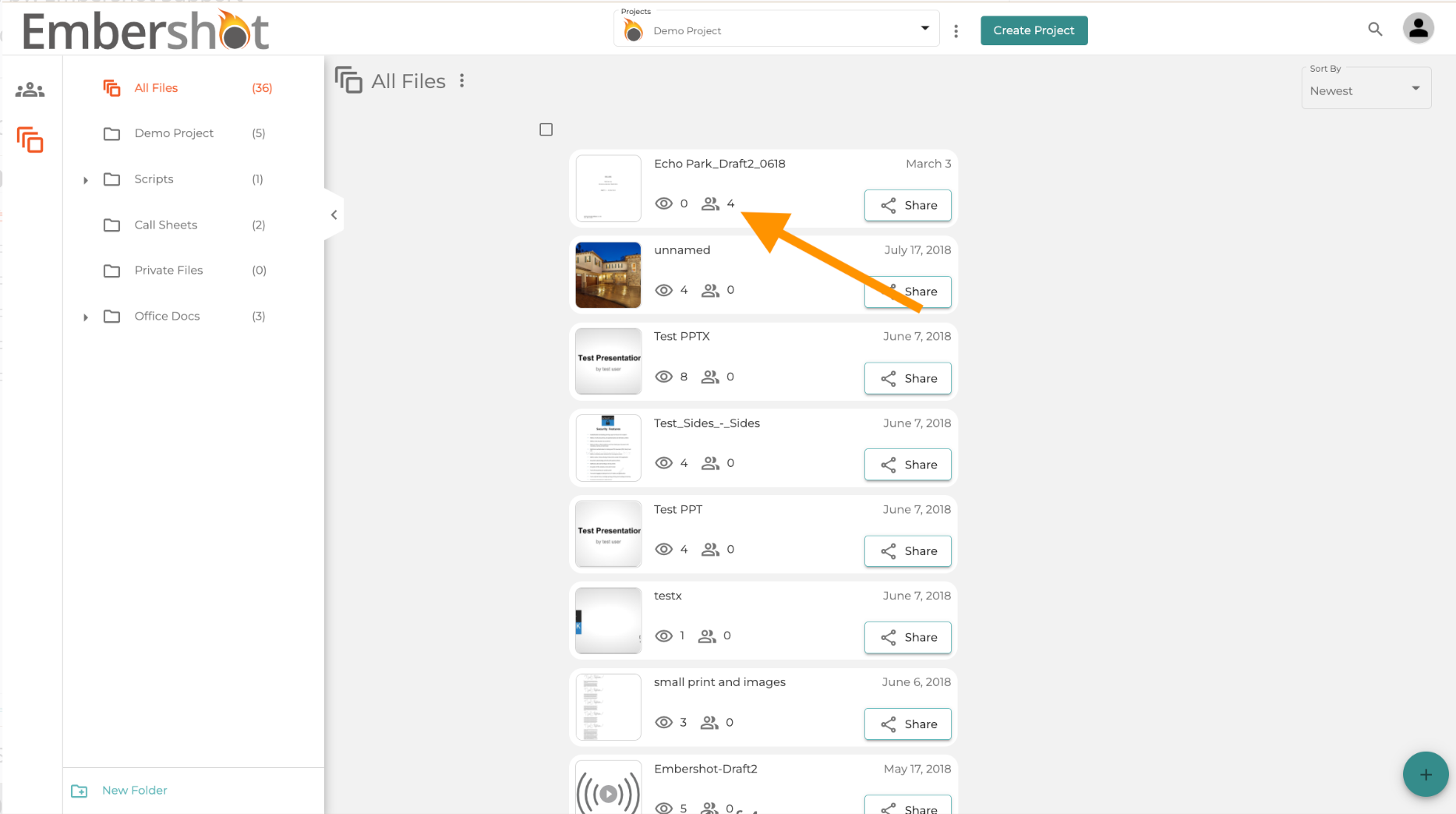
Step 1: Click on the desired file's viewer list icon
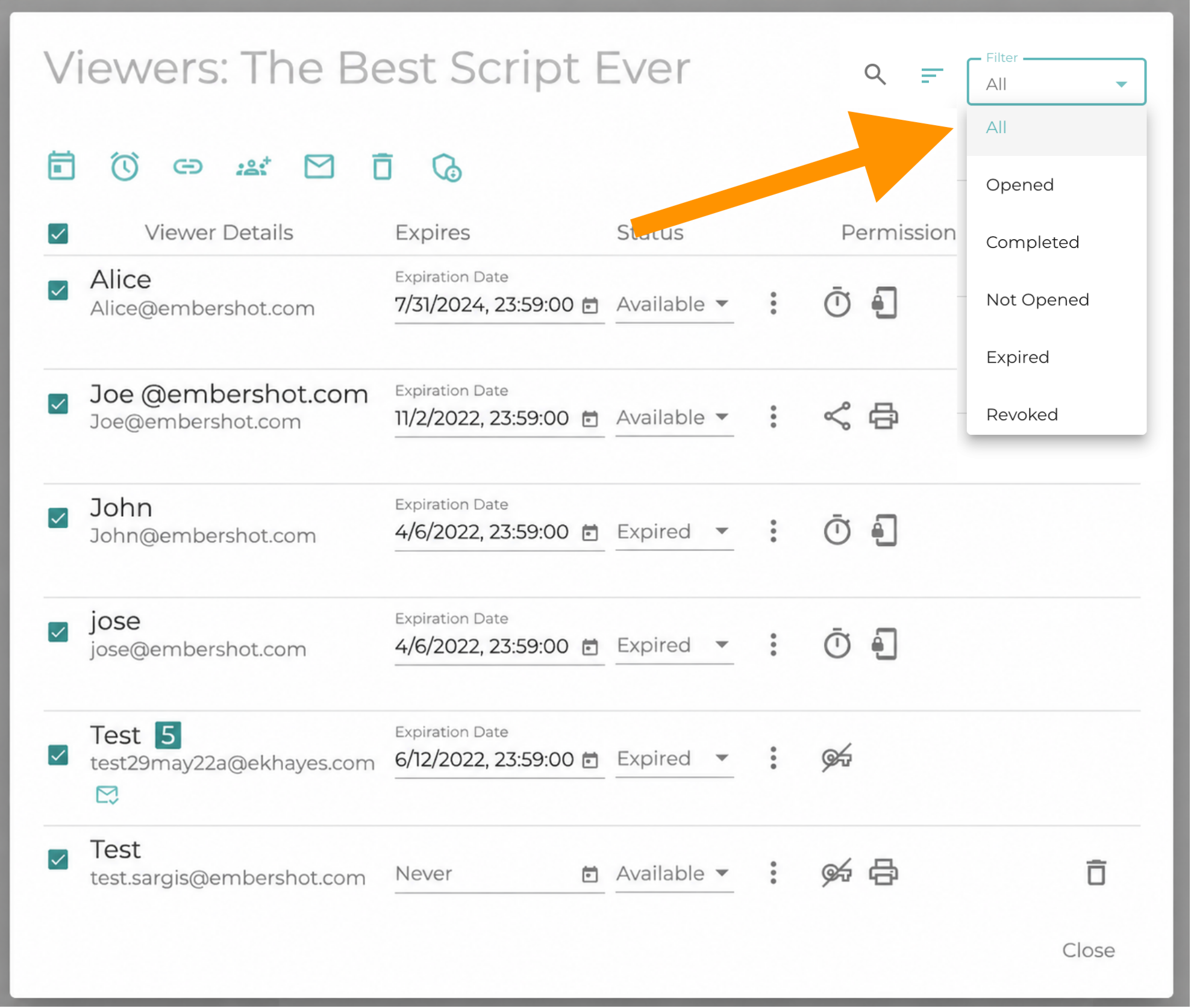
Step 2: Apply your preferred filter
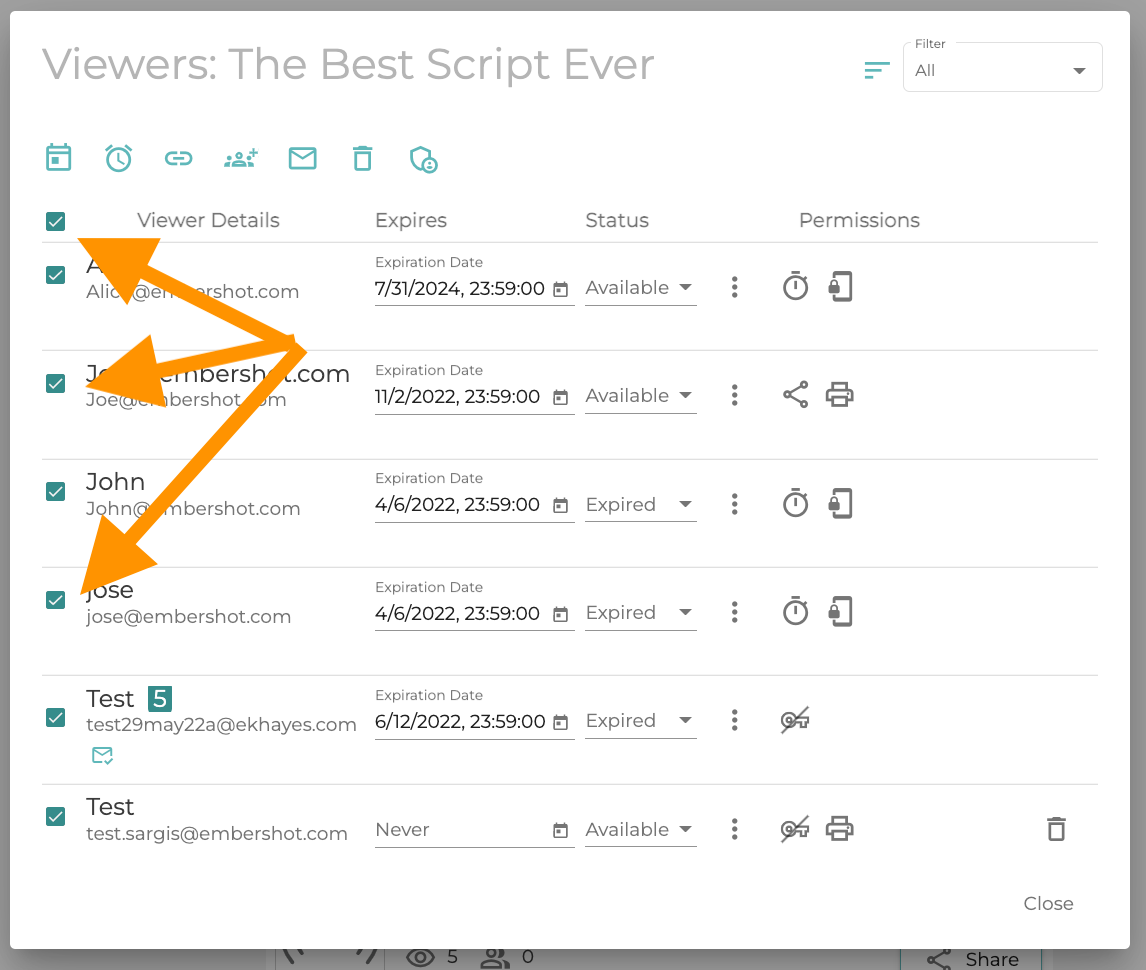
Step 3: Select the users you would like to add to a group
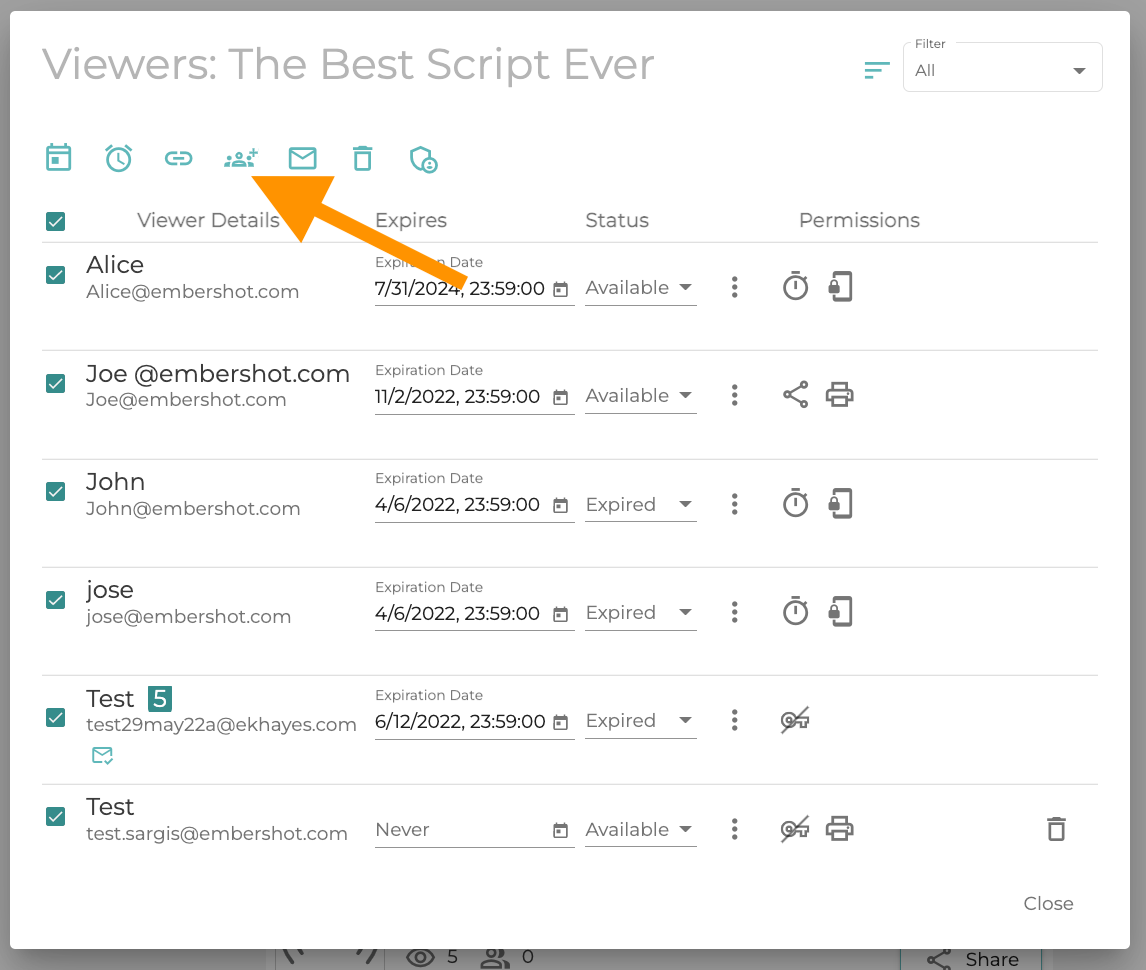
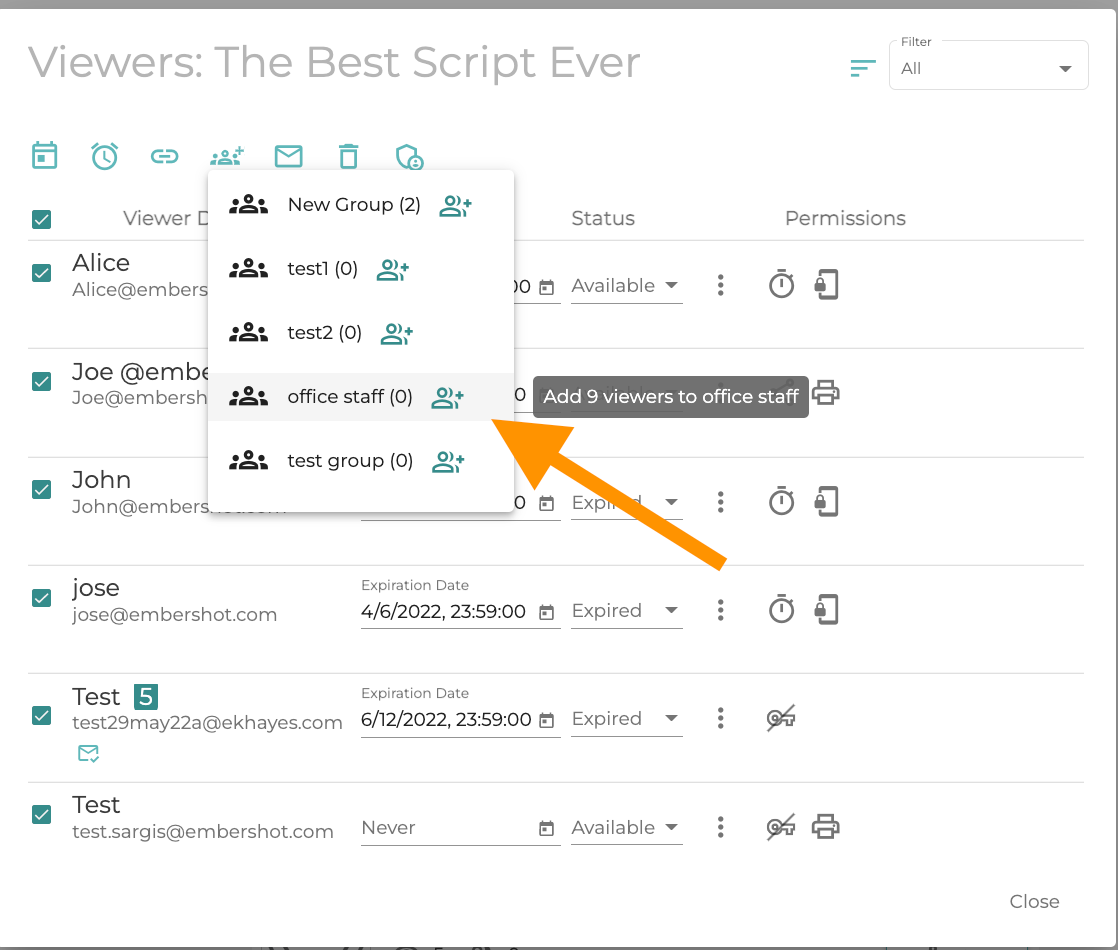
Step 4: Click on the "Add users to group" icon
Step 5: Select the desired group to add the users to
You can also add users to a group from the project user section.