How to mass change users' security permissions
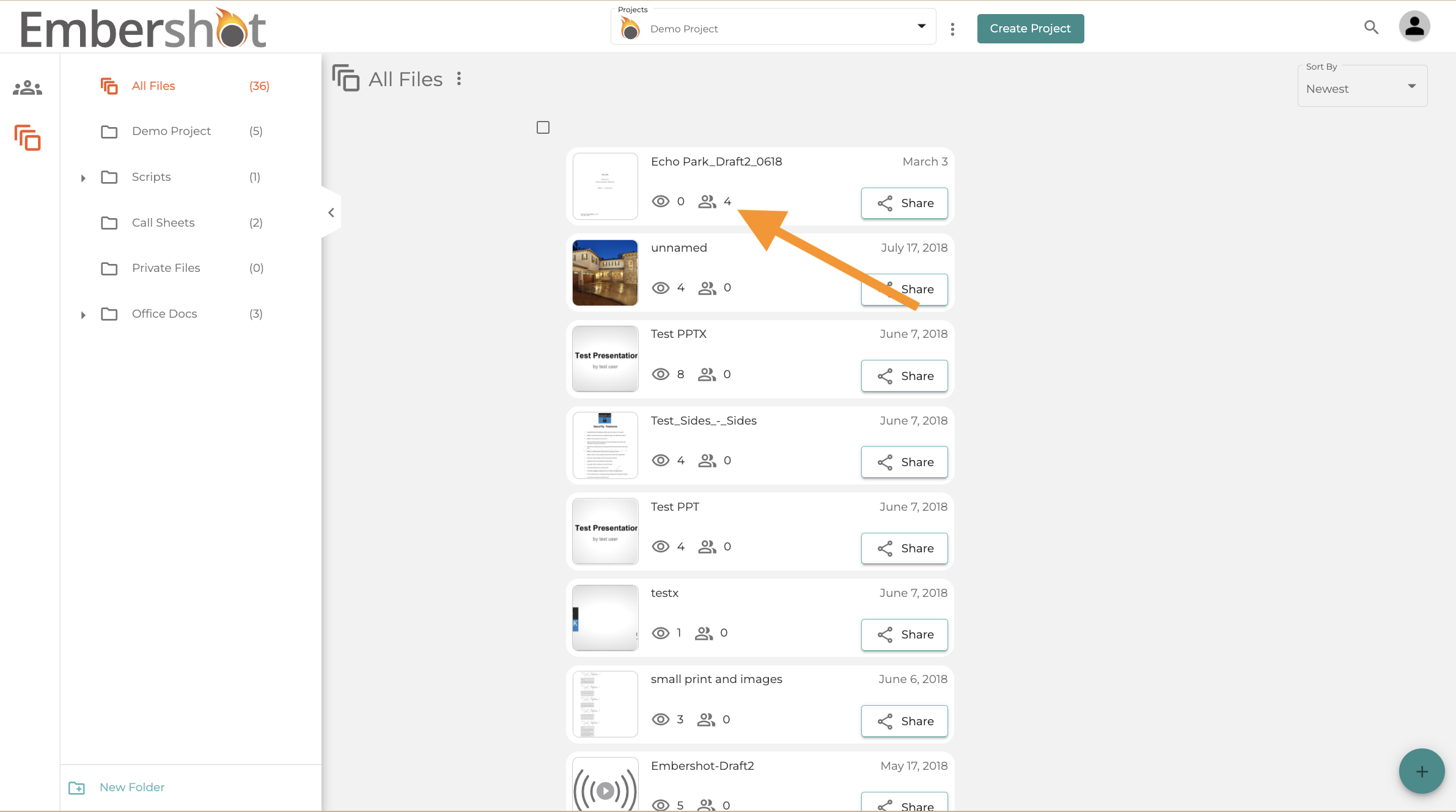
Step 1: Go to the viewer list.
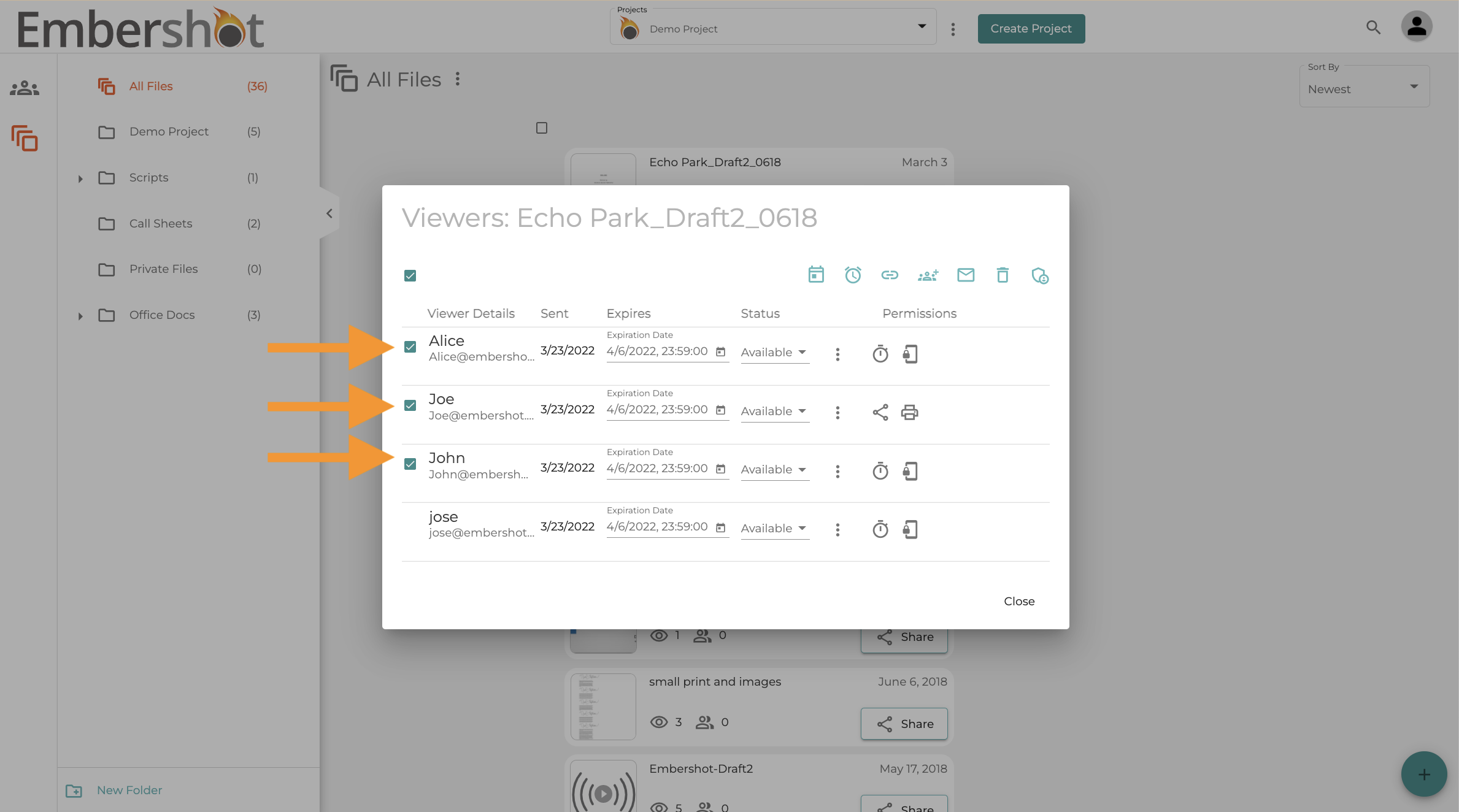
Step 2: Select the users whose settings you wish to adjust
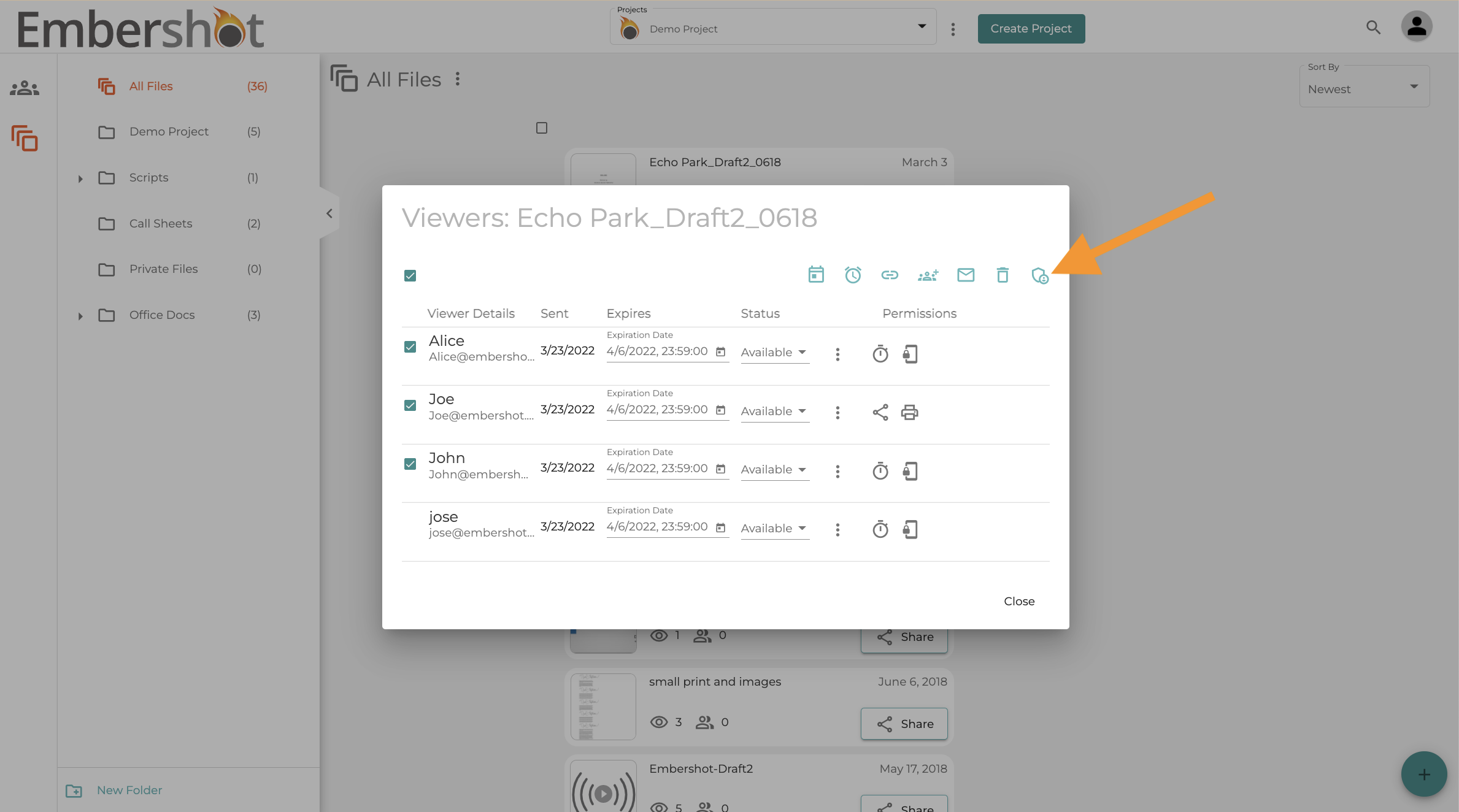
Step 3: Click on the permission icon
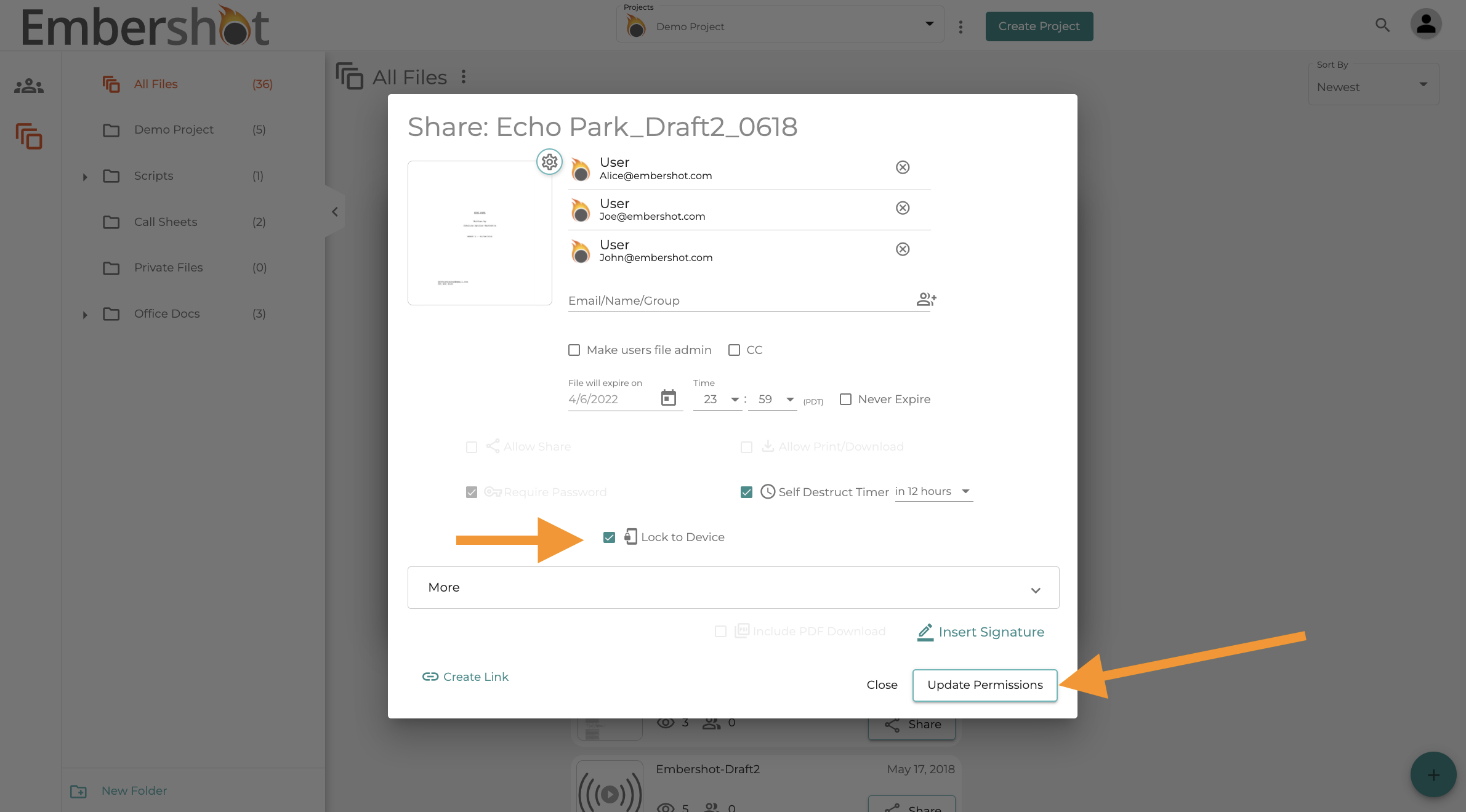
Step 4: Adjust the desired permissions and click "Update Permissions"
Step 1: Go to the viewer list.
Step 2: Select the users whose settings you wish to adjust
Step 3: Click on the permission icon
Step 4: Adjust the desired permissions and click "Update Permissions"