How to revoke all files
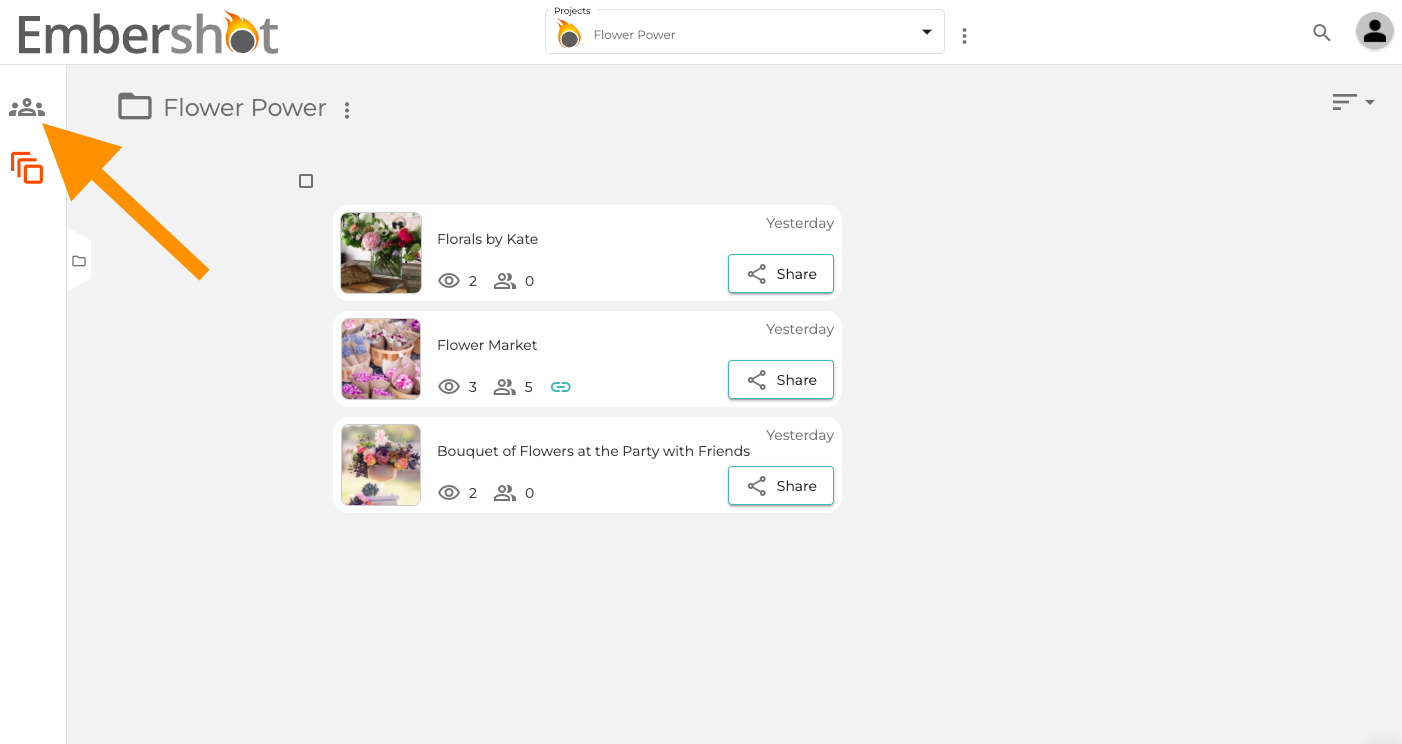
Step 1: Click on "Groups" icon.
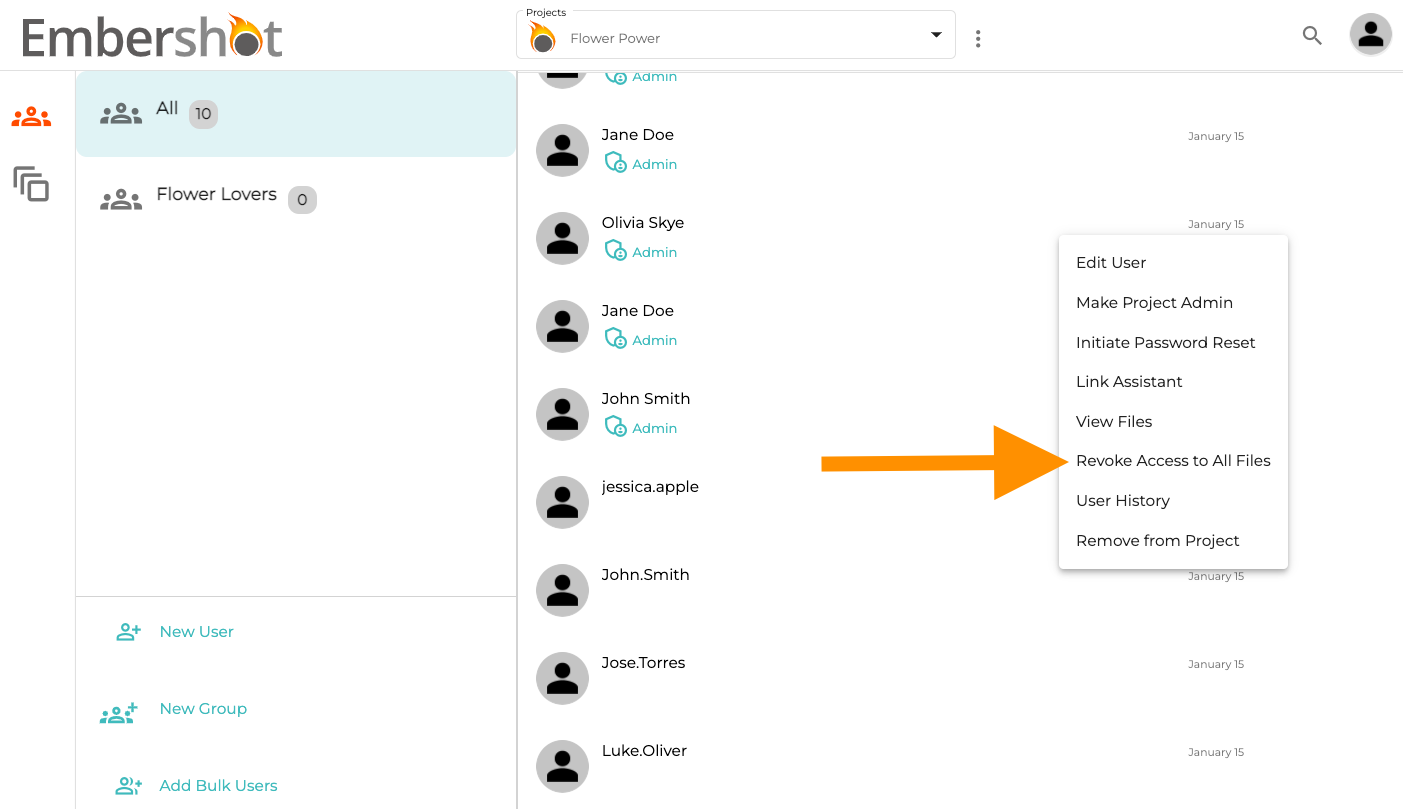
Step 2: For the desired user, click on the three dots when hovering on their icon. From the dropdown, click 'Revoke Access to All Files' and confirm.
Step 1: Click on "Groups" icon.
Step 2: For the desired user, click on the three dots when hovering on their icon. From the dropdown, click 'Revoke Access to All Files' and confirm.