How to reset data on Embershot App
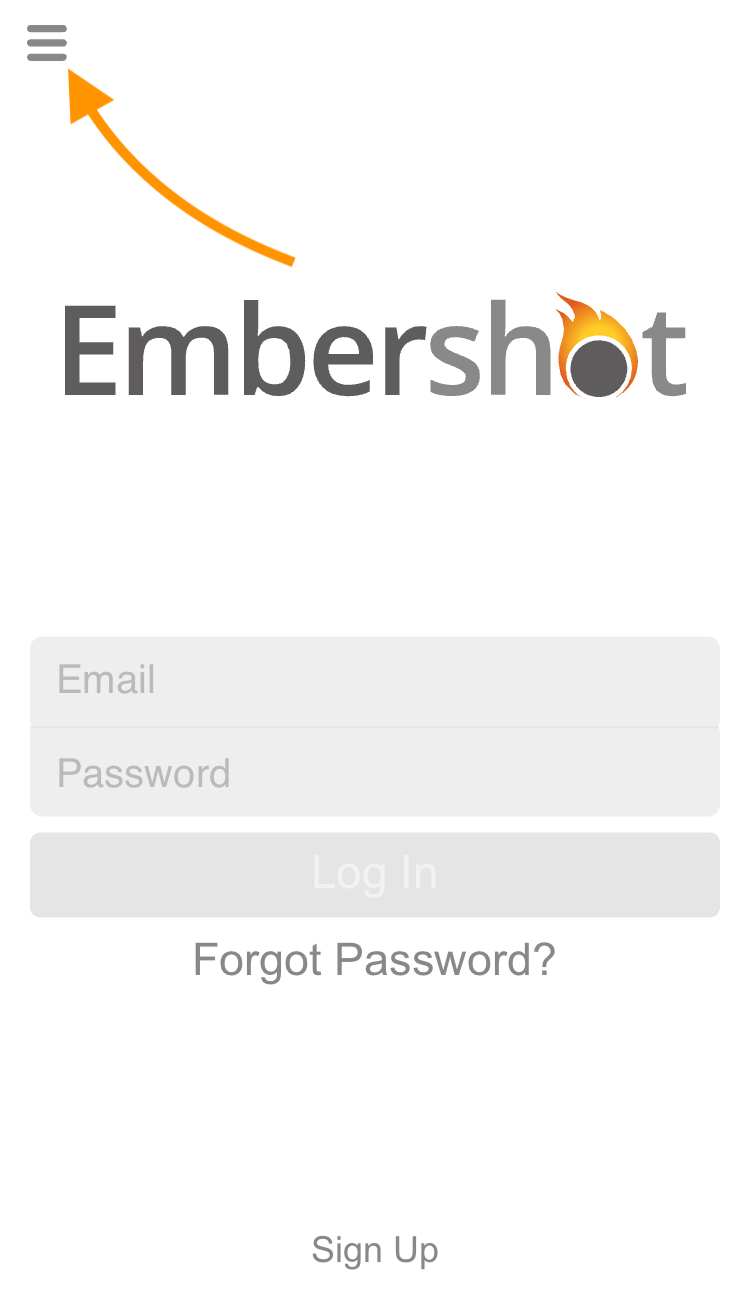
Step 1: On Login Screen, click the menu.
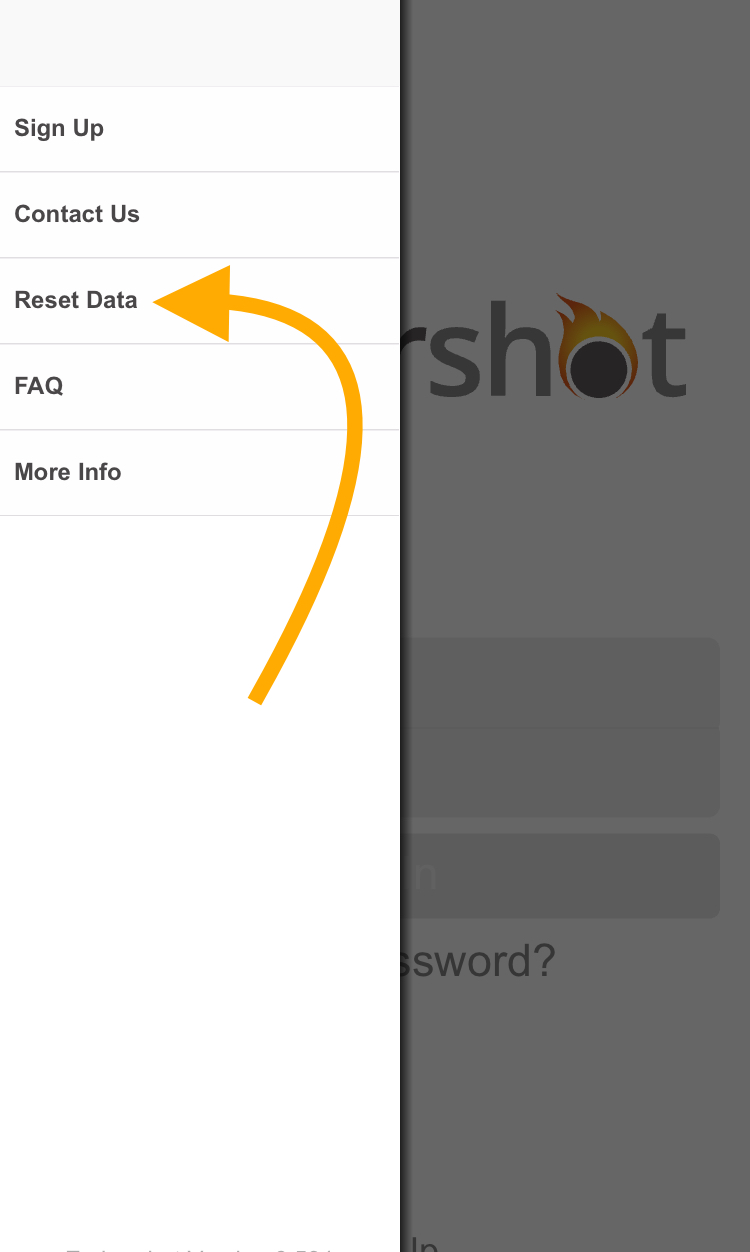
Step 2: On the drop-down menu, click the button in the upper left corner. "Reset Data."
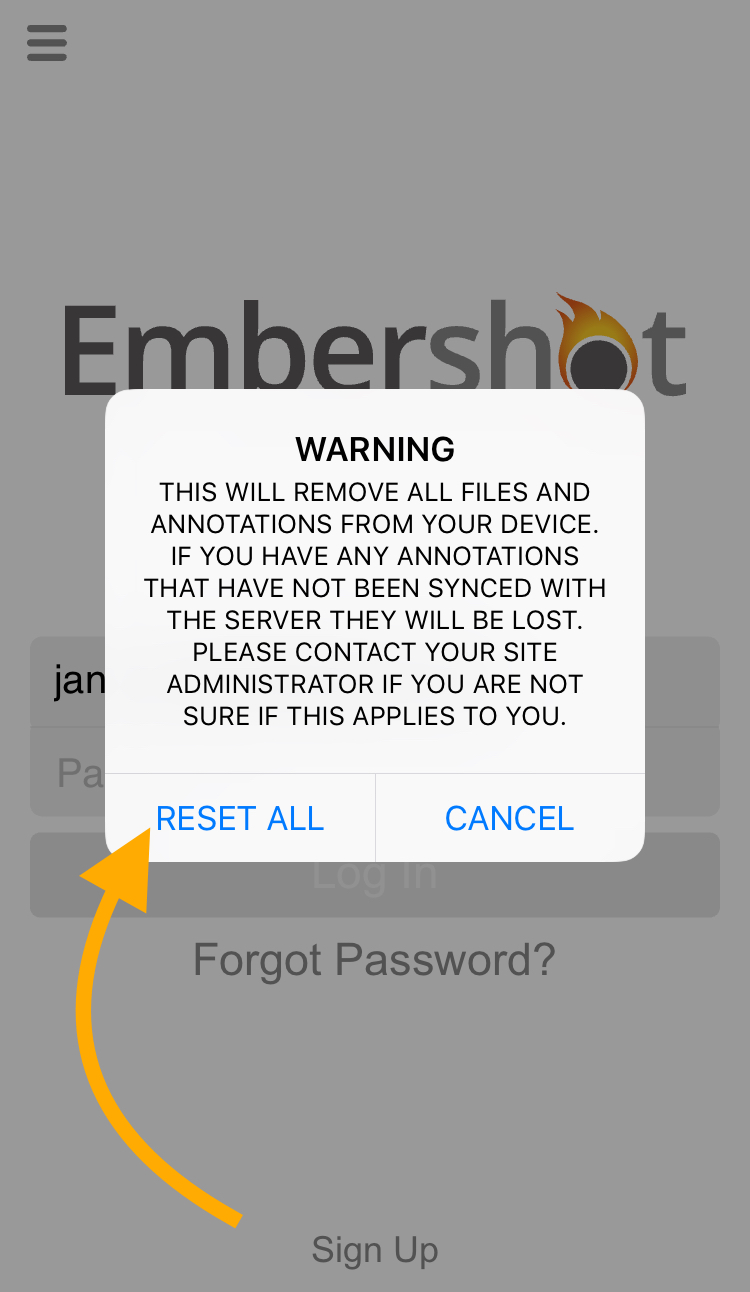
Step 3: Click "Reset All"
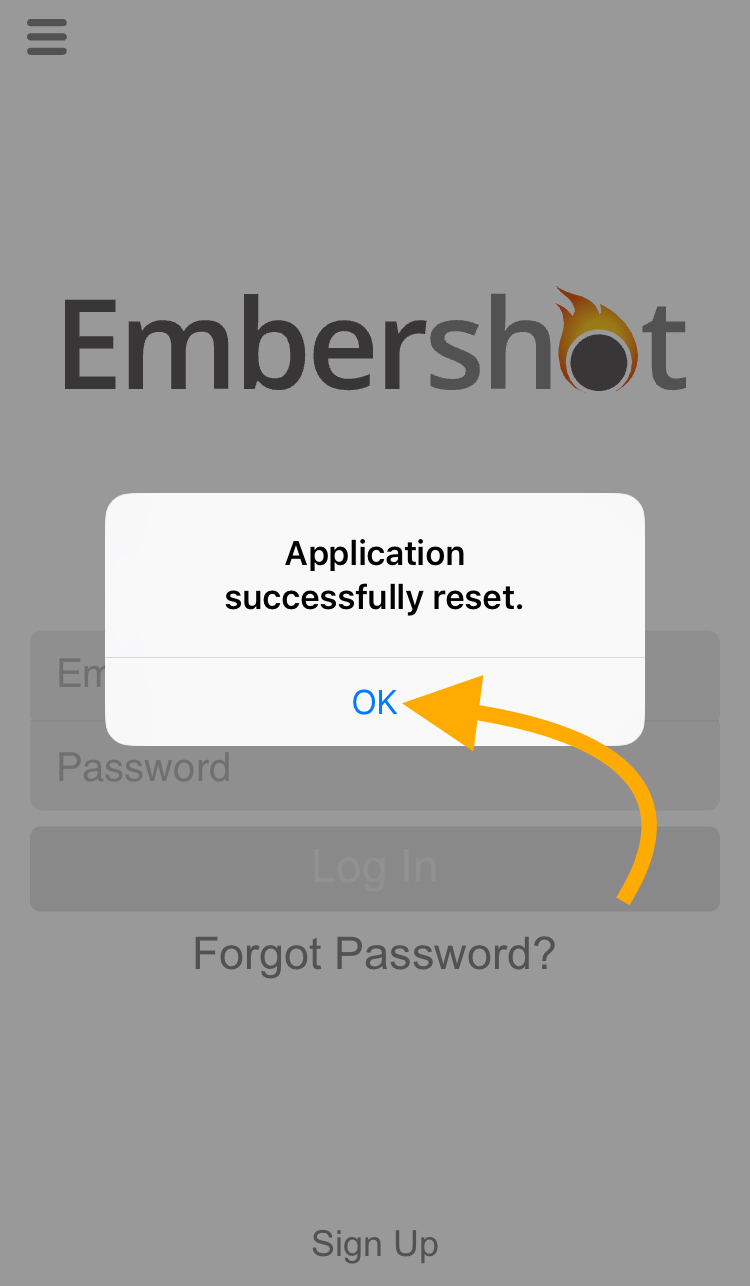
Step 4: Click "Ok" and now you can log back in.
Step 1: On Login Screen, click the menu.
Step 2: On the drop-down menu, click the button in the upper left corner. "Reset Data."
Step 3: Click "Reset All"
Step 4: Click "Ok" and now you can log back in.