How Site Admins Can Access Projects They Do Not Own
By default, Site Admins only have access to projects they create or projects where they have been added as a Project Admin.
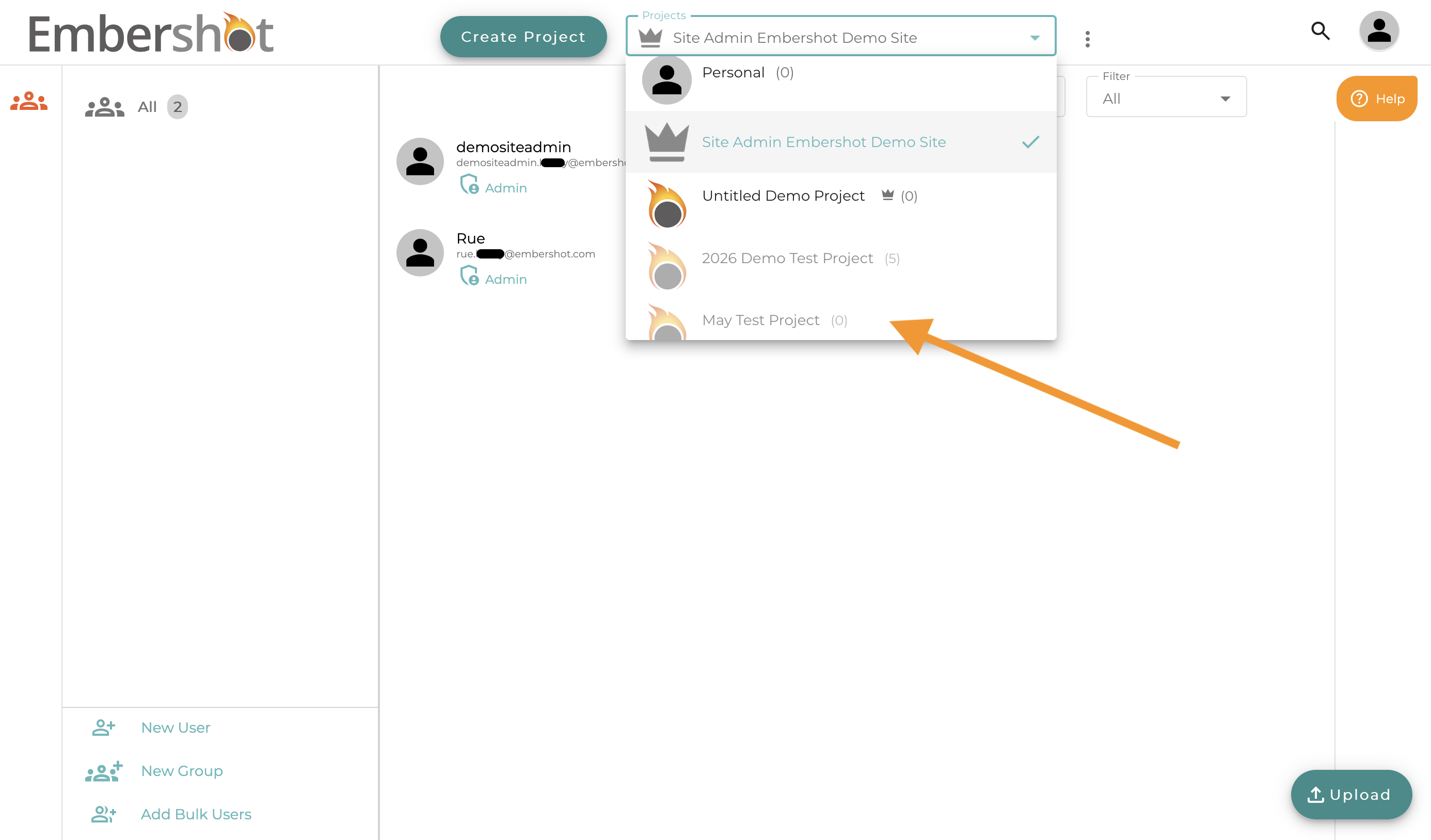
Site Admins can view all projects on their Enterprise Site, but projects they are not assigned to will appear grayed out. To access one of these projects, follow the steps below.
Step 1: Open the Project List and select the grayed-out project you want to access.
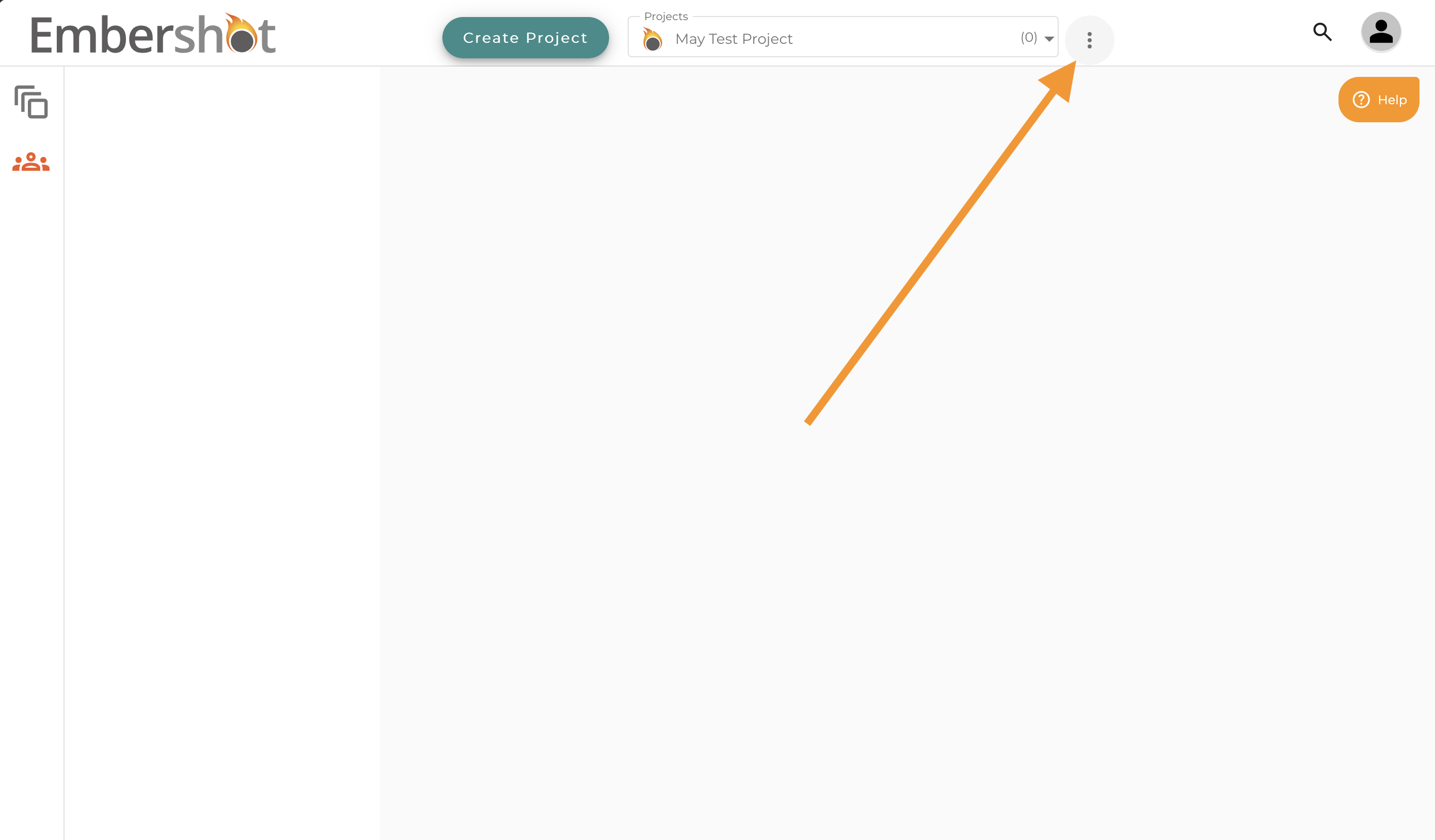
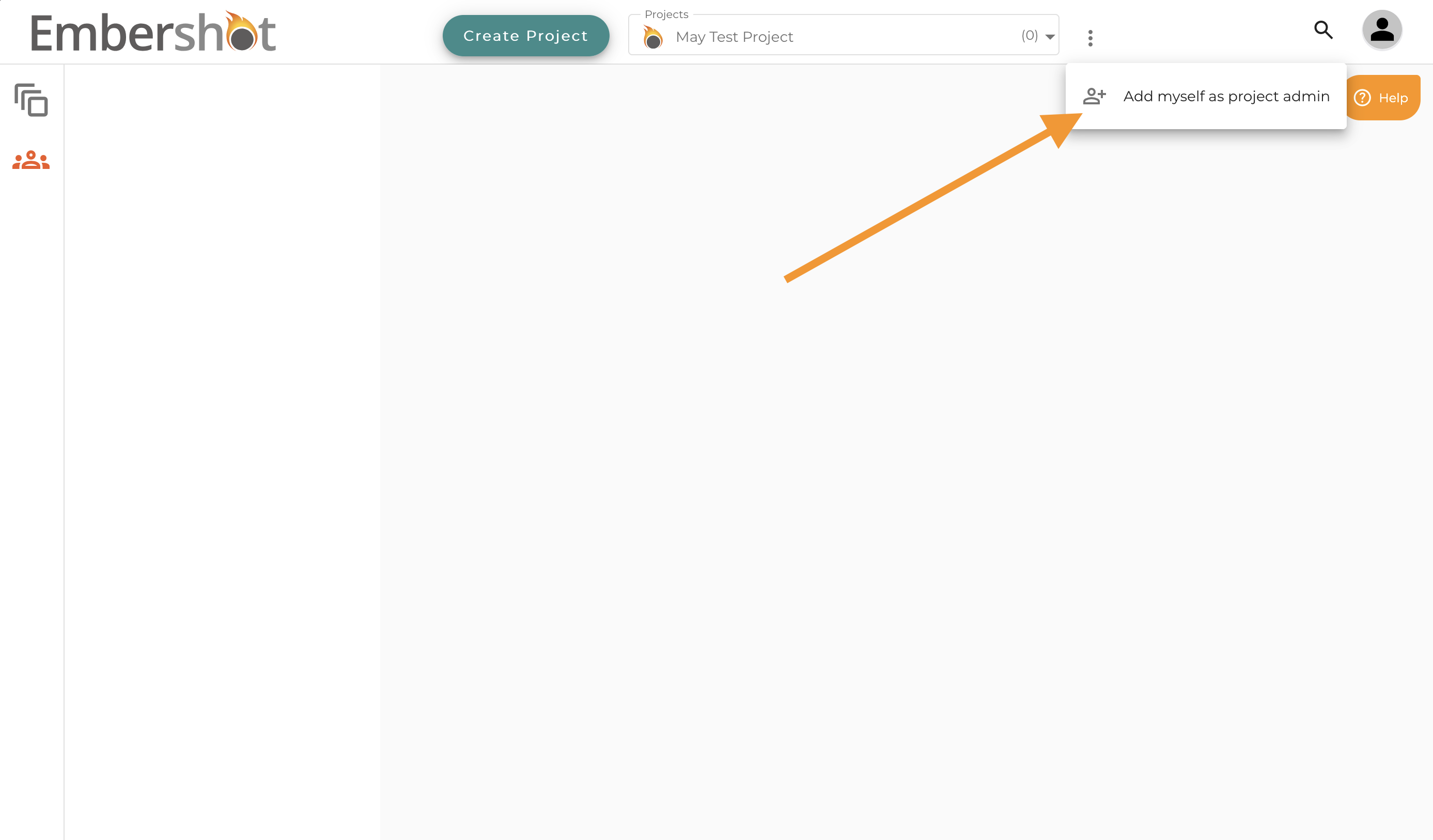
Step 2: The project will appear blank. Open the Project menu.
Step 3: Select Add Myself as Project Admin.
Step 4: Confirm by clicking Add Me.
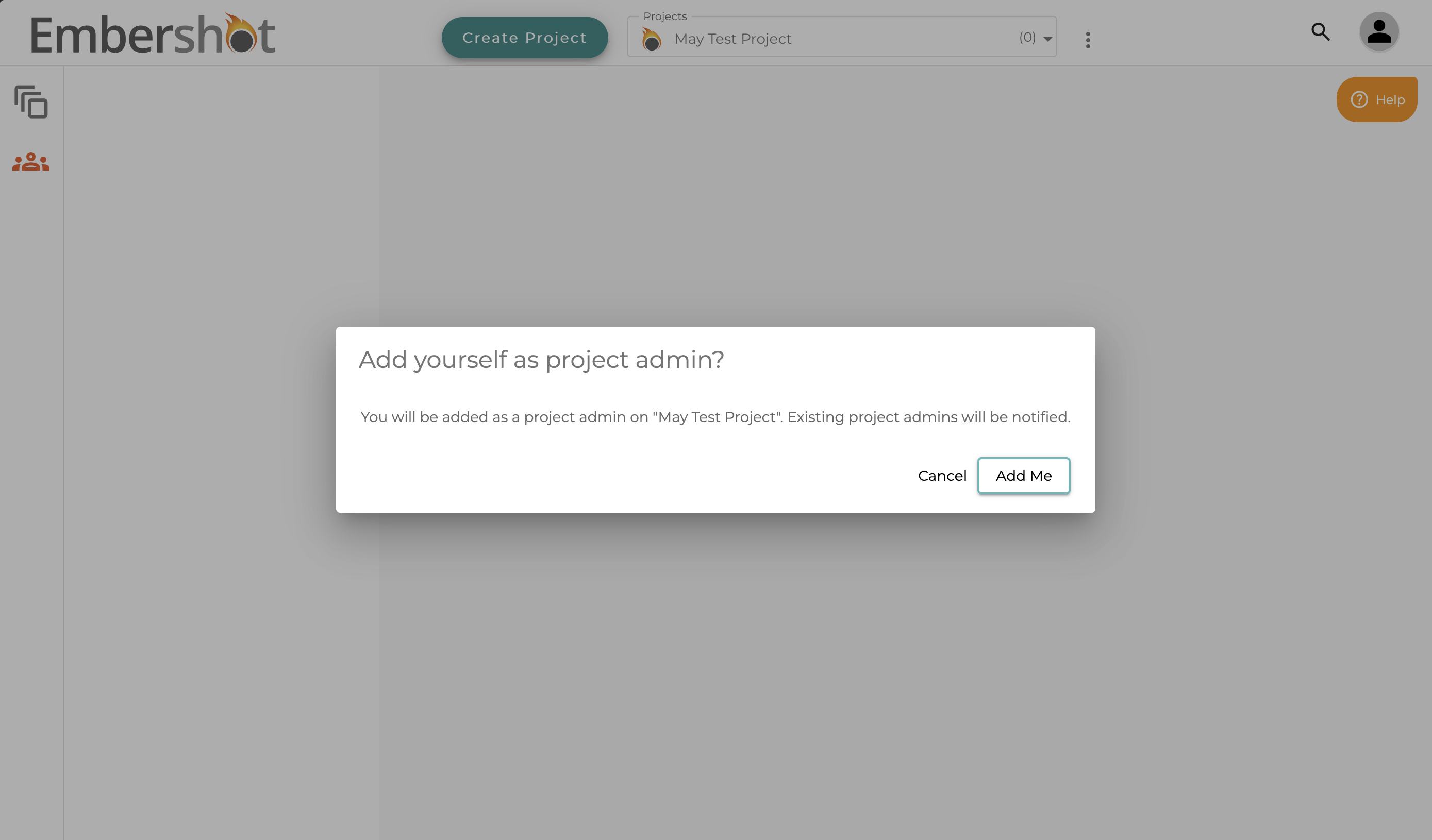
Step 5: Wait a moment or refresh the page. The project will load, and you will automatically be added as a Project Admin.