How to deactivate a project
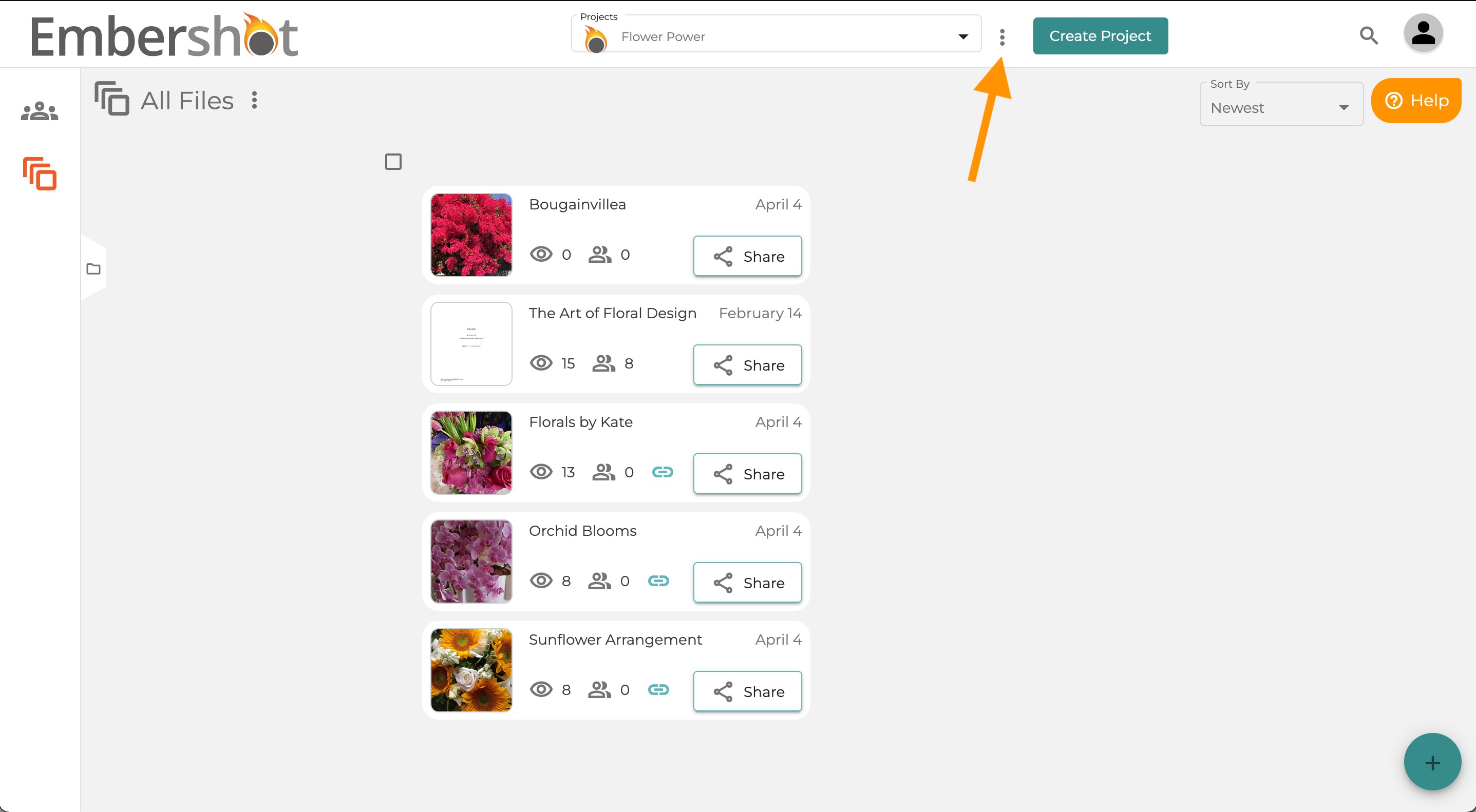
Step 1: On the Home screen, click the three dots next to the project dropdown.
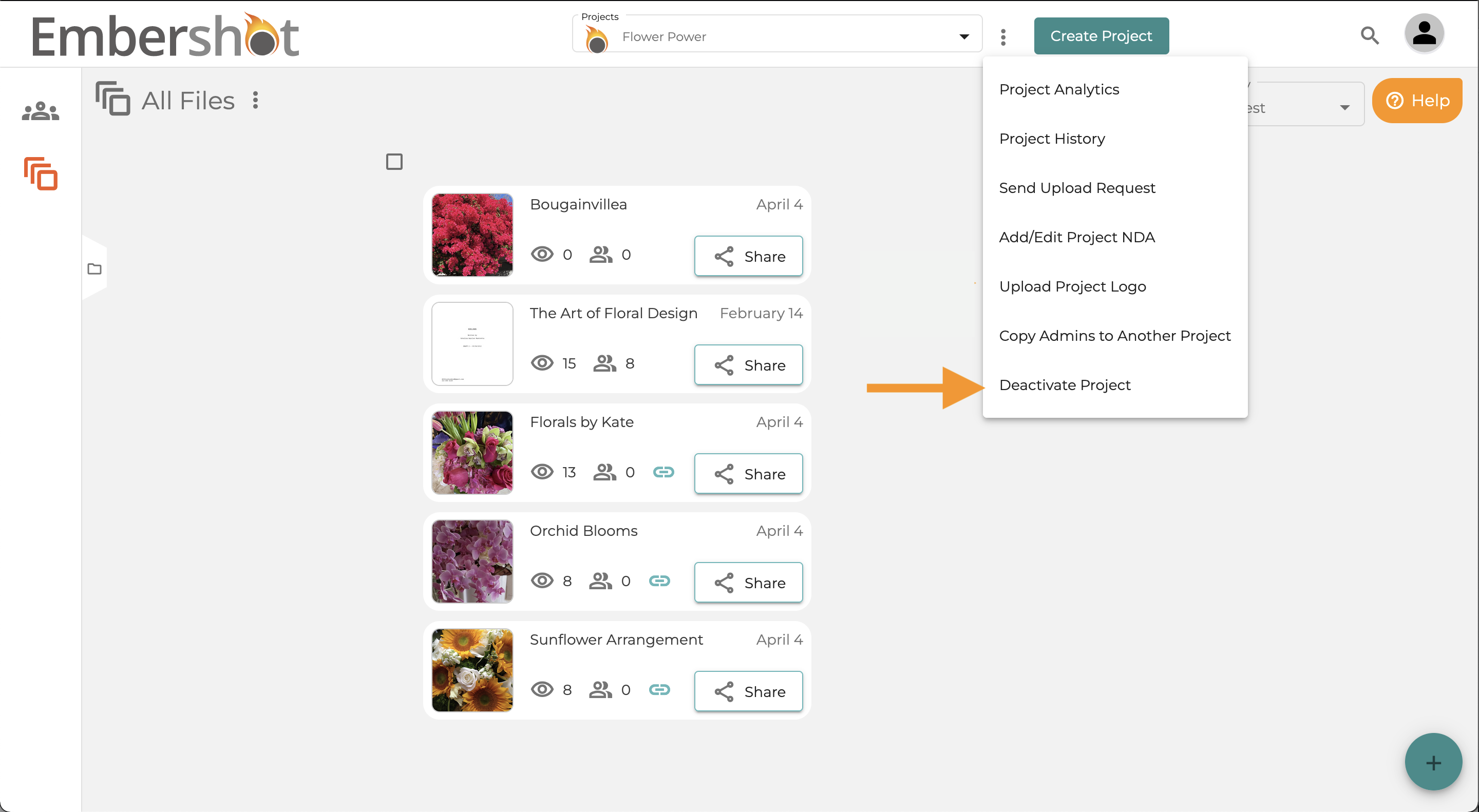
Step 2: Select 'Deactivate Project' from the menu.
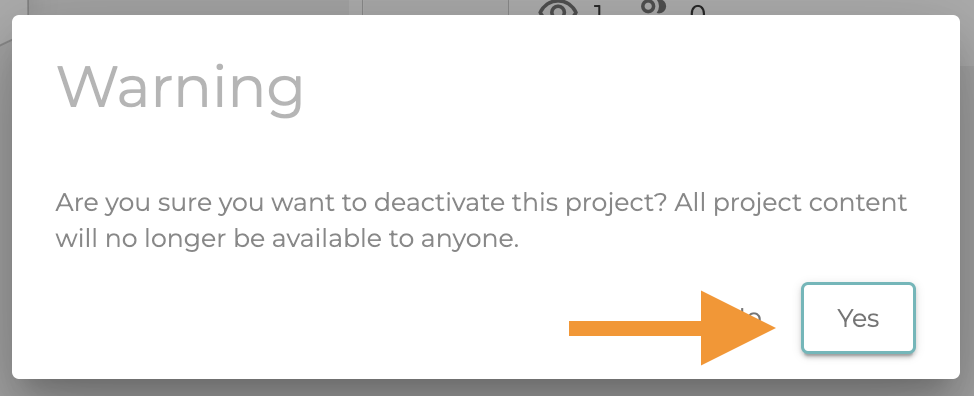
Step 3: Confirm you want to deactivate the project by clicking "Yes."
Step 1: On the Home screen, click the three dots next to the project dropdown.
Step 2: Select 'Deactivate Project' from the menu.
Step 3: Confirm you want to deactivate the project by clicking "Yes."