How to remove a Project Admin from your project
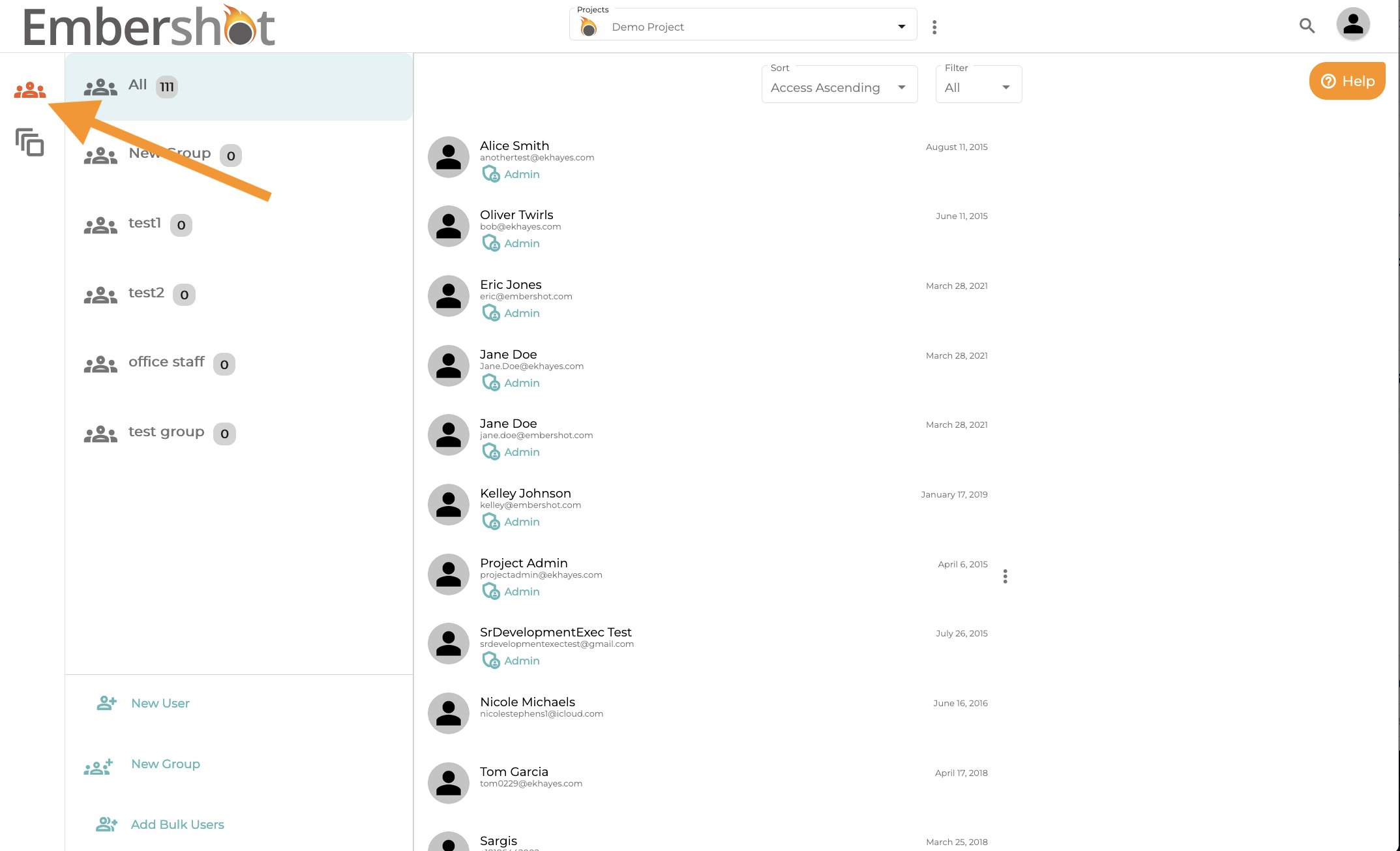
Step 1: Go to the Groups and User section of your project
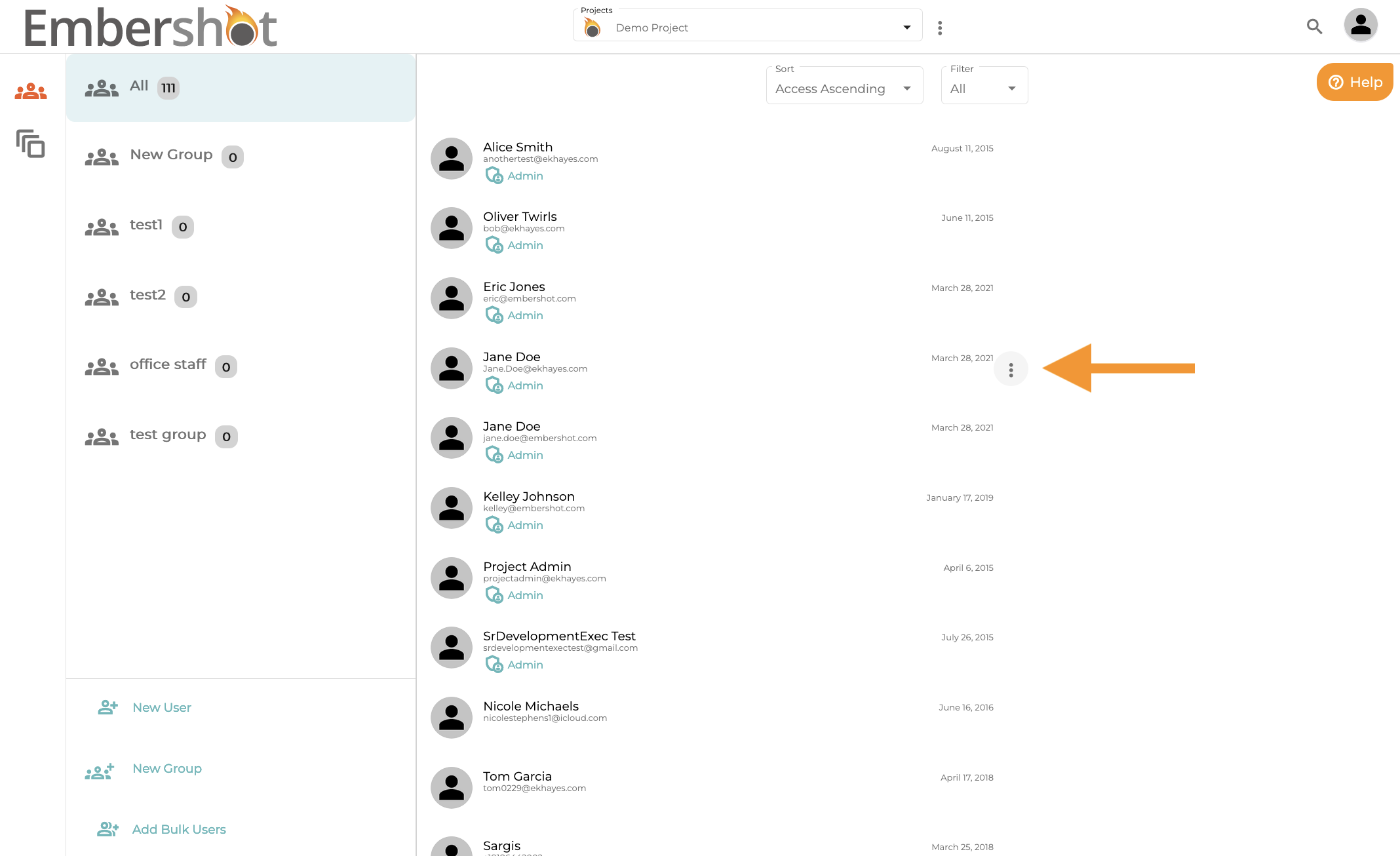
Step 2: Click on the menu icon next to the user's name
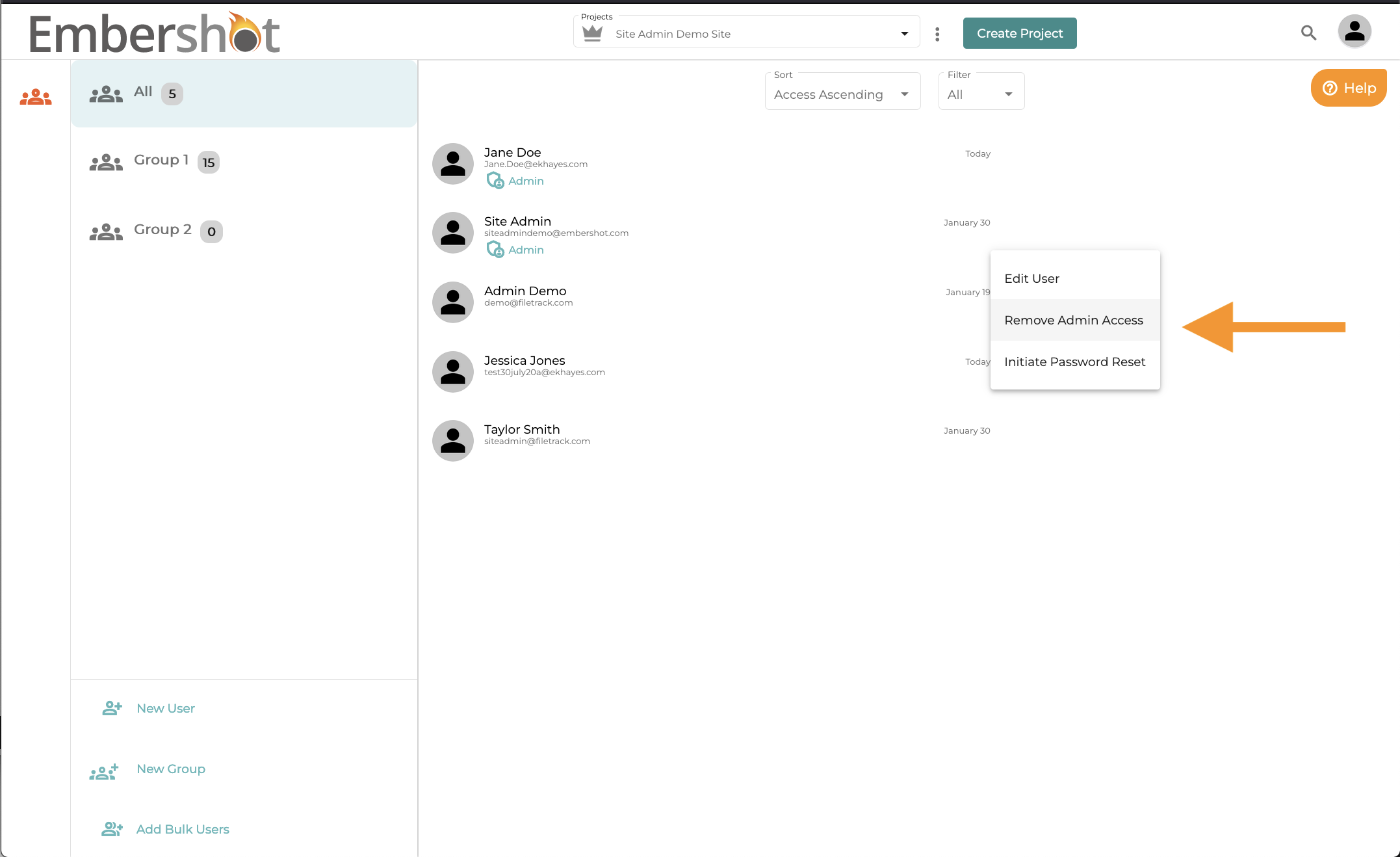
Step 3: Select "Remove Admin Access" in the dropdown
Step 1: Go to the Groups and User section of your project
Step 2: Click on the menu icon next to the user's name
Step 3: Select "Remove Admin Access" in the dropdown