How to report a bug on a browser
There are 2 ways to report a bug on a browser.
OPTION 1
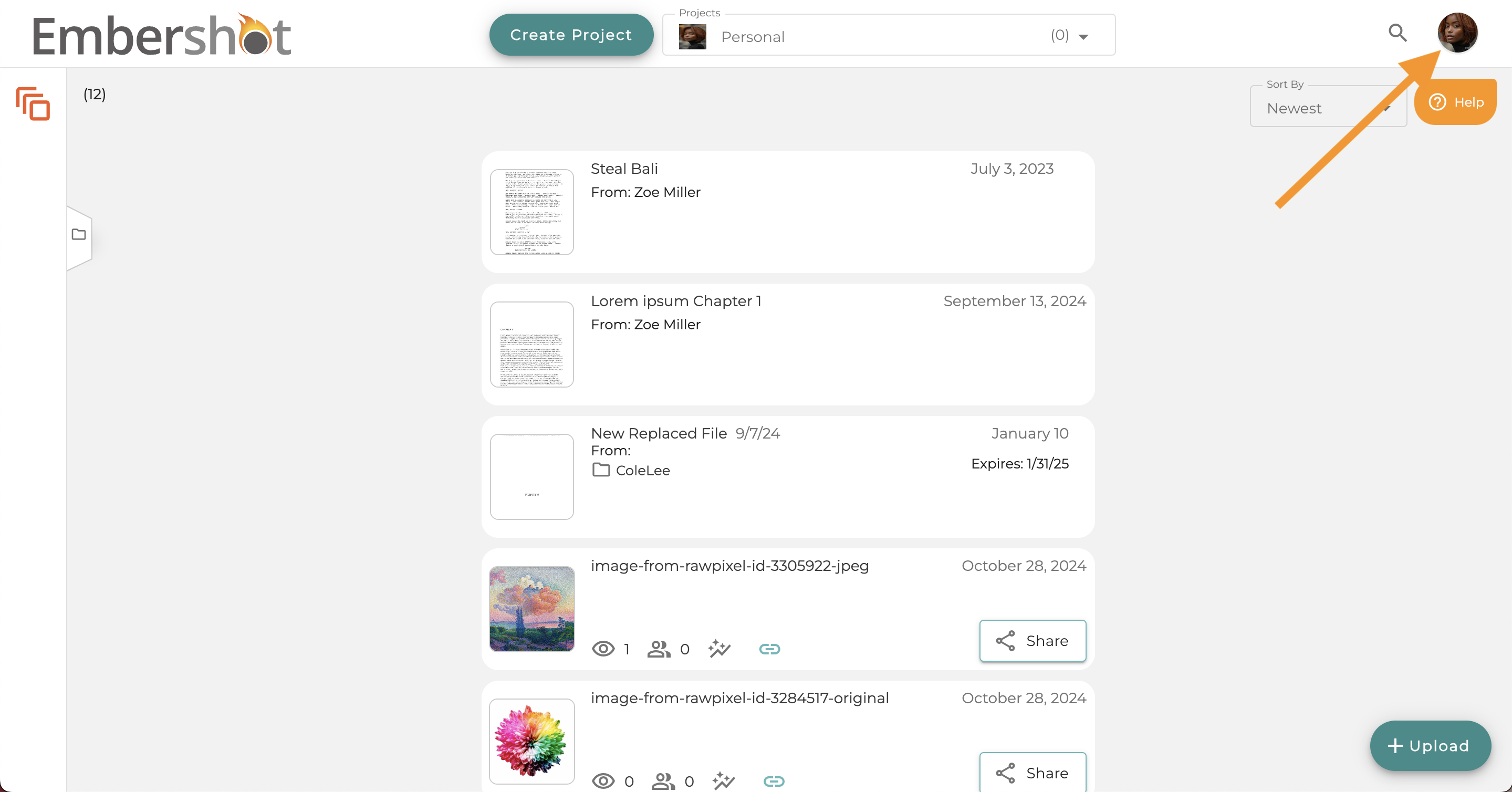
Step 1: Click the Profile menu
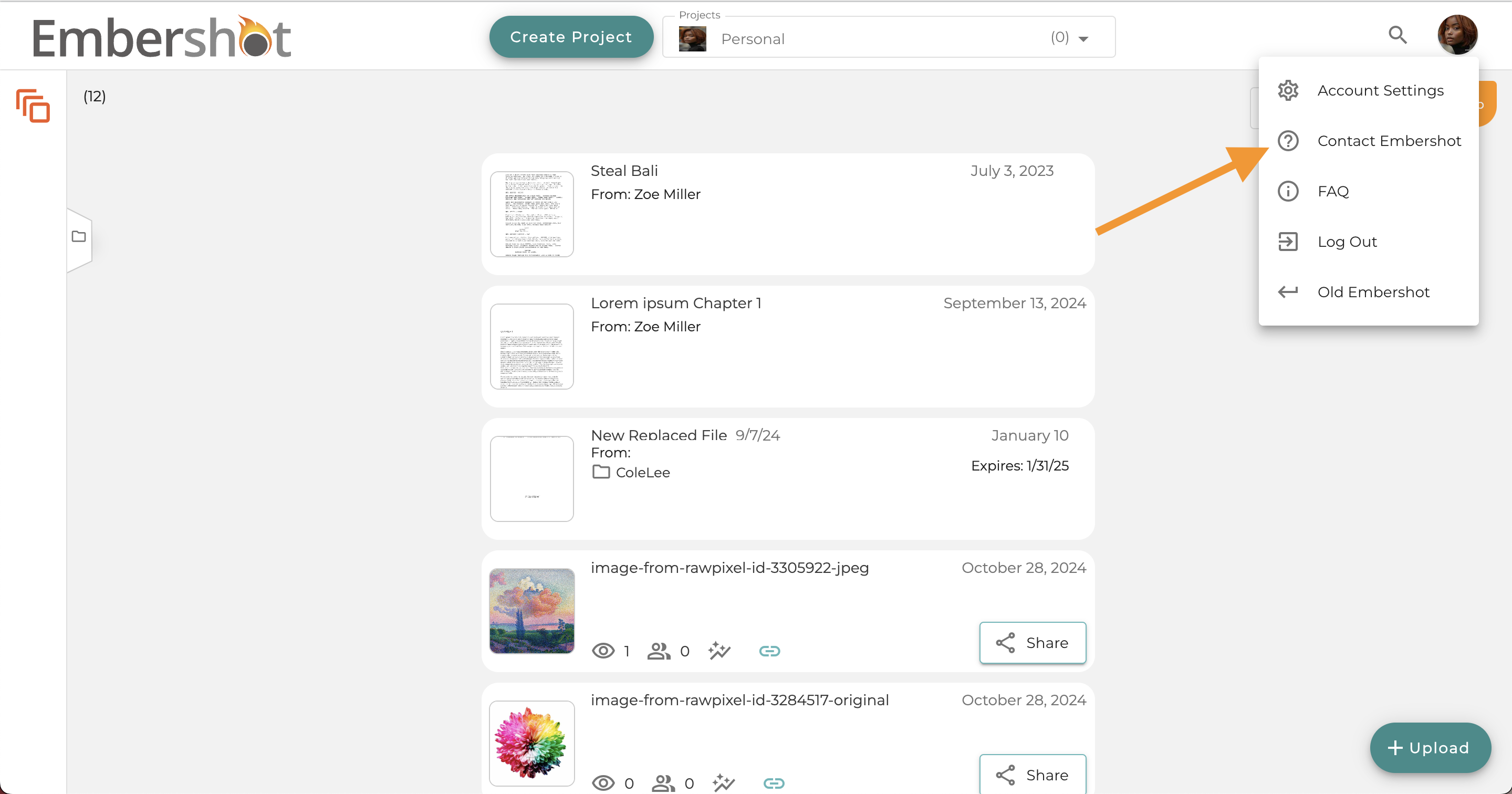
Step 2: Select 'Contact Embershot'
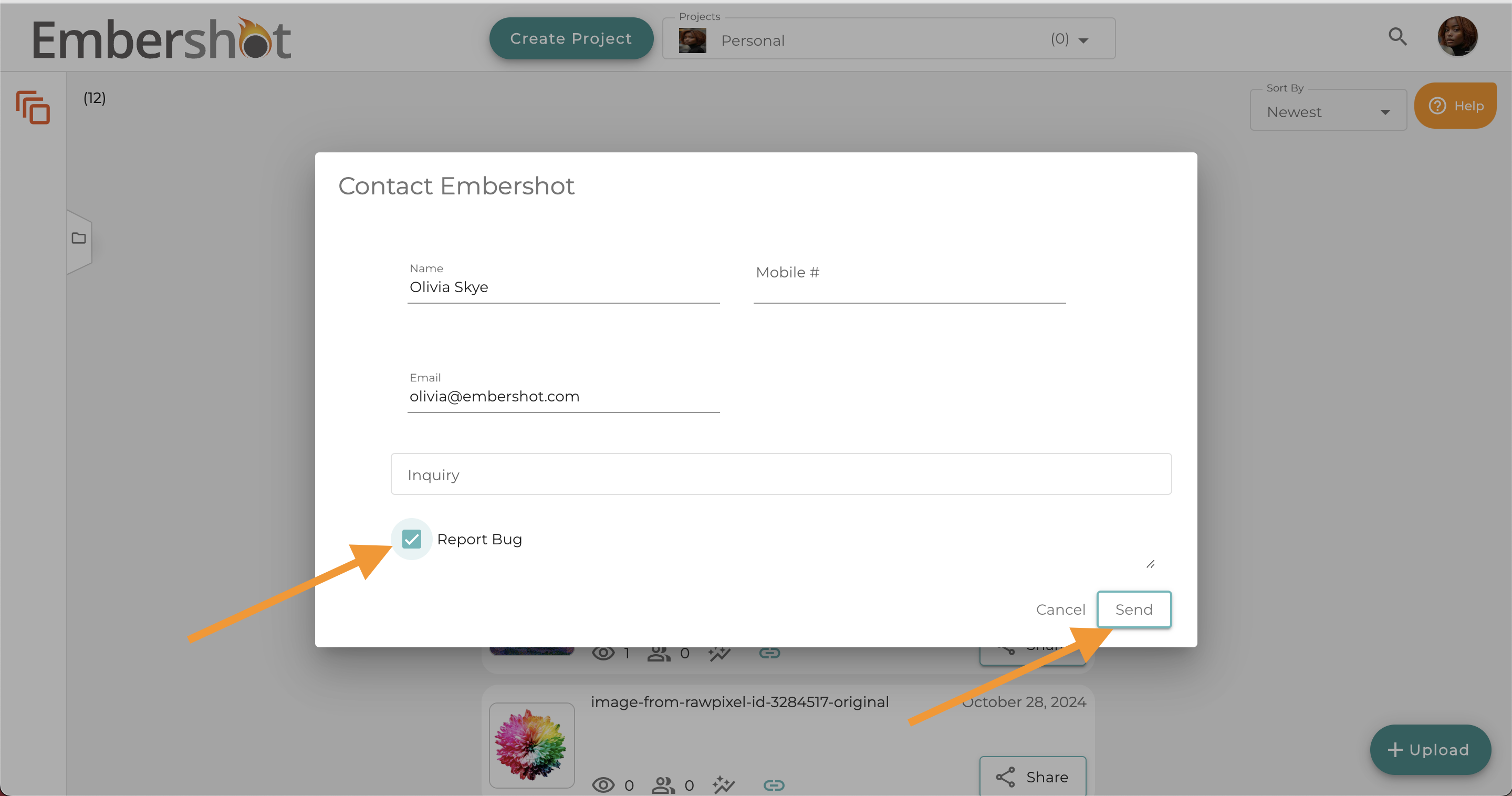
Step 3: "Your contact info associated with the account will automatically pre-fill. Select the 'Report Bug' box and press 'Send' to submit."
OPTION 2
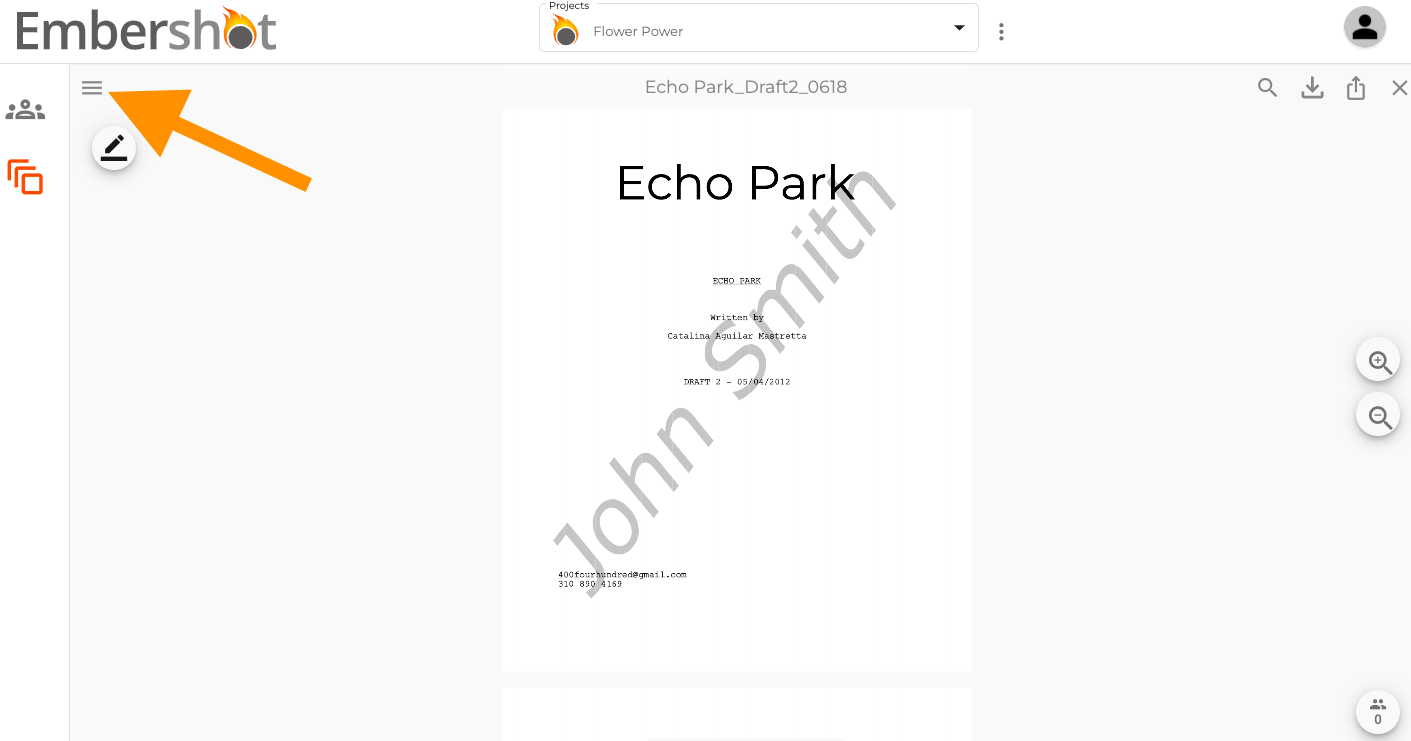
Step 1: When viewing a file, click the menu in the top left corner.
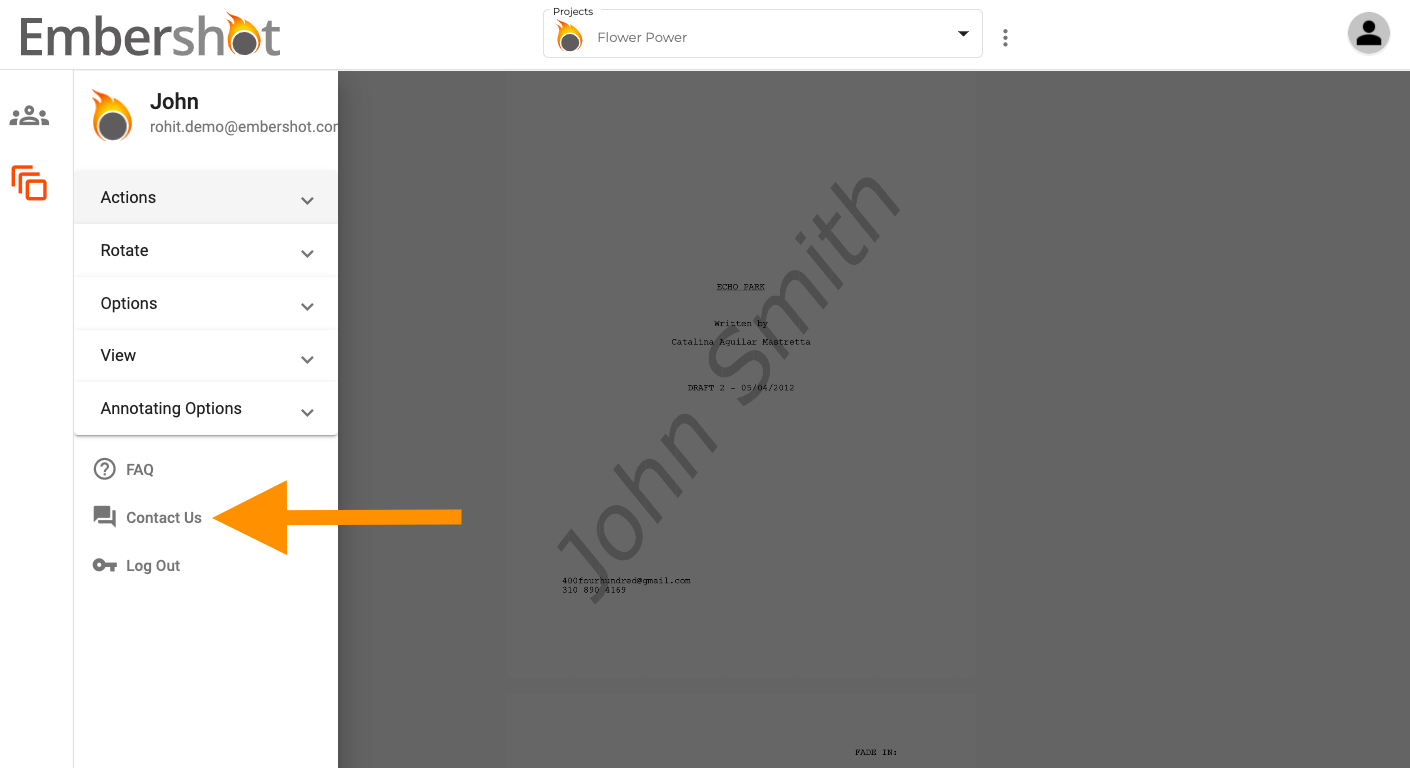
Step 2: From the dropdown, click 'Contact Us.'
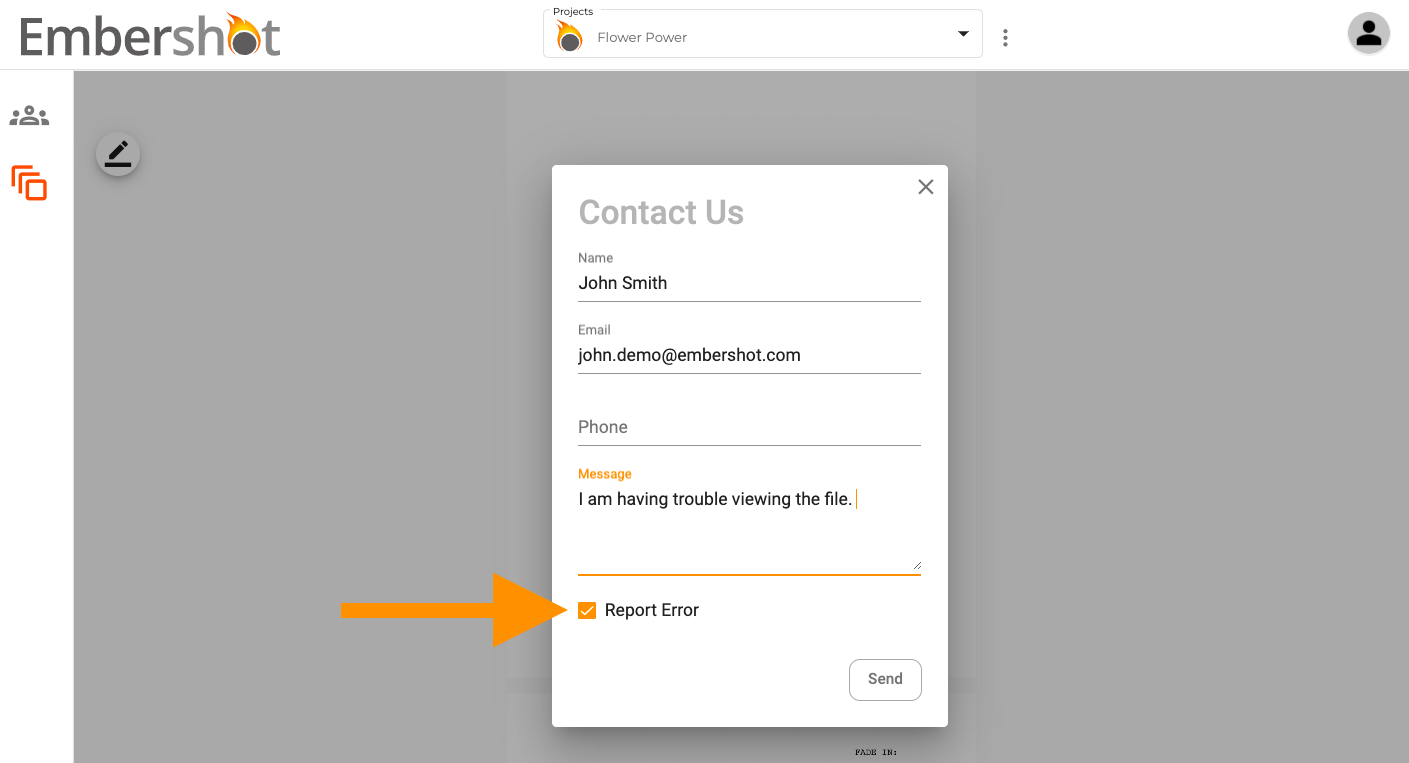
Step 3: "Fill out the form. Be sure to check 'Report Error' and then click 'Send.'"