How to rename a folder
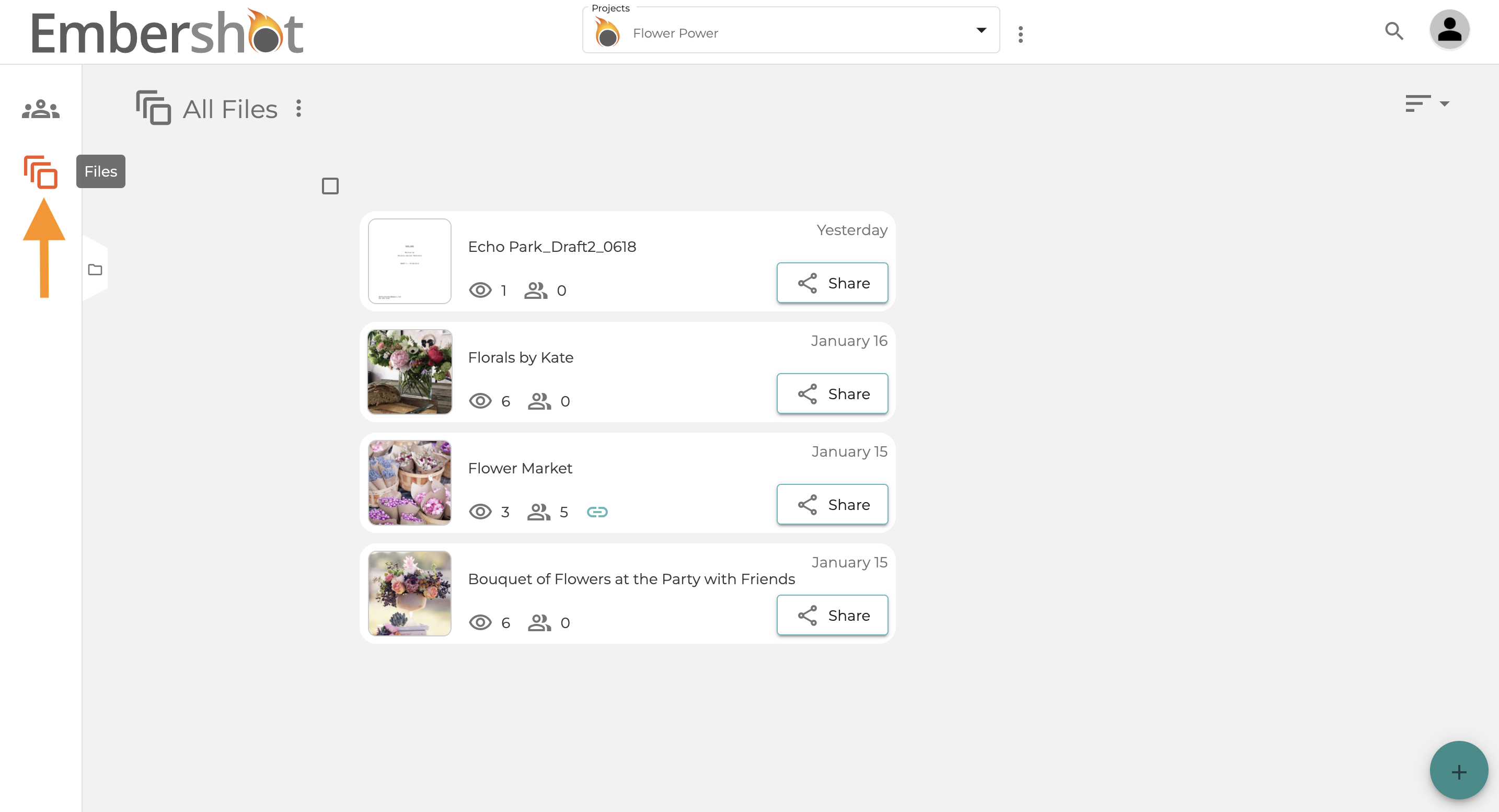
Step 1: Select the 'Files' icon
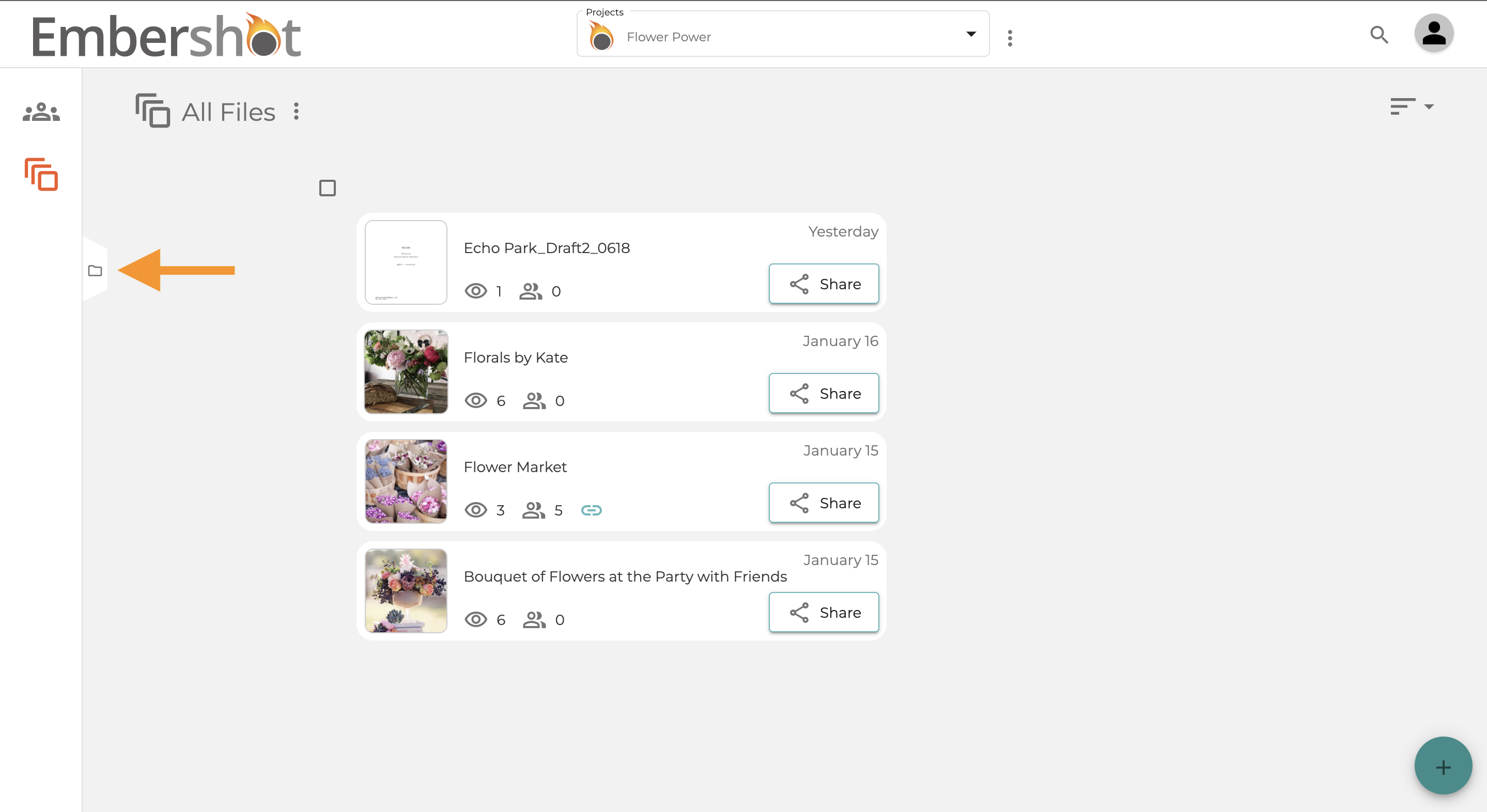
Step 2: Select the folder icon
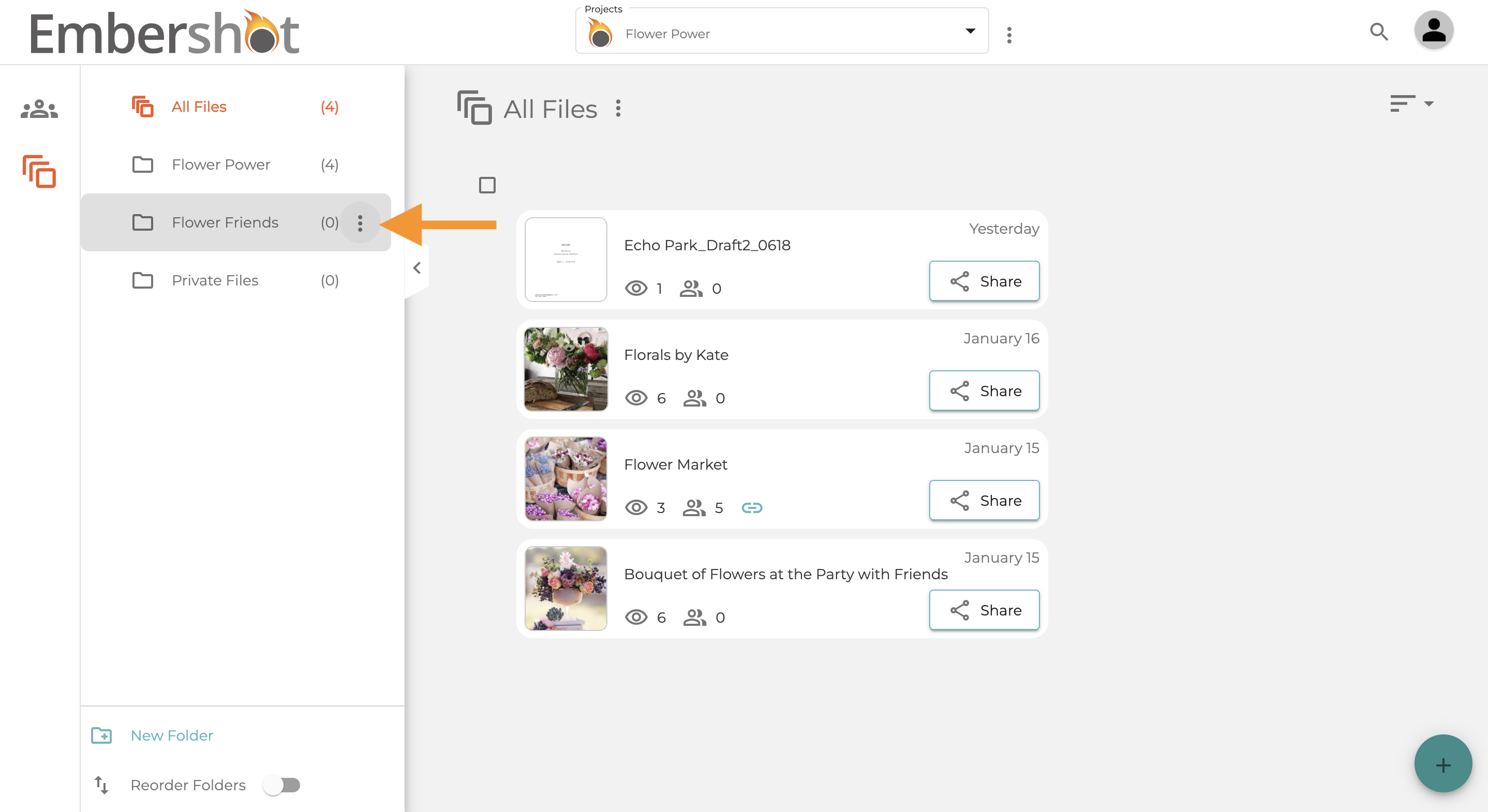
Step 3: Hover over desired folder and select the more options icon
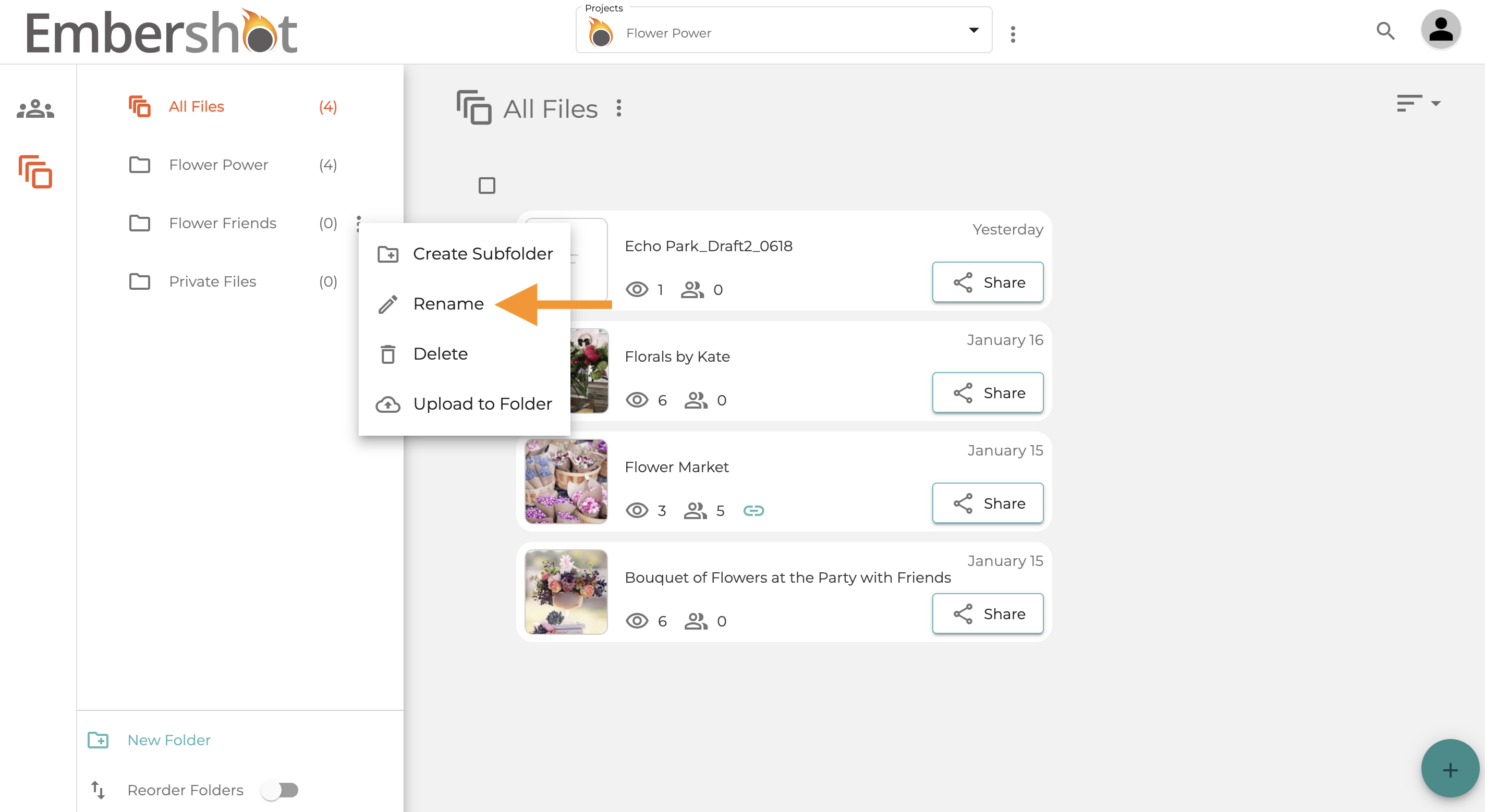
Step 4: Select 'Rename'
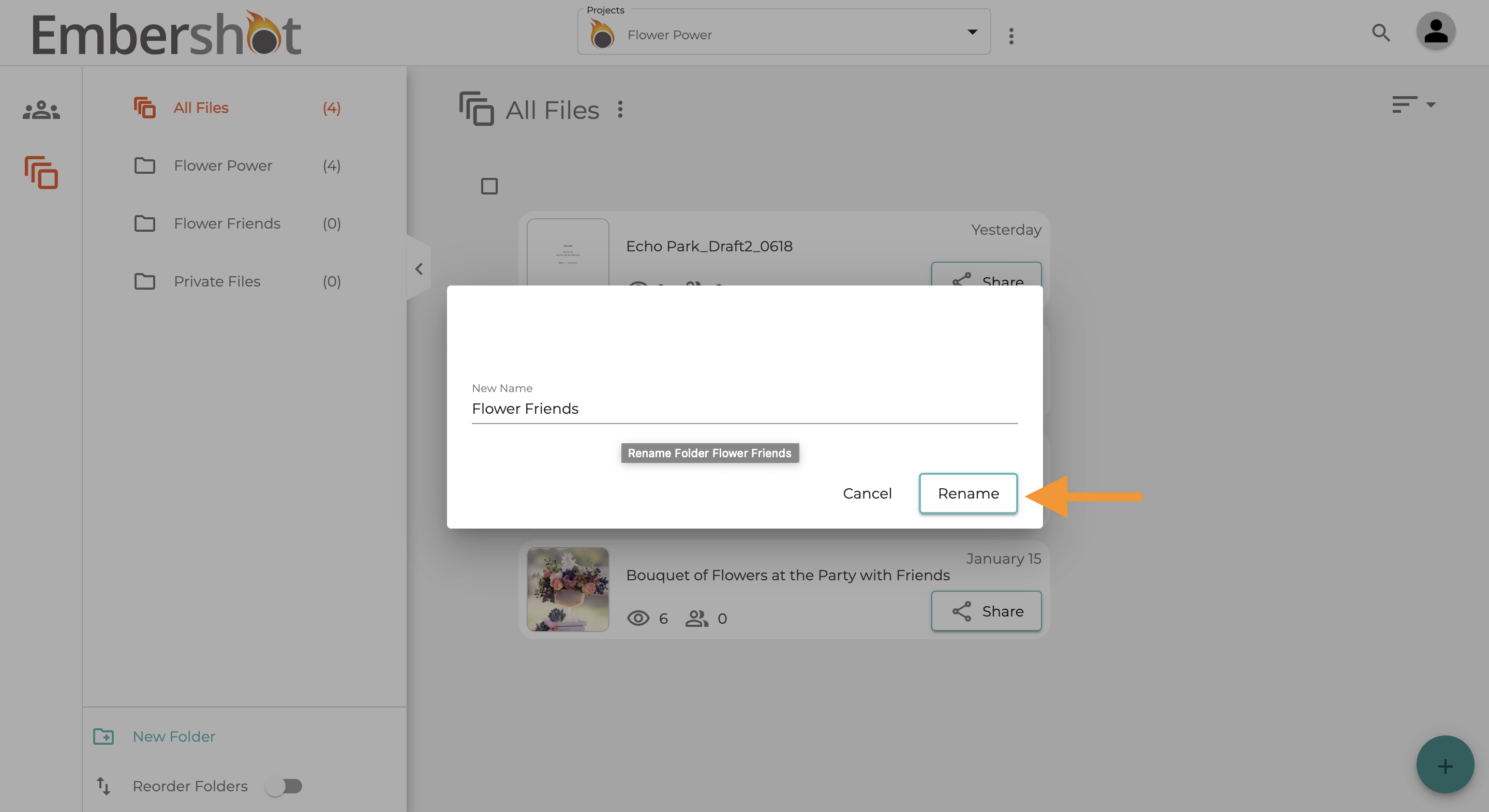
Step 5: Enter your new desired name and then select 'Rename' to confirm
Step 1: Select the 'Files' icon
Step 2: Select the folder icon
Step 3: Hover over desired folder and select the more options icon
Step 4: Select 'Rename'
Step 5: Enter your new desired name and then select 'Rename' to confirm