How to lock the view of a document
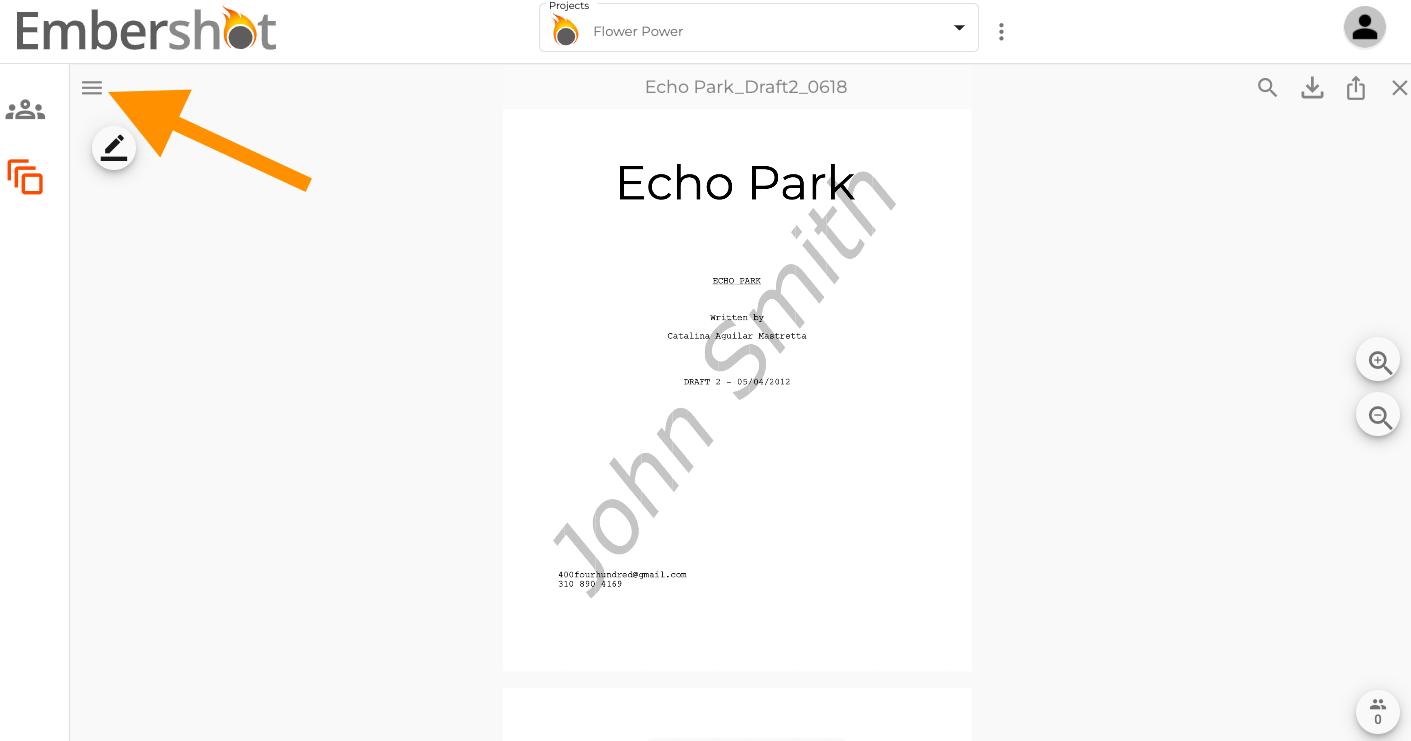
Step 1: When viewing a document, click the menu in the top left corner.
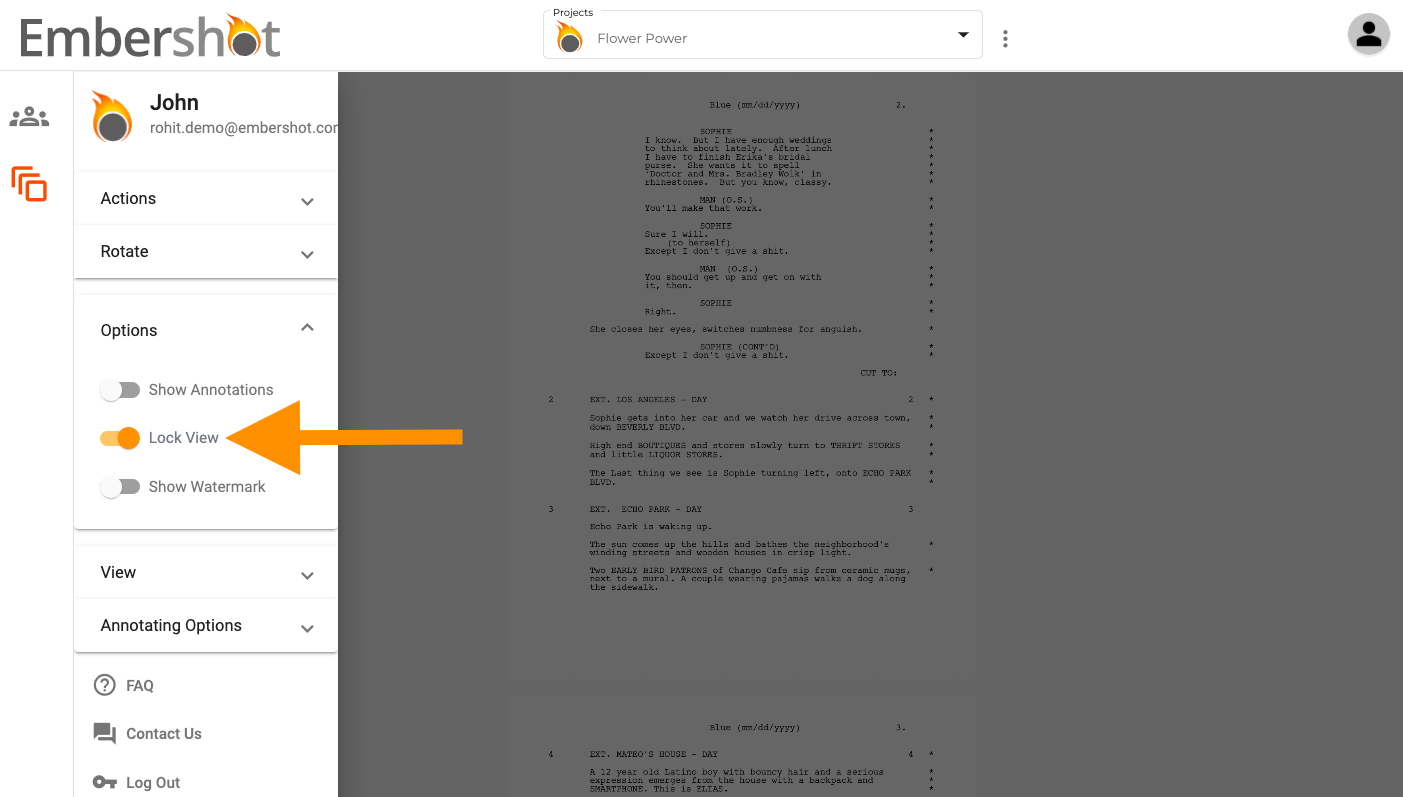
Step 2: From the dropdown, select 'Options' and make sure the 'Lock View' toggle is on.
Step 1: When viewing a document, click the menu in the top left corner.
Step 2: From the dropdown, select 'Options' and make sure the 'Lock View' toggle is on.