How to Request an Extension for an Expired File
If your file has expired and you no longer have access, you can open your Expired folder and send a file extension request to the sender.
Step 1: Open Folder tab
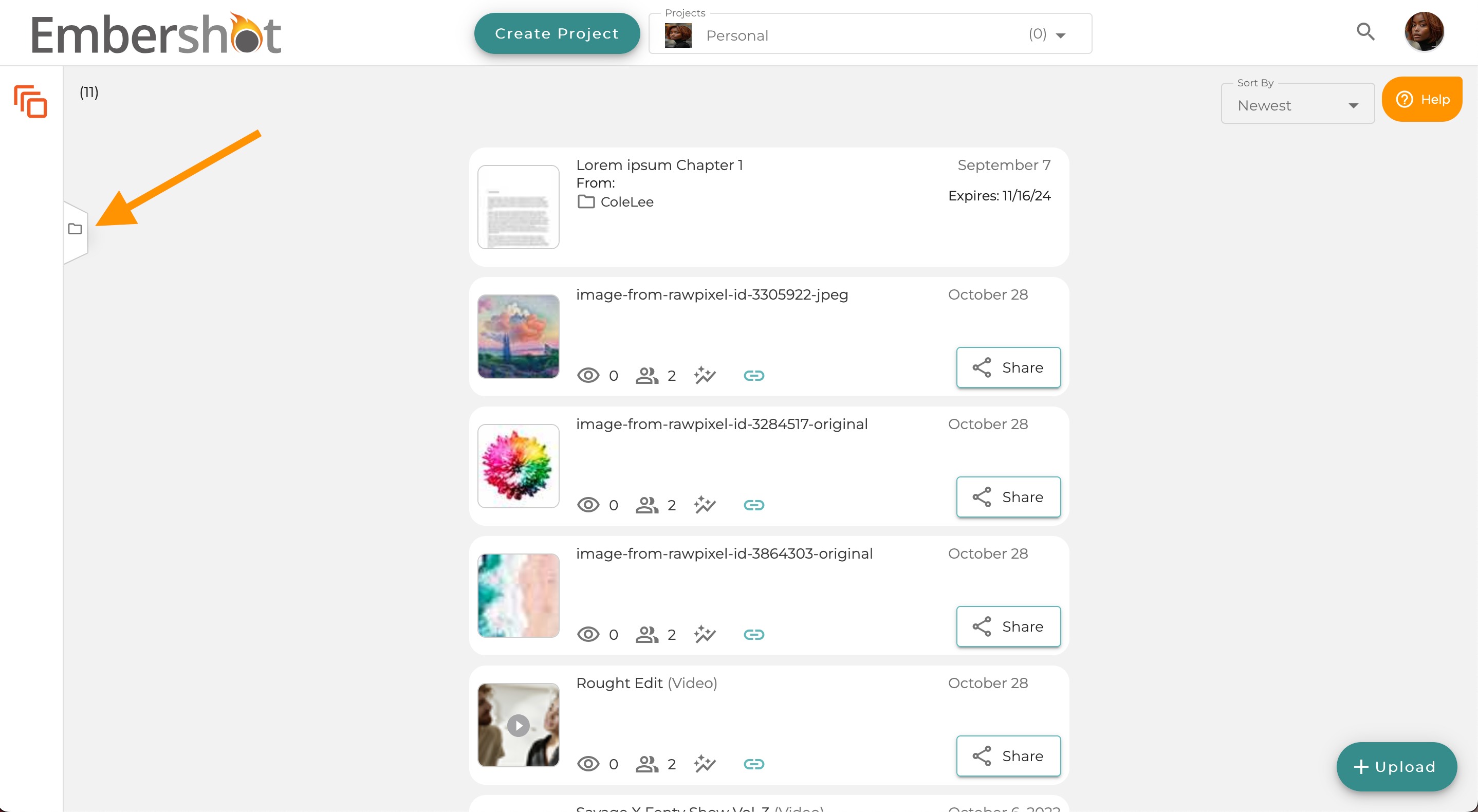
Step 2: Select and open the Expired folder

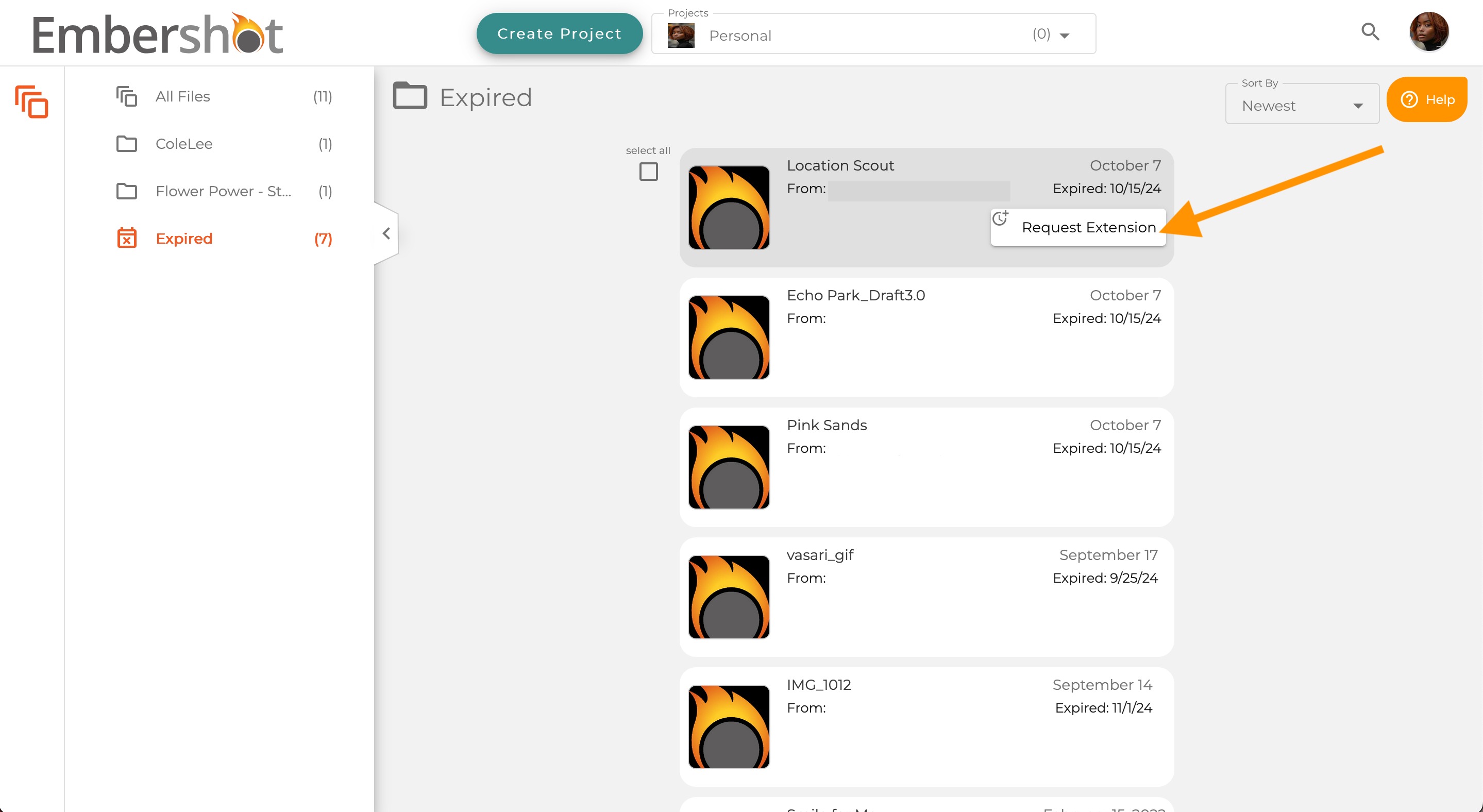
Step 3: In the Expired folder, hover over the file you would like to access and click the 'Request Extension' button
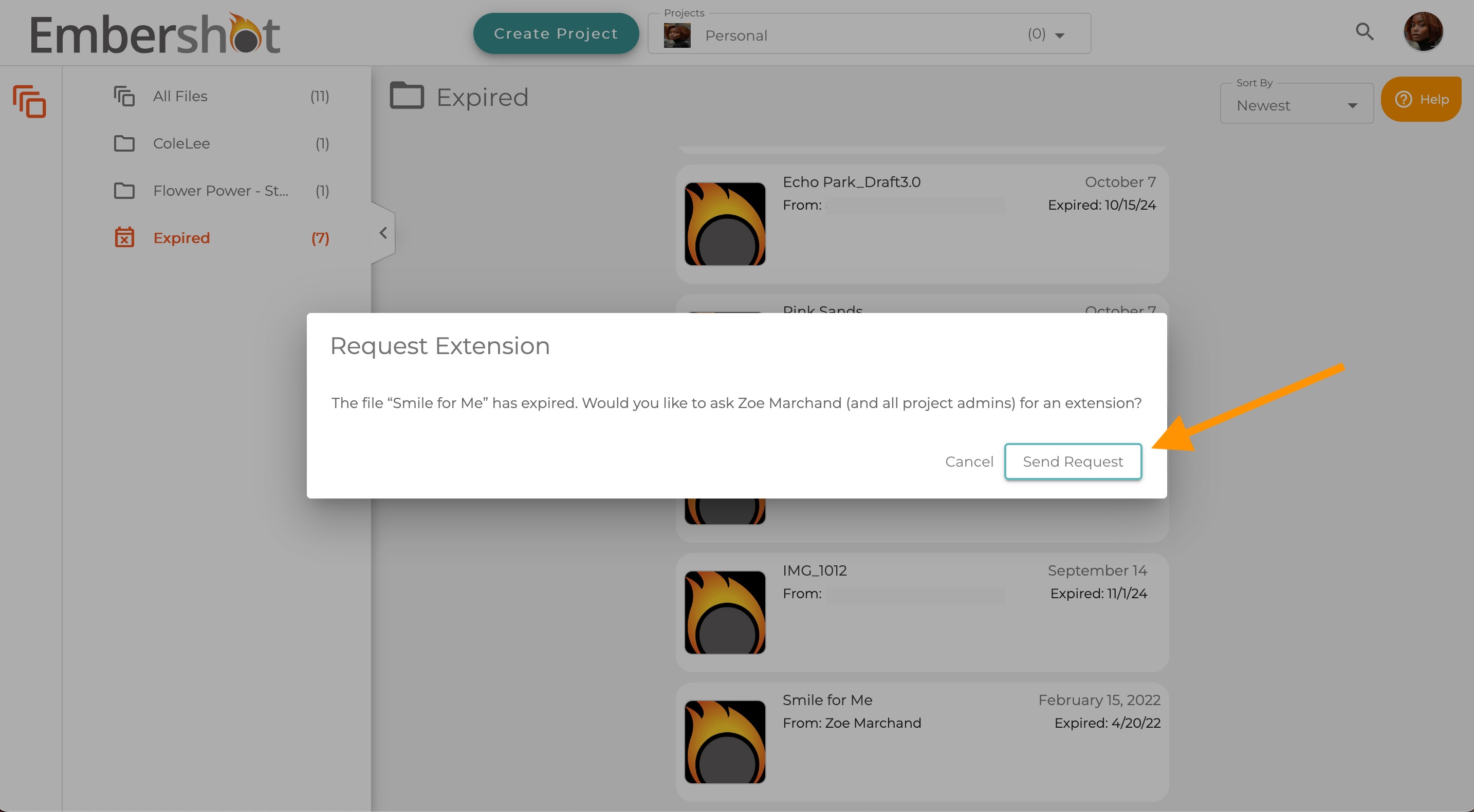
Step 4: Click 'Send Request'