How to adjust default watermark settings
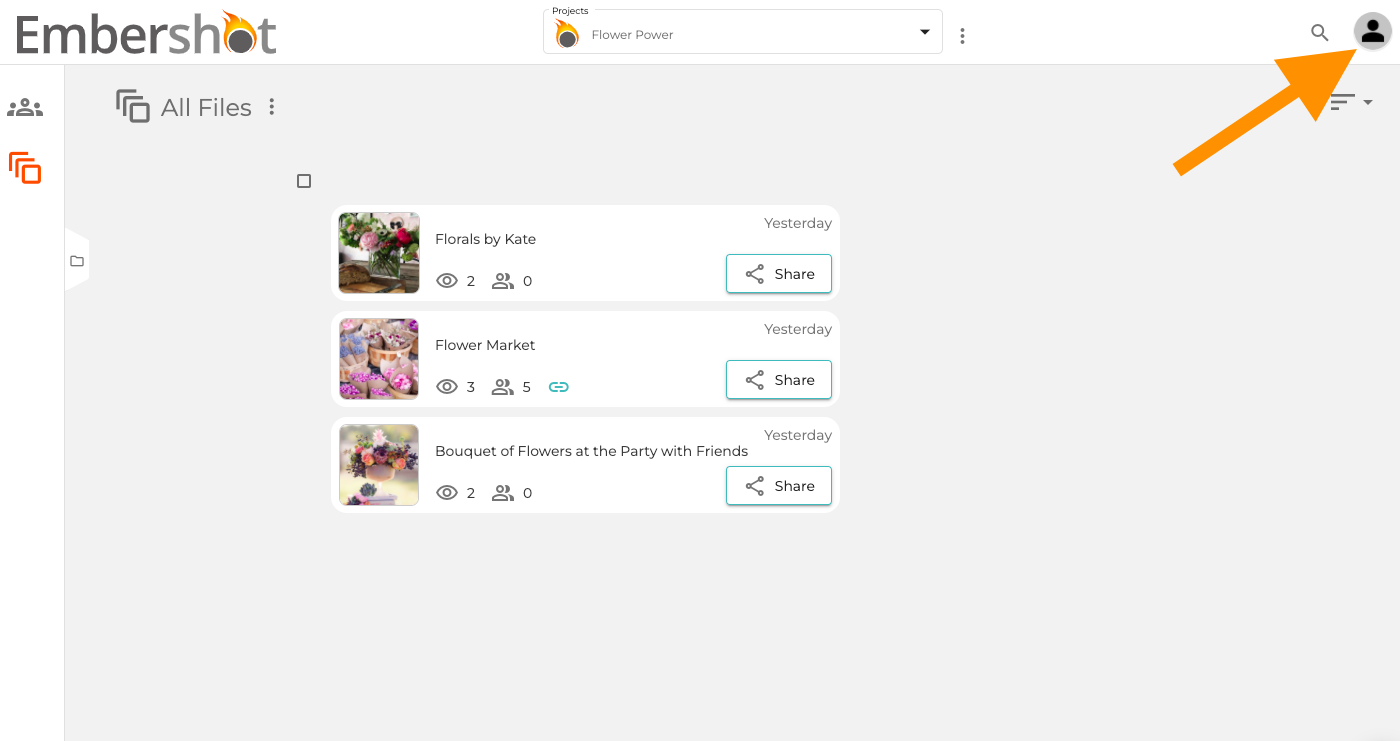
Step 1: Click on the Account icon in the top right.
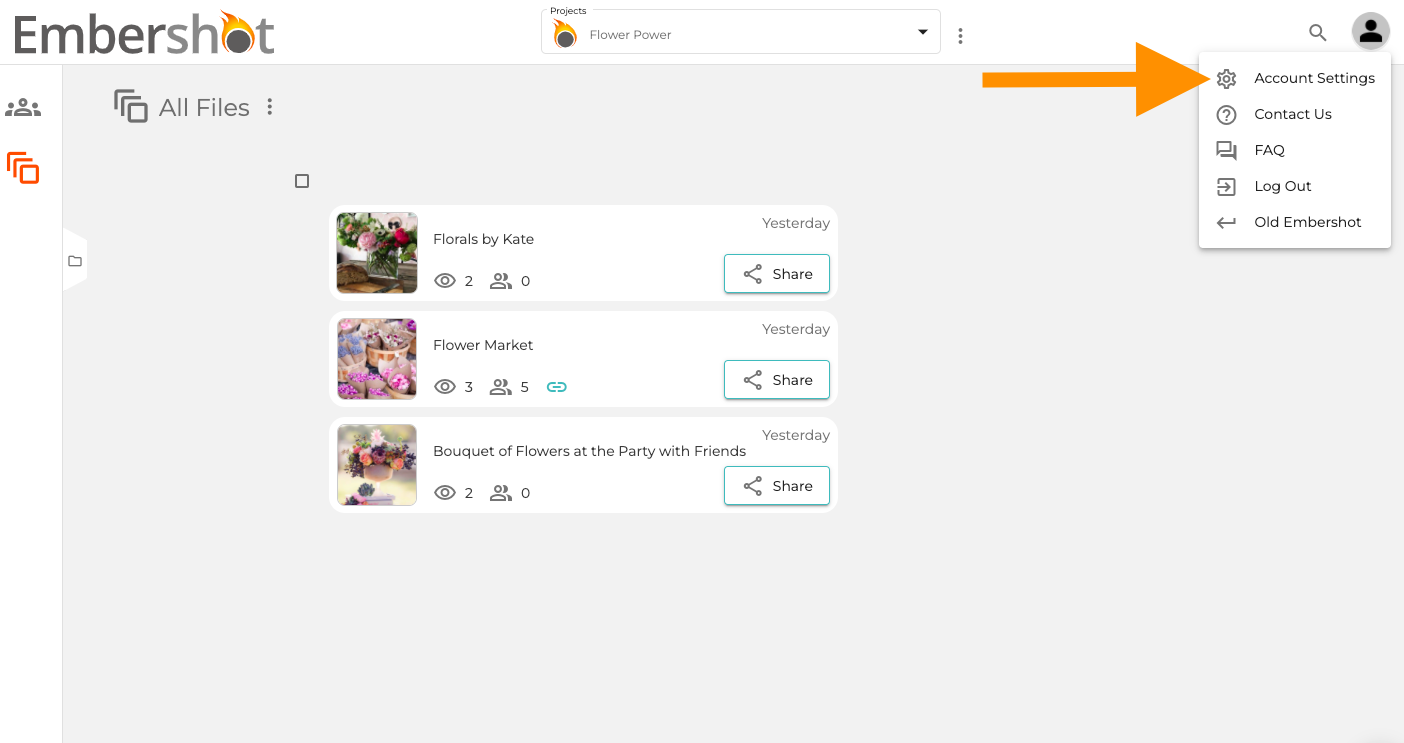
Step 2: From the dropdown, select 'Account Settings.'
Step 3: Select 'Default Settings' from the menu on the left and adjust the desired 'Watermark Settings.' Click 'Close.'
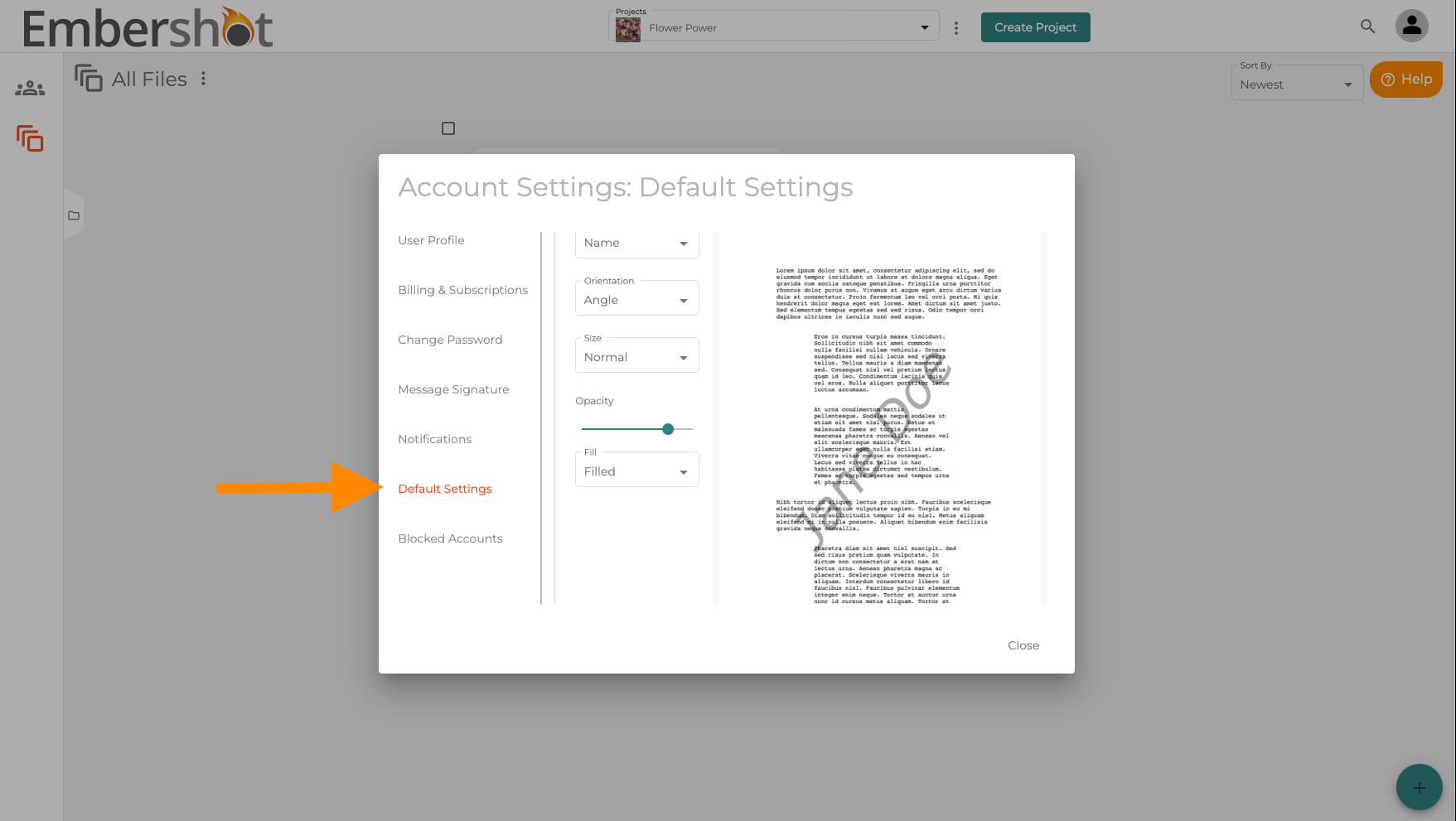
This will be applied to all future uploaded files, not existing files in the account. If you do not edit a user's name, the system will default to what is in front of the @ symbol in the user's email address.